 NEWS
NEWS
How Apple Could Integrate Notes with Activity
 09/23/2019
 2790
2790

The Activity app for Apple Watch and iPhone has come a long way over the last several years. It gets even better this year with the incredibly useful “Trends” feature and more in watchOS 6 and iOS 13.
One feature I would really like to see come to the Activity app, however, is support for adding Notes to workouts. Here’s how that could work.
What I mean by this is essentially journaling in conjunction with the workouts you complete on Apple Watch. The Activity app already logs useful information about workouts, such as location, time, calories, and more. But there’s more information you might want to keep in conjunction with a specific workout.
For instance, let’s say you complete an outdoor run using the Workouts app on your Apple Watch. You have your basic information in the Activity app – including pace, distance, and splits. But maybe you had some knee pain during the workout that you’d like to log alongside your workout.
Furthermore, if you were doing a weightlifting workout, you could log your weights and rep schemes directly in the Activity app. If you did a yoga workout, you could log which movements and areas you focused on that day. I’d love to be able to log CrossFit workout details in the Activity app as well, since they vary day-by-day.
Currently, I rely on a third-party app to do this and have a long list of “Cross Training” workouts in the Activity app, with no context whatsoever.
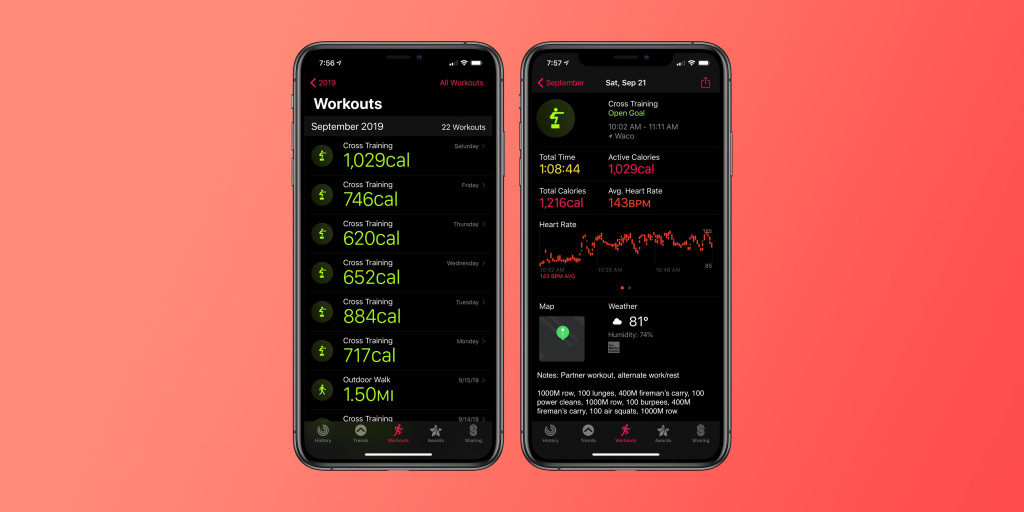
Adding this sort of information to workouts would make it easier for you to go back and analyze your performance over time. Was one workout abnormally slow or inefficient? Having details in a Notes field would help you remember why. For weightlifting or CrossFit, you could also see which type of workouts were most efficient from a time and calories perspective.
In my imagination, this would work by opening the Activity app on your iPhone and simply seeing a “Notes” field in the details screen for each workout. You could then add whatever you wanted to the notes field. Think of the “Notes” field you see when adding an event in the Calendar app. You could also theoretically link it to the actual Notes app on iOS.
This is a pretty basic feature but one that would tremendously enhance my use of the Activity app and Apple Watch. The ability to add Notes to workouts would make it even easier for Apple Watch users to track performance and specific qualitative details for all of your workouts. Apple Watch is great at giving you all of the quantitate details you could want about a workout, but there’s much more information that I would also like to log.
Source: 9to5mac










