 NEWS
NEWS
Apple Is Trying to Trademark ‘Slofie’
 09/19/2019
 2570
2570
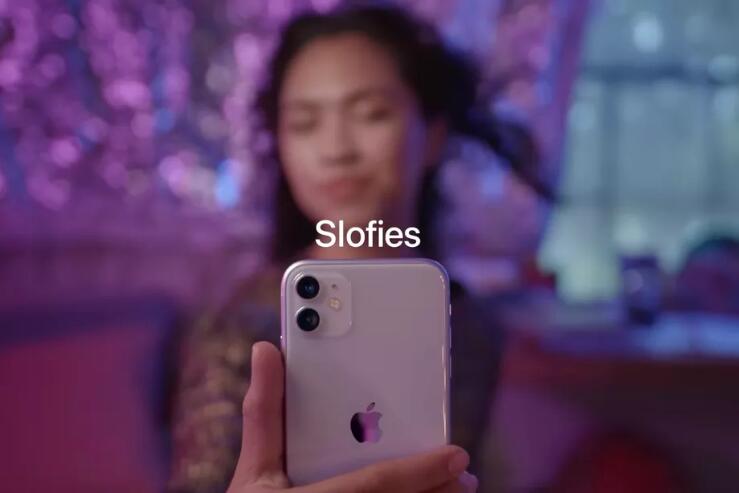
It seemed like “slofies” could have been a one-off joke when Apple mentioned them during its iPhone event last week, but the company is clearly pleased with the made-up term. On Friday, Apple applied for a US trademark on “Slofie,” potentially giving the company control over the word’s usage.
Slofies are Apple’s name for slow-motion selfies, a feature that’s new to the iPhone 11 models. The phones’ front camera can now record video at 120 frames per second, which when slowed down, results in a crisp slow-motion effect. The results are neat, though I’m not convinced they’ll turn into the Animoji-like phenomenon Apple may be hoping for.
Apple is applying for a trademark on slofies in connection with “downloadable computer software for use in capturing and recording video.” That means this trademark seems to be more about preventing other companies from making slofie-branded camera apps than it is about limiting popular usage of this totally made-up word. Apple has reason to want to prevent the creation of knock-off slofie apps, too, since slofies are meant to be exclusive to the new iPhones.
Despite the focus on apps, Apple doesn’t actually offer a slofie app or a slofie mode on the new iPhones. The feature is just called “slo-mo” in Apple’s camera app, and the company’s current usage of slofie refers exclusively to the resulting videos, not the app or mode used to capture them.
Apple seems to be hoping slofies will be a fun selling point for its new phones. The feature is mentioned across Apple’s website, and Apple presented a slofie ad during the phones’ launch event. It wouldn’t be surprising to see a lot more airing in the coming weeks once the phones are out. We’ve reached out to Apple for comment.
I wouldn’t really mind if Apple took slofie for itself anyway. I can’t stop accidentally writing it as “slowfie,” and I’ve written “slowfi” a couple of times, too. In case you’re wondering, a company based in Hong Kong tried to trademark SlowFi back in 2011 in connection with wireless communications. The trademark application, and seemingly the company, are now defunct.
In case you’re wondering, Apple had to pay $400 to file this trademark application.
Source: theverge










