
NEWS

iPhone 11 Lineup Said to Include Two-Way Charging Hardware, But Software Disabled

09/16/2019

2499

iPhone 11, iPhone 11 Pro, and iPhone 11 Pro Max models include the necessary hardware for a two-way charging feature that was widely rumored for the devices, but Apple has disabled the feature on the software end, according to "reliable sources" cited by leaker and former Apple blogger Sonny Dickson. 


Dickson, through his connections, has proven reliable at times in the past. He had early line of sight on the AirPower's development challenges, for example, and the wireless charging mat was eventually canceled. 

For months ahead of their unveiling, the latest iPhones were rumored to feature a Qi-based device-to-device charging feature, allowing for an Apple Watch, AirPods, and other accessories to charge on the back of the iPhones. The feature was expected to be similar to Wireless PowerShare on Samsung's Galaxy S10. 
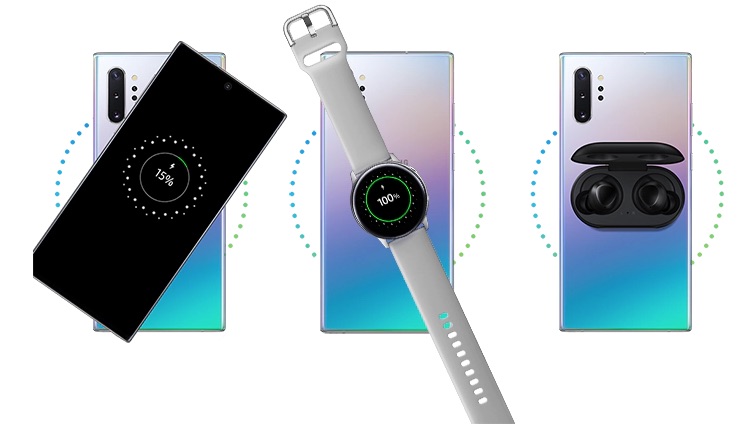
iPhone 11 Lineup Said to Include Two-Way Charging Hardware, But Software Disabled


The centered Apple logo on the iPhone 11 models was even believed to be partly intended to help customers know where to place their AirPods, Apple Watch, or other accessories to charge on the back of the iPhone. 

Just hours before Apple's event this week, however, noted analyst Ming-Chi Kuo and Bloomberg's Mark Gurman said the feature appeared to have been canceled. In a note seen by MacRumors, Kuo said the feature was possibly abandoned because "the charging efficiency may not meet Apple's requirements." 
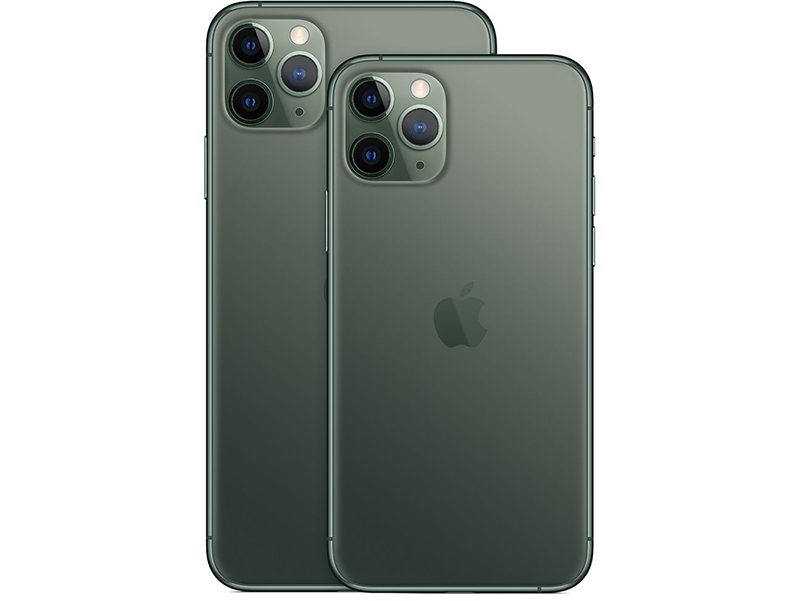
iPhone 11 Lineup Said to Include Two-Way Charging Hardware, But Software Disabled
Teardowns of the iPhone 11 models will soon confirm whether the two-way charging hardware is in fact present in the devices. Deliveries to customers and in-store availability will begin Friday, September 20. 


Source: MacRumors

Windows
Mac OS
iOS
Linux
3uTools
Win 64-bit For this device
V9.01 2025-12-27
Download
Win 32-bit For this device
V9.01 2025-12-27
Download
3uTools
Intel Chip How to Identify Chip Type
V9.01 2025-12-31
Download
Apple Silicon
V9.01 2025-12-31
Download
How to Identify Chip Type
1.  Click the Apple icon in the top-left corner of the screen and select About This Mac.
2.  Check the Processor or Chip field to determine if it is "Intel" or "Apple".
Please use the 3uTools PC client to install the iOS client:
1、 Install either the Windows or Mac version of 3uTools on your computer
2、 Open the PC client and connect your device to the computer via USB cable
3、 After the connection is successful, wait for the computer to automatically install the mobile app for the device, or locate “Install Mobile App” on the computer and manually click to install.
3uTools
deb file
V3.01 2025-11-20
Download
rpm file
V3.01 2025-11-20
Download
Windows
Windows
iOS
iOS
Android
Android
TV
TV
3uAirPlayer
Win 64-bit For this device
V6.0.2 2025-11-19
Download
Win 32-bit For this device
V6.0.2 2025-11-19
Download
iOS Device Mirroring (No App Required)
1、 Install 3uAirPlayer on the Windows PC
2、 Open Control Center and select Screen Mirroring
3、 From the list, choose your PC to start mirroring
4、 Or connect your iOS device to the PC via USB to begin mirroring
Scan to get "3uAirPlayer" App
3uAirPlayer TV V1.0.18
2025-11-28
TV System Requirements: Android 7.0 or later
Download the TV installation package, copy it to a USB drive, insert it into your TV or set-top box, then select the file from the home screen to install.




