NEWS

Southwest Airlines Is Giving Privilege to Apple Pay

09/06/2019

2709

Southwest Airlines Is Giving Privilege to Apple Pay


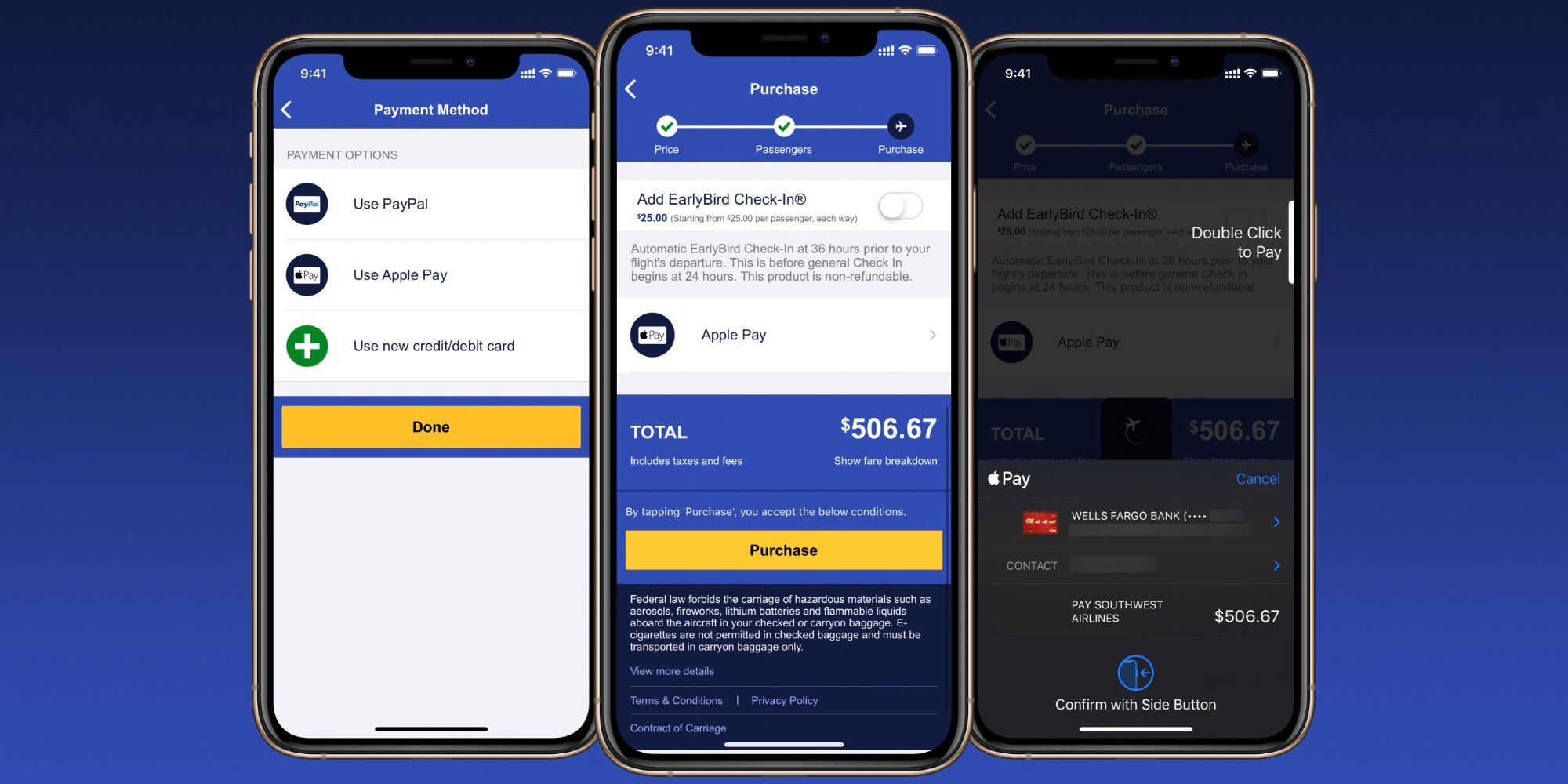
Southwest Airlines has a convenient new way to securely pay for plane tickets from your iPhone. The airline’s mobile app now supports Apple Pay at checkout for flights and other services.


CellPoint Digital and UATP are powering the feature announced by Southwest Airlines this week:


“Providing modern digital payment solutions to our Customers is critical,” said Christopher Priebe, Director, Treasury, Payments and Risk at Southwest Airlines. “The launch of Apple Pay enhances our ability to sell flights, as well as ancillary products using one of the most widely-used digital wallets in North America.”


The new feature lets customers replace saved debit and credit cards or PayPal with Apple Pay as a secure and convenient payment method without the risk of storing payment credentials online. Apple Pay is also compatible with Safari, but support is limited to the airline’s mobile app for now.


Apple Pay support means travelers can easily use the new Apple Card credit card or an Apple Cash debit balance to book flights and stay. Apple Pay is also compatible with debit and credit cards from nearly every US bank and credit union (including the airline’s credit union for employees).


Like other major airlines, Southwest has also supported storing digital flight tickets in Apple’s Wallet app since 2015.


Source: 9to5mac

Windows
Mac OS
iOS
Linux
3uTools
Win 64-bit For this device
V9.01 2025-12-27
Download
Win 32-bit For this device
V9.01 2025-12-27
Download
3uTools
Intel Chip How to Identify Chip Type
V9.01 2025-12-31
Download
Apple Silicon
V9.01 2025-12-31
Download
How to Identify Chip Type
1.  Click the Apple icon in the top-left corner of the screen and select About This Mac.
2.  Check the Processor or Chip field to determine if it is "Intel" or "Apple".
Please use the 3uTools PC client to install the iOS client:
1、 Install either the Windows or Mac version of 3uTools on your computer
2、 Open the PC client and connect your device to the computer via USB cable
3、 After the connection is successful, wait for the computer to automatically install the mobile app for the device, or locate “Install Mobile App” on the computer and manually click to install.
3uTools
deb file
V3.01 2025-11-20
Download
rpm file
V3.01 2025-11-20
Download
Windows
Windows
iOS
iOS
Android
Android
TV
TV
3uAirPlayer
Win 64-bit For this device
V6.0.2 2025-11-19
Download
Win 32-bit For this device
V6.0.2 2025-11-19
Download
iOS Device Mirroring (No App Required)
1、 Install 3uAirPlayer on the Windows PC
2、 Open Control Center and select Screen Mirroring
3、 From the list, choose your PC to start mirroring
4、 Or connect your iOS device to the PC via USB to begin mirroring
Scan to get "3uAirPlayer" App
3uAirPlayer TV V1.0.18
2025-11-28
TV System Requirements: Android 7.0 or later
Download the TV installation package, copy it to a USB drive, insert it into your TV or set-top box, then select the file from the home screen to install.