 NEWS
NEWS
Apple Purchases Two New Office Buildings
 08/21/2019
 3259
3259
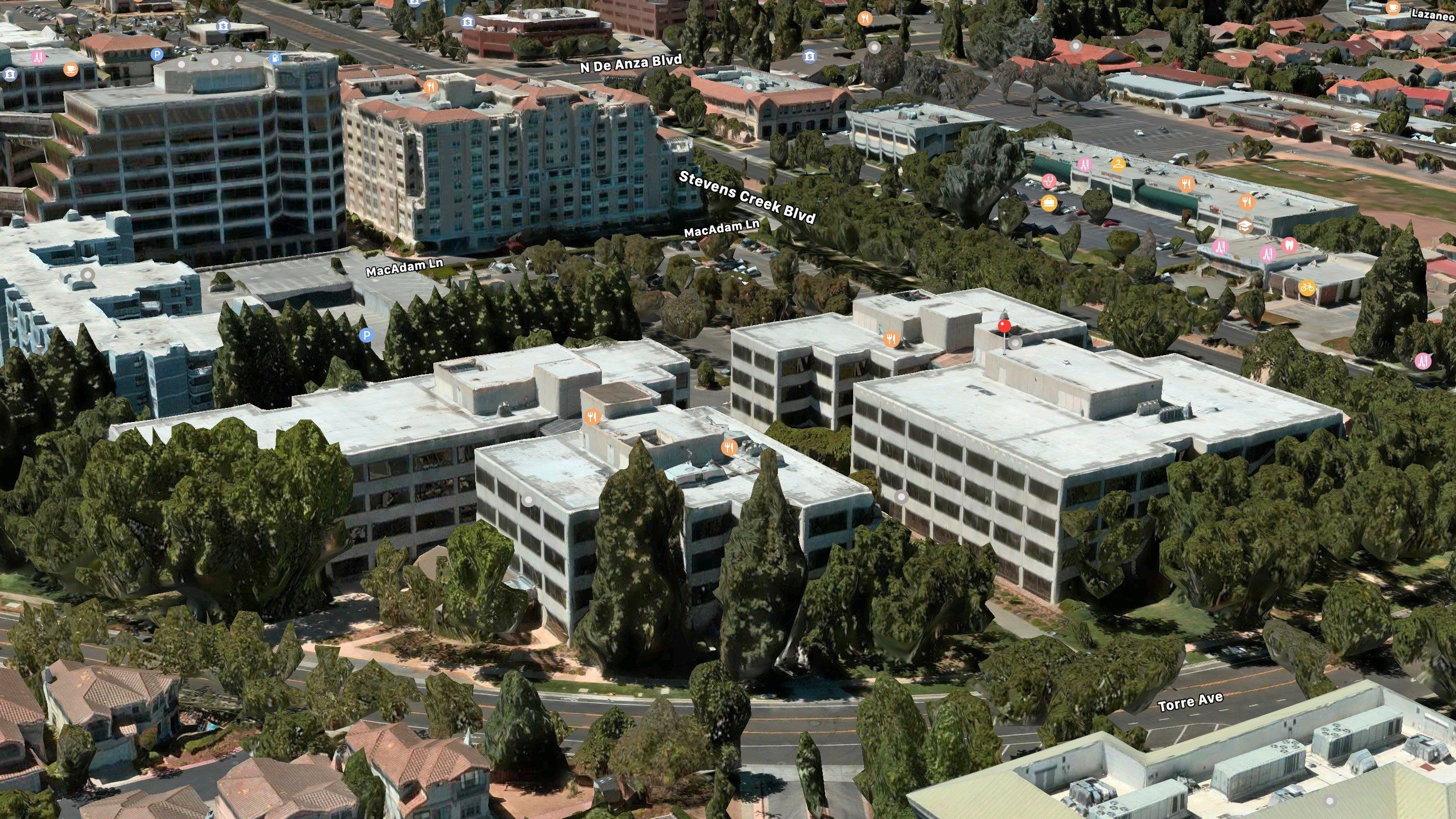
Apple is further expanding its footprint in Cupertino, according to a new report from The Mercury News. Apple has acquired a large office complex in the city, located at the corner of Stevens Creek Boulevard and Torres Avenue.
According to documents filed with the Santa Clara County Recorder’s Office this week, Apple has purchased the two buildings for a total of $290 million. Apple has previously housed some of its employees in these buildings, but now it is taking things a step further by purchasing the real estate outright.
The two buildings total over 300,000 square feet, according to county assessments:
The buildings are within the Cupertino City Center development, a complex that includes office buildings, residences, restaurants, and a hotel. The two office buildings are known as Cupertino City Center 1 and Cupertino City Center 2, according to a LoopNet listing.
One building is at 20300 Stevens Creek Blvd. and totals 168,000 square feet, while the other building, located at 20330 Stevens Creek Blvd., totals 146,000 square feet, county assessment and LoopNet documents show.
With a purchase price of $290 million, Apple helped American Realty Advisors profit handsomely. In mid-June of this year, the assessed value of the two buildings was $135.1 million, county documents show.
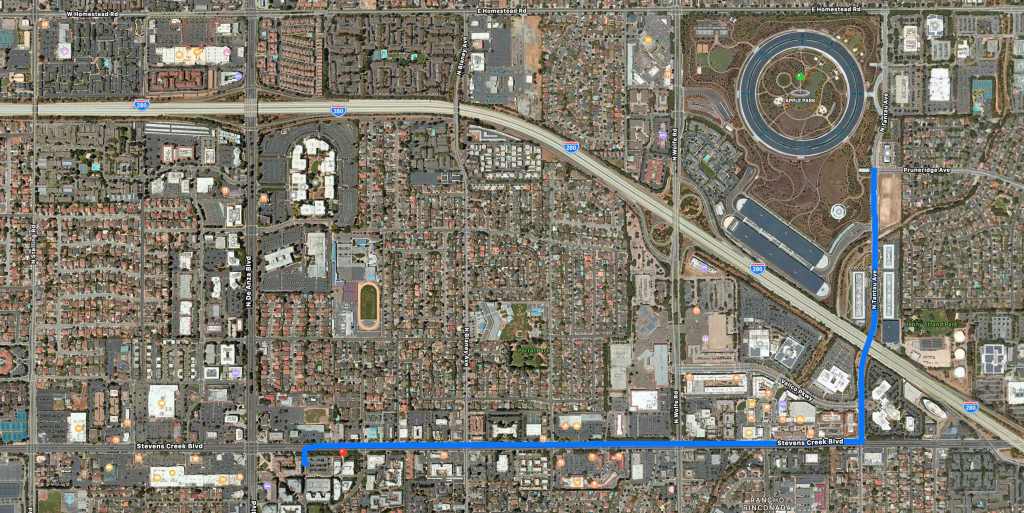
It’s unclear what Apple might house in these new buildings, which are located roughly 2 miles from Apple Park. Nonetheless, Apple continues to expand its footprint throughout Cupertino, choosing to keep as many of its employees and teams as close to Apple Park as possible.
Source: 9to5mac









