 NEWS
NEWS
Pwn20wnd Confirmed to be Working on Substitute for A12(X) Devices with unc0ver
 04/28/2019
 3499
3499

Just last week, Saurik advised the jailbreak community not to hold its breath for an A12(X)-compatible Cydia Substrate, but that doesn’t mean that team unc0ver won’t release a full A12(X)-compatible jailbreak; in fact, the contrary appears to be true.
In the absence of Cydia Substrate on A12(X) platforms and with little or no indication that it’ll ever be updated to support them, hacker and unc0ver lead developer Pwn20wnd embarked on a new challenge – one that involves implementing an improved Substitute for A12(X) handsets specifically while continuing to use Cydia Substrate for tweak injection on pre-A12(X) devices.
The jailbreak community has been waiting in suspense ever since, but Pwn20wnd shared an update on Friday that seems mostly positive about the situation:
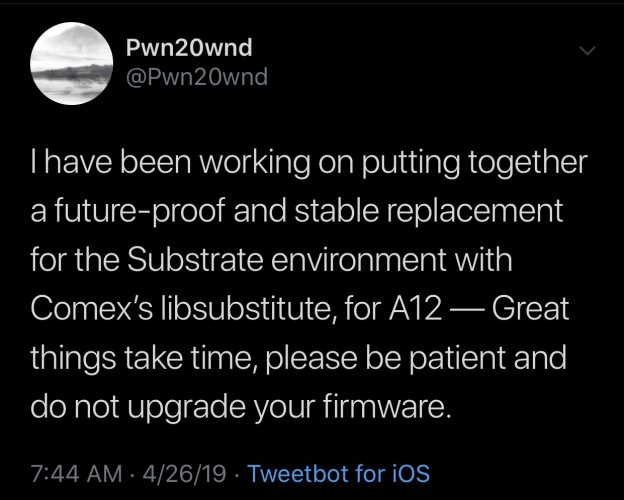
The main takeaways from Pwn20wnd’s status update include:
He is actively working on unc0ver’s A12(X) support
He is building a ‘future proof’ and ‘stable’ replacement for Cydia Substrate using Comex’s libsubstitute
This project will take time, so patience is advised
Don’t update your iOS firmware in the meantime (stay on the lowest-possible firmwareto improve your odds of being able to jailbreak)
Contrary to popular belief, Pwn20wnd’s upcoming Substitute project will work alongside the Cydia package manager, which is open-source and currently being maintained by unc0ver co-developer Sam Bingner.
As you might come to expect, pre-A12(X) devices aren’t impacted by the Cydia Substrate vs. Substitute dilemma because Saurik already updated Cydia Substrate for those devices last year. That said, it’s unlikely that Pwn20wnd will deviate from using Cydia Substrate on pre-A12(X) devices, and so those who are already enjoying full jailbreaks will have little to worry about.
It’s worth noting that the Electra Team’s Electra jailbreak already uses a version of Substitute, and that it works alongside Cydia or Sileo (depending on the user’s personal preference). The upcoming Electra12 jailbreak, on the other hand, will only work with Sileo, as CoolStar wants to stop supporting Cydia going forward.
Source: idb











