 NEWS
NEWS
Electra Team and Pwn20wnd Issue Status Updates Regarding the A12(X) Jailbreak
 04/25/2019
 4264
4264
Despite the unforeseen bombshell that Saurik recently dropped on the jailbreak communityregarding the much-anticipated Cydia Substrate update for A12(X) devices, this hasn’t stopped talented hackers such as those from the Electra and unc0ver jailbreak teams from devising workarounds to ensure that the community gets its cake and eats it too.
The unc0ver jailbreak is perhaps the most impacted jailbreak from the ordeal, as Electra uses Substitute instead of Cydia Substrate. And for that reason, we consider the following words from hacker and unc0ver lead developer Pwn20wnd be to be somewhat significant given the times we’re in:
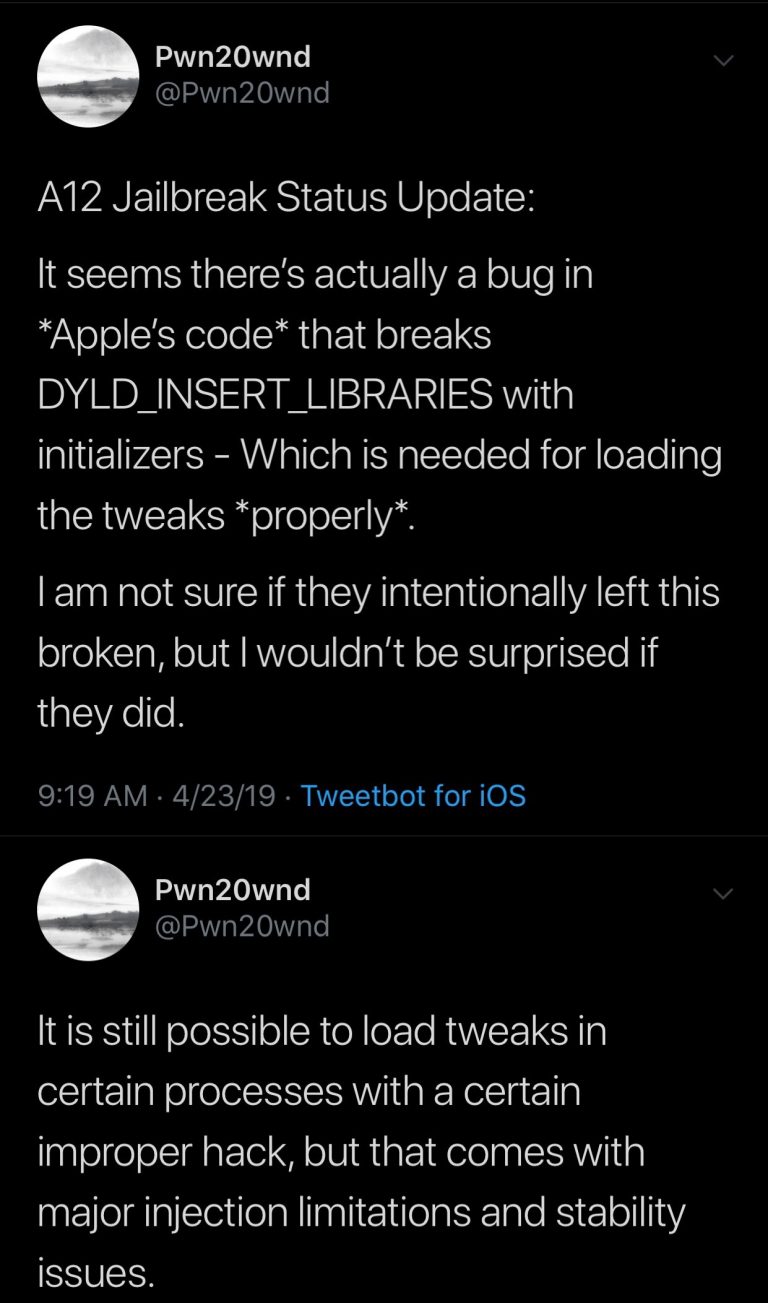
According to Pwn20wnd, there appears to be a bug in Apple’s own code that impedes the ability to loading tweaks properly. More specifically, it involves DYLD_INSERT_LIBRARIES, which appears to be broken in connection to the bug.
Pwn20wnd continues by explaining that you could still load tweaks in certain processes using an “improper hack,” but that it “comes with major injection limitations and stability issues.” Pwn20wnd isn’t specific about what the so-called ‘hack’ is, but we can only assume he’s referring to Substitute.
It’s worth mentioning that Pwn20wnd said he would work on an updated version of Substitute for the unc0ver jailbreak given the fact that Cydia Substrate for A12(X) devices may never see the light due to the newfangled complications Apple created for Saurik.
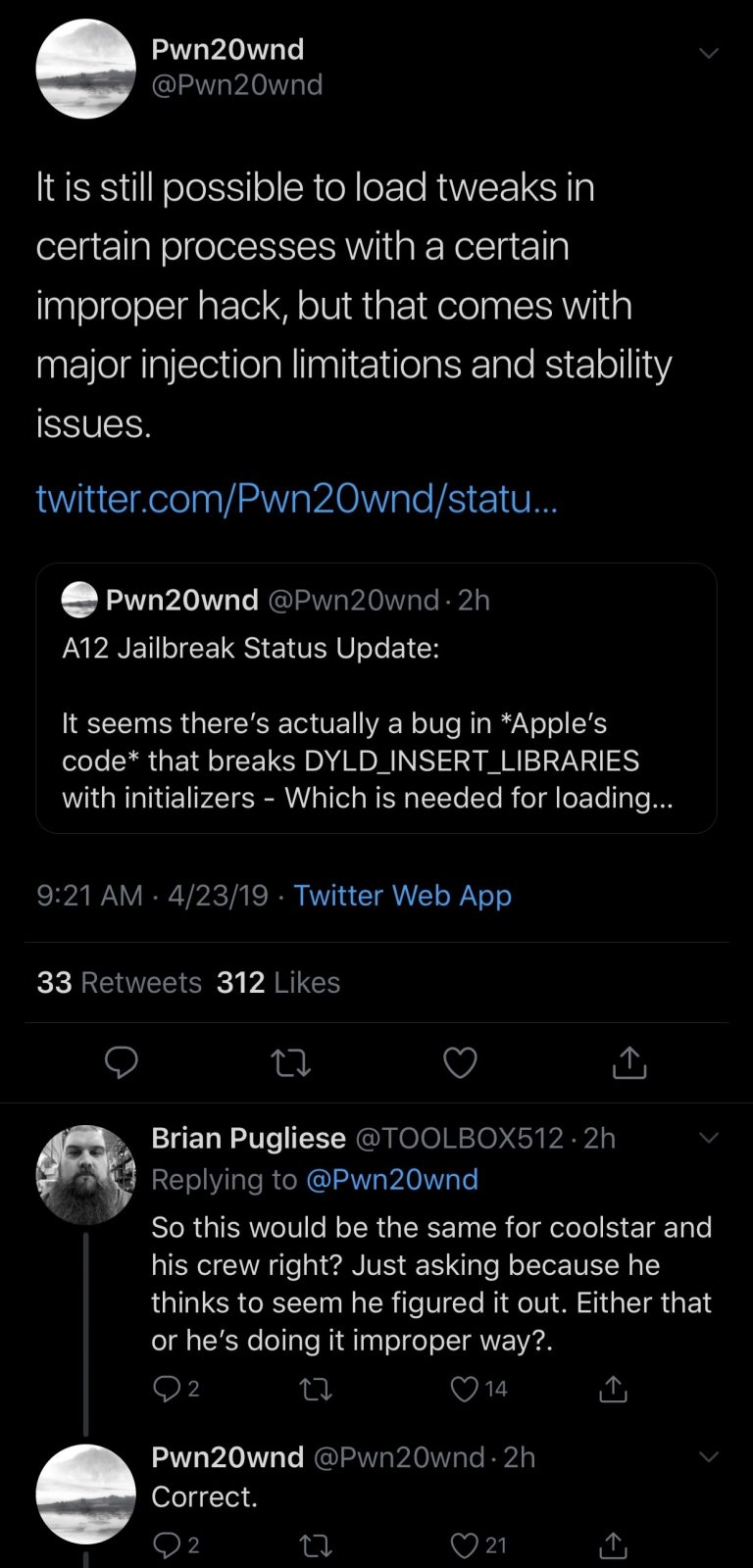
Pwn20wnd further responded to a comment from an avid jailbreaker, claiming that these limitations would also impact the Electra Team’s upcoming Electra12 jailbreak:
On the Electra Team’s side of things, an entirely different tone is being used. CoolStar Tweeted saying that A12(X) support on iOS 12.0-12.1.2 is “EZ” and that only bug fixes remain:
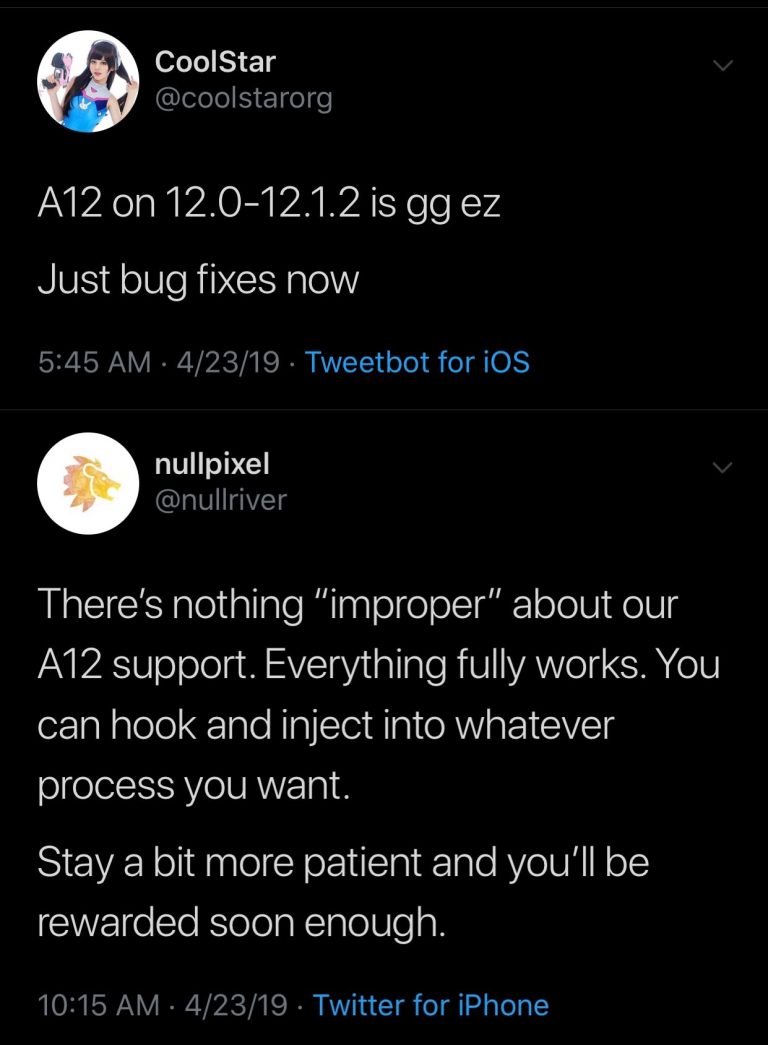
Electra Team member nullpixel later indirectly responded to Pwn20wnd’s comments about Substitute, adding that there’s “nothing ‘improper’ about our A12(X) support” and that “everything fully works and can hook and inject into whatever process you want.”
It remains to be seen who’s right in all this mud-slinging between the two competing teams, but one fact remains: both the Electra Team and team unc0ver advise the jailbreak community’s patience as A12(X) support slowly comes to be. There’s still no official ETA concerning A12(X) support for either jailbreak.
Source: idb










