 NEWS
NEWS
US Lawmakers Attack Apple for Song Takedowns in Chinese Government Censorship Effort
 04/15/2019
 3534
3534
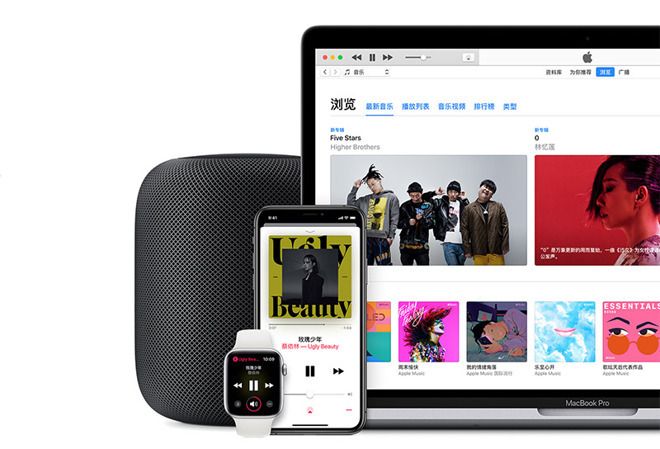
On Tuesday, it was reported Apple had removed a song called "Ren Jian Dao" from Apple Music in China that referenced the 1989 Tiananmen Square Massacre. A cover of the song, translated as "Path of Man," was also taken down from Tencent's QQ Music service, with the takedowns considered an indication the government was cracking down on pro-democracy media.
Songs by other pro-democracy artists were also hit, with artist listings and discographies scrubbed completely from Apple's servers in some cases.
It is believed the takedowns were part of the Chinese government's attempts to prevent public demonstrations ahead of the 30th anniversary of the Tiananmen Square massacre in June, and is likely to continue with other works being proactively censored.
The move has led to members of the U.S. Congress to criticize Apple for its role in the government-led crackdown. Speaking to The Verge, Senator Marco Rubio (R-FL) declared "It's disgraceful to see one of America's most innovative, influential tech companies support the Communist Chinese government's aggressive censorship efforts within China" ahead of the anniversary.
China's government is described by Rubio as a regime that had "constructed a totalitarian state through truly Orwellian levels of mass surveillance, thought censorship, and human rights abuses." Apple had "turned a blind eye to complicity" to retain access to the market, the senator continued.
Representative Cathy McMorris Rodgers (R-WA) chastised Apple for failing to "be a stronger voice for freedom around the globe," as well as retweeting comments from a human rights group that works to remember victims of communist regime activities.
A similar complaint was made by Representative Greg Walden (R-OR) who called the news troubling. "When reports like this surface we need to ask serious questions to ensure human rights are being protected," said Walden, "and if these reports are true, Apple owes the public an explanation."
Citing the First Amendment's value to US citizens, Representative Bob Latta (R-OH) expressed concern Apple "would acquiesce to demands made by Chinese officials to censor pro-democracy music. We should expect better from these companies, and Apple should address these claims."
The comments from US lawmakers follow similar complaints by critics, including Human Rights Watch's China Director Sophie Richardson calling the decision "spectacularly craven, even by [Apple and Tim Cook's] standards."
Apple has received accusations of abiding by the whims of the Chinese government, which has led to a number of instances in the past where Apple was forced to remove or take down items following government demands.
The list includes the removal of the official New York Times app from the App Store in late 2016, as well as a 2017 request to take down virtual private network (VPN) apps capable of bypassing the "Great Firewall." Apple has also come under fire for opening its first data center in China in 2016, to comply with the country's cybersecurity rules, and in March, disabled an emoji of Taiwan's flag on Chinese Macs running macOS 14.14.1.
Apple's defence for what could be considered highly censorious practices is its insistence the company operates in line with local laws.
Source: appleinsider










