NEWS

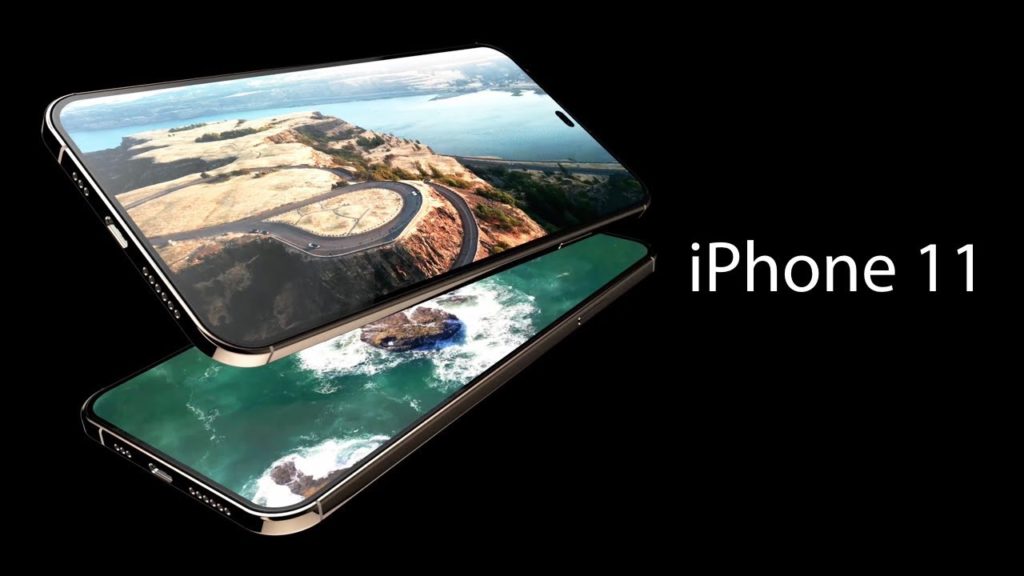
iPhone 11 Concept Envisions Triple Camera Setup, Punch-Hole Notch, and 100W Fast Charging

04/04/2019

4755

iPhone 11 Concept Envisions Triple Camera Setup, Punch-Hole Notch, and 100W Fast Charging


The iPhone 11 and iPhone 11 Max are still a few months away from launch. Until September arrives and we get to have our first look at the 2019 iPhones, there’s a new iPhone 11 concept that we can drool over.


The concept envisions the iPhone 11 with a design language similar to the 2018 iPad Pro, triple cameras at the rear, a 6.1-inch QHD+ Super Retina OLED panel protected by Gorilla Glass 6, and a punch-hole style notch right in the middle. The concept also envisions Apple shipping a USB-C cable with 2019 iPhones and bundling an ultra-fast 100W charger in the box.


The video also shows an Apple Pencil alongside the iPhone 11, though Apple is unlikely to add support for it to the iPhone lineup anytime soon. Interestingly, the iPhone 11 Max has a different camera layout from the regular iPhone 11 in the concept video. That, however, is unlikely to happen. Apple may reserve the triple camera set up at the rear for higher storage variants of the iPhone 11 and iPhone 11 Max but the design is going to be the same. The third new camera sensor will feature an ultra-wide angle shooter as seen on the Galaxy S10 and Huawei Mate 20 Pro/P30 series.


Source: iphonehacks

Windows
Mac OS
iOS
Linux
3uTools
Win 64-bit For this device
V9.0 2025-11-11
Download
Win 32-bit For this device
V9.0 2025-11-11
Download
3uTools
Intel Chip How to Identify Chip Type
V9.0 2025-12-02
Download
Apple Silicon
V9.0 2025-12-02
Download
How to Identify Chip Type
1.  Click the Apple icon in the top-left corner of the screen and select About This Mac.
2.  Check the Processor or Chip field to determine if it is "Intel" or "Apple".
Please use the 3uTools PC client to install the iOS client:
1、 Install either the Windows or Mac version of 3uTools on your computer
2、 Open the PC client and connect your device to the computer via USB cable
3、 After the connection is successful, wait for the computer to automatically install the mobile app for the device, or locate “Install Mobile App” on the computer and manually click to install.
3uTools
deb file
V3.01 2025-11-20
Download
rpm file
V3.01 2025-11-20
Download
Windows
Windows
iOS
iOS
Android
Android
TV
TV
3uAirPlayer
Win 64-bit For this device
V6.0.2 2025-11-19
Download
Win 32-bit For this device
V6.0.2 2025-11-19
Download
iOS Device Mirroring (No App Required)
1、 Install 3uAirPlayer on the Windows PC
2、 Open Control Center and select Screen Mirroring
3、 From the list, choose your PC to start mirroring
4、 Or connect your iOS device to the PC via USB to begin mirroring
Scan to get "3uAirPlayer" App
3uAirPlayer TV V1.0.18
2025-11-28
TV System Requirements: Android 7.0 or later
Download the TV installation package, copy it to a USB drive, insert it into your TV or set-top box, then select the file from the home screen to install.