 NEWS
NEWS
iPhone Keyboard Trick Discovered that Makes Texting Much Easier
 11/20/2018
 4622
4622
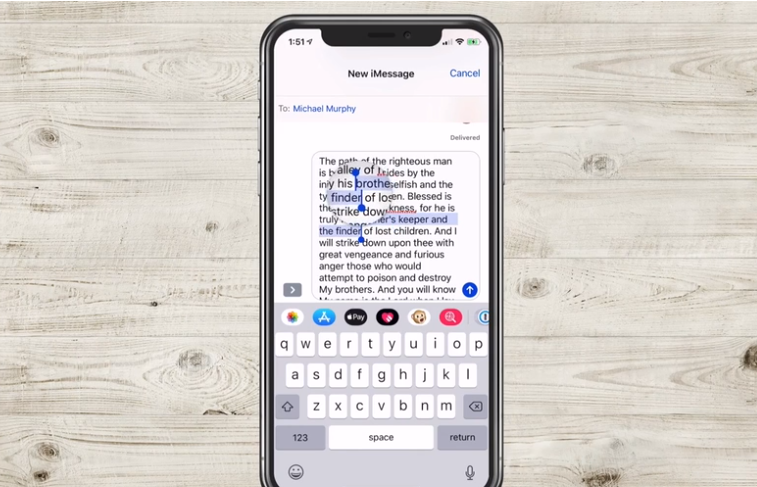
An iPhone keyboard trick has been discovered that will transform the way you message your friends.
The trick which was flagged on Twitter , makes editing texts a lot easier.
Food blogger Krissy Brierre-Davis tweeted: “How come you guys never told me about this iPhone trick? I feel duped.”
To use the trick, tap and hold the space bar and move your thumb left, right, up or down.
How come you guys never told me this iPhone trick? I feel duped. pic.twitter.com/2RfRhI4Y1X
— Krissy Brierre-Davis (@krissys_kitchen) November 18, 2018
You’ll notice that this then moves the cursor along the text, allowing you to edit without having the tap the text with your thumb.
Ms Brierre-Davis joked: "If you click and hold the space bar, you can move the cursor instead of trying to drag the cursor itself with your fat thumb lol."
Apple fans have absolutely welcomed the trick.
One user replied: “This is LIFE CHANGING INFORMATION.”
Another said: “OMG. This is like gliding your scissors across the wrapping paper.”
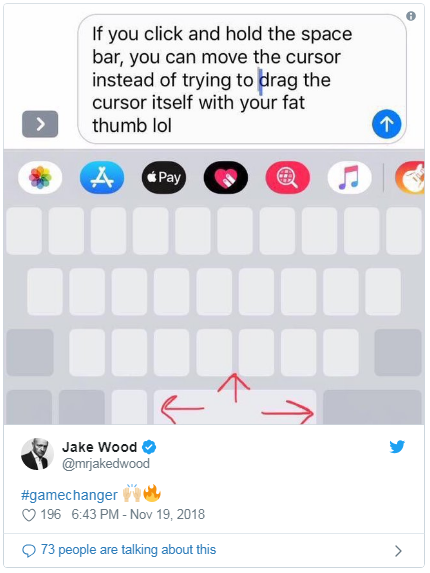
Even former EastEnders and Strictly Come Dancing favourite Jake Wood got involved, calling the trick a 'gamechanger.'
If the trick isn't working for you, check which version of iOS you're on - this works for version iOS 12 or newer.
Source: mirror










