
NEWS

Apple Orders 10 Episodes of 'Are You Sleeping' with Octavia Spencer

05/03/2018

2853

Apple is moving ahead with its TV adaptation of the Kathleen Barber novel "Are You Sleeping," reportedly ordering 10 episodes of the show expected to debut on its subscription services.
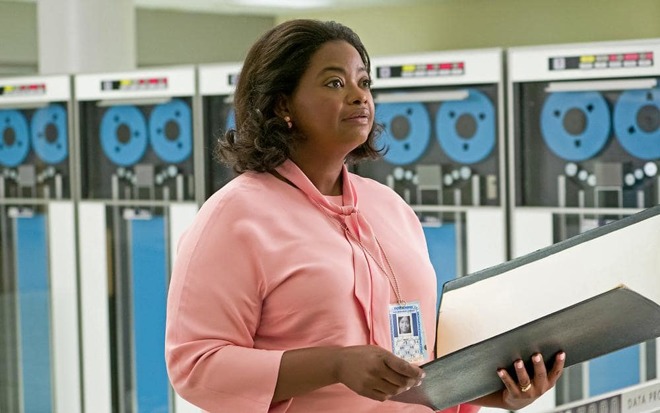

Apple Orders 10 Episodes of 'Are You Sleeping' with Octavia Spencer


As previously indicated, the series will star Octavia Spencer with Nichelle Tramble Spellman serving as showrunner, Variety said on Wednesday. Reese Witherspoon, Peter Chernin, Jenno Topping, and Kristen Campo will be executive producers.


Witherspoon, notably, is also starring in an upcoming Apple talk show drama alongside Jennifer Aniston.


"Are You Sleeping" is a true crime drama with a particular focus on podcasts devoted to unsolved or wrongful convictions. Sarah Koenig — the creator of "Serial," one such podcast — is believed to be serving a consulting role.


Apple has a wide range of TV projects in development, such as an adaptation of Isaac Asimov's "Foundation" books and a reboot of Steven Spielberg's "Amazing Stories." Despite the popularity of shows like "Game of Thrones," "Westworld," and "The Walking Dead," Apple is said to be leaning away from risqué content.


The first batch of shows should premiere in 2019. It's not yet clear, though, how they'll be distributed. Rather than force people to sign up for Apple Music, as with "Carpool Karaoke" and "Planet of the Apps," one rumor has suggested that Apple will make the shows available to anyone with a compatible Apple device — possibly via the "TV" app on iPhones, iPads, and the Apple TV.


Source: appleinsider

Windows
Mac OS
iOS
Linux
3uTools
Win 64-bit For this device
V9.0 2025-11-11
Download
Win 32-bit For this device
V9.0 2025-11-11
Download
3uTools
Intel Chip How to Identify Chip Type
V9.0 2025-12-02
Download
Apple Silicon
V9.0 2025-12-02
Download
How to Identify Chip Type
1.  Click the Apple icon in the top-left corner of the screen and select About This Mac.
2.  Check the Processor or Chip field to determine if it is "Intel" or "Apple".
Please use the 3uTools PC client to install the iOS client:
1、 Install either the Windows or Mac version of 3uTools on your computer
2、 Open the PC client and connect your device to the computer via USB cable
3、 After the connection is successful, wait for the computer to automatically install the mobile app for the device, or locate “Install Mobile App” on the computer and manually click to install.
3uTools
deb file
V3.01 2025-11-20
Download
rpm file
V3.01 2025-11-20
Download
Windows
Windows
iOS
iOS
Android
Android
TV
TV
3uAirPlayer
Win 64-bit For this device
V6.0.2 2025-11-19
Download
Win 32-bit For this device
V6.0.2 2025-11-19
Download
iOS Device Mirroring (No App Required)
1、 Install 3uAirPlayer on the Windows PC
2、 Open Control Center and select Screen Mirroring
3、 From the list, choose your PC to start mirroring
4、 Or connect your iOS device to the PC via USB to begin mirroring
Scan to get "3uAirPlayer" App
3uAirPlayer TV V1.0.18
2025-11-28
TV System Requirements: Android 7.0 or later
Download the TV installation package, copy it to a USB drive, insert it into your TV or set-top box, then select the file from the home screen to install.




