 NEWS
NEWS
Self-Driving Uber Car Kills Pedestrian in Arizona
 03/20/2018
 3396
3396
An autonomous test vehicle being tested by Uber struck and killed a woman in Tempe, Arizona late Sunday night, marking what appears to be the first pedestrian killed by an autonomous vehicle, reports The New York Times.
The Uber vehicle in question was in an autonomous driving mode with a human safety driver at the wheel, and the woman who was struck was crossing the street outside of a crosswalk, according to local police. No other details on the accident are available at this time.
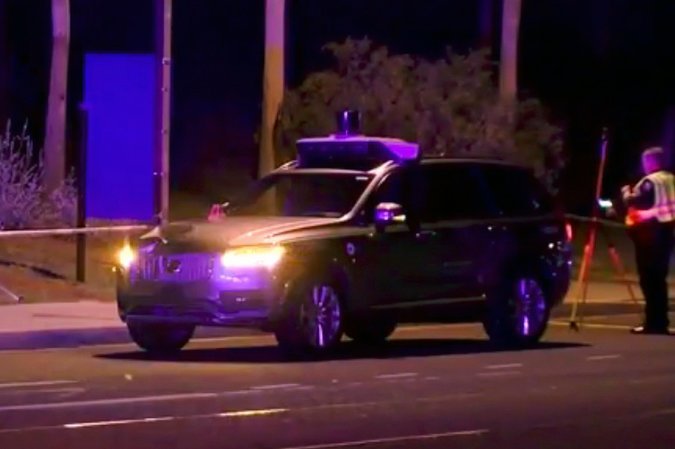
Uber is cooperating with Tempe police and has suspended all of its self-driving vehicle tests in Tempe, Pittsburgh, San Francisco, and Toronto at the current time. Uber's autonomous vehicles have previously been involved in collisions, as have vehicles from other companies like Tesla, but this is the first pedestrian-related accident that has resulted in a fatality.
This incident will likely have wide-ranging implications for all companies who are testing autonomous vehicles, including Apple, and it could potentially result in more oversight and regulation.
Apple has been testing its autonomous vehicles on public roads in California near its Cupertino headquarters since last year. Apple vehicles, which include a series of Lexus RX450h SUVs equipped with a host of sensors and cameras, have not been involved in any known accidents to date.
To date, most autonomous vehicles in California and Arizona have been using safety drivers behind the wheel who are meant to take over in the event of an emergency, but California in February lifted that rule.
Starting on April 2, companies in California that are testing self-driving vehicles will be able to deploy cars that do not have a driver behind the wheel. Arizona also allows driverless cars to be tested in the state, and Waymo has been testing autonomous driverless minivans in Arizona since November.
Update: Tempe police chief Sylvia Moir told the San Francisco Chronicle that based on a preliminary investigation, it does not appear Uber is at fault in the accident. "It's very clear it would have been difficult to avoid this collision in any kind of mode (autonomous or human-driven) based on how she came from the shadows right into the roadway," she said. She also clarified that the Uber vehicle did not make an attempt to brake.
Moir did say, however, that she will not rule out the potential to file charges against the back-up driver in the vehicle. Tempe police will work with investigators from the National Transportation Safety Board and the National Highway Traffic Safety Administration to further investigate the accident.
Source: macrumors










