 NEWS
NEWS
Apple is Buying the ‘Netflix of Magazines’ for an Undisclosed Amount
 03/13/2018
 3534
3534
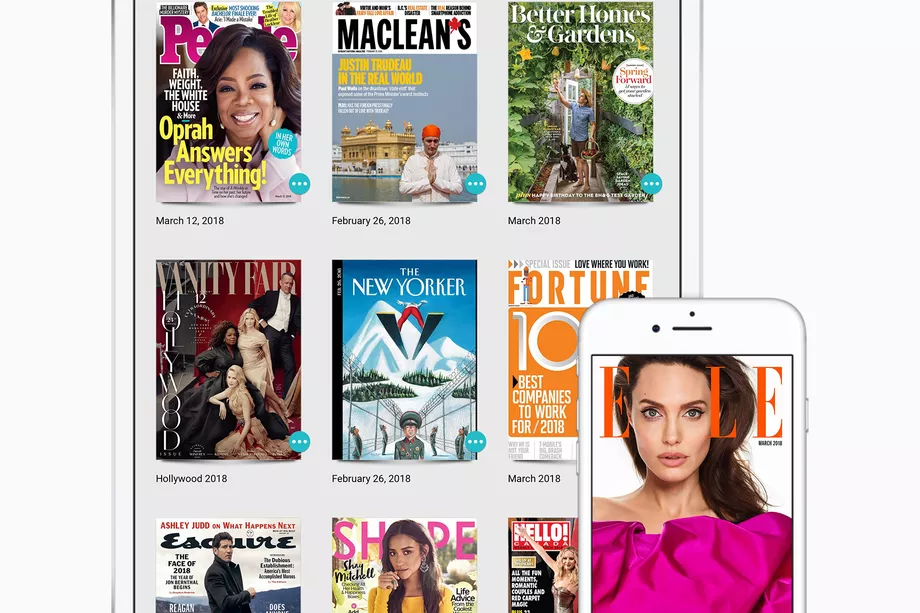
Apple is buying a digital magazine subscription service known as the “Netflix of magazines,” which lets readers access over 200 magazines for a monthly fee. The acquisition of the service Texture, owned by Next Issue Media, comes at a time when news publishing as an industry is being shaken up by fake news accusations and Facebook’s changing algorithmsin ways that prioritize friend activity over brands.
The bridge between tech companies and journalism continues to narrow with Apple’s latest purchase. Apple already delivers curated news from third-party publishers through its Apple News platform. In a statement, Apple’s SVP of internet software and services, Eddy Cue, said, “We are committed to quality journalism from trusted sources and allowing magazines to keep producing beautifully designed and engaging stories for users.”
It might also be an effort on Apple’s part to match competitors like Google, which offers news through its Play Store, and Amazon, which has its own subscription reading services.
Apple is buying the entirety of Next Issue Media and bringing on its full staff, with the deal expected to close soon, according to TechCrunch. Texture will continue to offer iOS, Android, Amazon Kindle Fire, and Windows 10 apps. Details of how much Apple is buying Texture for remain undisclosed.
Apple previously chose the Texture app as one of its most innovative iOS apps back in 2016. Texture is owned by Condé Nast, Hearst, Meredith, News Corp., Rogers Communications, and Time Inc, which founded the app and Next Issue Media as an effort to monetize digital media. Texture costs $9.99 a month and offers access to magazines including The New Yorker, People, Time, and GQ.
Source: the verge










