NEWS

Apple Releases New HomePod Ad Starring FKA Twigs

03/07/2018

2854

Apple Releases New HomePod Ad Starring FKA Twigs

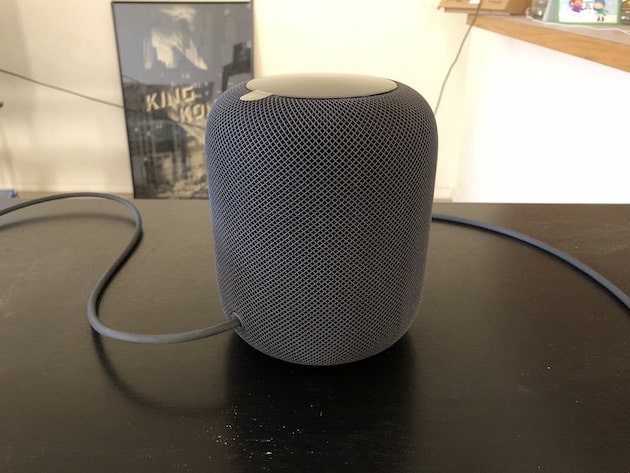
Apple has released a new ad for the HomePod featuring the song ‘Til It’s Over’ by Anderson and starring FKA Twigs. The 4-minute advert has been directed by Spike Jonze, acclaimed music video and film direction, and it shows FKA Twigs returning home after a tiring day at the office and then making another tiring journey back home. Then, she uses Siri on the HomePod to “play something I’d like.”


To this, Siri on the HomePod starts playing ‘Welcome Home’ by Spike Jonze. Thanks to the sound quality, the girl soon forgets her tiring day at the work and starts dancing to the beats of the song.


The 4-minute ad barely shows glimpses of the HomePod, and it focuses more on its sound quality than its other features.


The HomePod has been highly praised for its sound quality which sets a new benchmark for a device of its price. Comparison and testing have shown that the HomePod sounds way better than the likes of the Google Home Max, Sonos One, and Amazon’s Echo Plus. In fact, it sounds even better than the $999 KEF Hi-Fi speaker which are considered to be the holy grail by many audiophiles.


Source: iphonehacks

Windows
Mac OS
iOS
Linux
3uTools
Win 64-bit For this device
V9.0 2025-11-11
Download
Win 32-bit For this device
V9.0 2025-11-11
Download
3uTools
Intel Chip How to Identify Chip Type
V9.0 2025-12-02
Download
Apple Chip
V9.0 2025-12-02
Download
How to Identify Chip Type
1.  Click the Apple icon in the top-left corner of the screen and select About This Mac.
2.  Check the Processor or Chip field to determine if it is "Intel" or "Apple".
Please use the 3uTools PC client to install the iOS client:
1、 Install either the Windows or Mac version of 3uTools on your computer
2、 Open the PC client and connect your device to the computer via USB cable
3、 After the connection is successful, wait for the computer to automatically install the mobile app for the device, or locate “Install Mobile App” on the computer and manually click to install.
3uTools
deb file
V3.01 2025-11-20
Download
rpm file
V3.01 2025-11-20
Download
Windows
Windows
iOS
iOS
Android
Android
TV
TV
3uAirPlayer
Win 64-bit For this device
V6.0.2 2025-11-19
Download
Win 32-bit For this device
V6.0.2 2025-11-19
Download
iOS Device Mirroring (No App Required)
1、 Install 3uAirPlayer on the Windows PC
2、 Open Control Center and select Screen Mirroring
3、 From the list, choose your PC to start mirroring
4、 Or connect your iOS device to the PC via USB to begin mirroring
Scan to get "3uAirPlayer" App
3uAirPlayer TV V1.0.18
2025-11-28
TV System Requirements: Android 7.0 or later
Download the TV installation package, copy it to a USB drive, insert it into your TV or set-top box, then select the file from the home screen to install.