
NEWS

Apple gets Permission to Sell Two New iPads in Eurasian Economic Union

02/23/2018

4603

Apple has obtained permission to sell two new iPads in several Eurasian countries, including Armenia, suggesting that the company is planning to announce them in the near future, AppleInsider reports.


The Eurasian Economic Commission --- overseeing Russia, Armenia, Belarus, Kazakhstan, and Kyrgyzstan — has approved "A1893" and "A1954" models. Those numbers don't correspond to any existing iPads.


Apple has also secured permission to bring several iPad and iPhone "samples" into the region, with "CC" and "AA" prefixes in front of their model numbers. Since this is the first time the company has won EEC permission for samples, it's not clear which devices are involved.
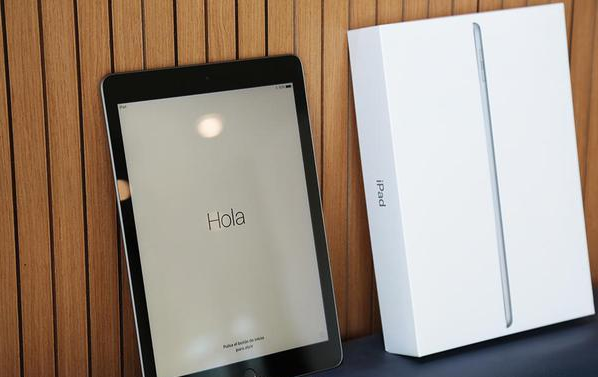

Apple gets Permission to Sell Two New iPads in Eurasian Economic Union


The iPad refresh is expected to be a significant step forward, since code in the iOS 11.3 betas refers to a "Modern" model. Before the announcement of the iPhone X, pre-release iOS 11 code referenced a "Modern" iPhone.


That could imply that new iPads will switch to Face ID and edge-to-edge displays, abandoning Touch ID and even the relatively modest bezels of the 10.5-inch iPad Pro. The products are likely to use LCD instead of OLED, however, given the cost of OLED and the difficulty of mass production.


Since the EEC's document mentions two models, those are presumably 10.5- and 12.9-inch iPad Pros. It's not certain when —or even if —the company will update its 9.7-inch "budget" iPad.


Source: panarmenian


Windows
Mac OS
iOS
Linux
3uTools
Win 64-bit For this device
V9.0 2025-11-11
Download
Win 32-bit For this device
V9.0 2025-11-11
Download
3uTools
Intel Chip How to Identify Chip Type
V9.0 2025-12-02
Download
Apple Chip
V9.0 2025-12-02
Download
How to Identify Chip Type
1.  Click the Apple icon in the top-left corner of the screen and select About This Mac.
2.  Check the Processor or Chip field to determine if it is "Intel" or "Apple".
Please use the 3uTools PC client to install the iOS client:
1、 Install either the Windows or Mac version of 3uTools on your computer
2、 Open the PC client and connect your device to the computer via USB cable
3、 After the connection is successful, wait for the computer to automatically install the mobile app for the device, or locate “Install Mobile App” on the computer and manually click to install.
3uTools
deb file
V3.01 2025-11-20
Download
rpm file
V3.01 2025-11-20
Download
Windows
Windows
iOS
iOS
Android
Android
TV
TV
3uAirPlayer
Win 64-bit For this device
V6.0.2 2025-11-19
Download
Win 32-bit For this device
V6.0.2 2025-11-19
Download
iOS Device Mirroring (No App Required)
1、 Install 3uAirPlayer on the Windows PC
2、 Open Control Center and select Screen Mirroring
3、 From the list, choose your PC to start mirroring
4、 Or connect your iOS device to the PC via USB to begin mirroring
Scan to get "3uAirPlayer" App
3uAirPlayer TV V1.0.18
2025-11-28
TV System Requirements: Android 7.0 or later
Download the TV installation package, copy it to a USB drive, insert it into your TV or set-top box, then select the file from the home screen to install.





