 NEWS
NEWS
Some Developers Receiving Mistaken emails From Apple Search Ads
 02/07/2018
 4035
4035
In a rather embarrassing screw up, some developers are receiving Search Ad Basic report emails featuring details for apps that aren't theirs. This includes information that is usually confidential such as number of installs from the ad campaign as well as how much was spent.
There doesn't seem to be any kind of systemic Apple ID hack; it just looks like a buggy email daemon is sending out the wrong information to different people.
In the past, iTunes Connect bugs have allowed developers to sign in to other people's accounts. This issue does not seem as severe although it still poses a small security risk and obviously reveals sensitive business information for app reports that are being sent to the wrong recipients.
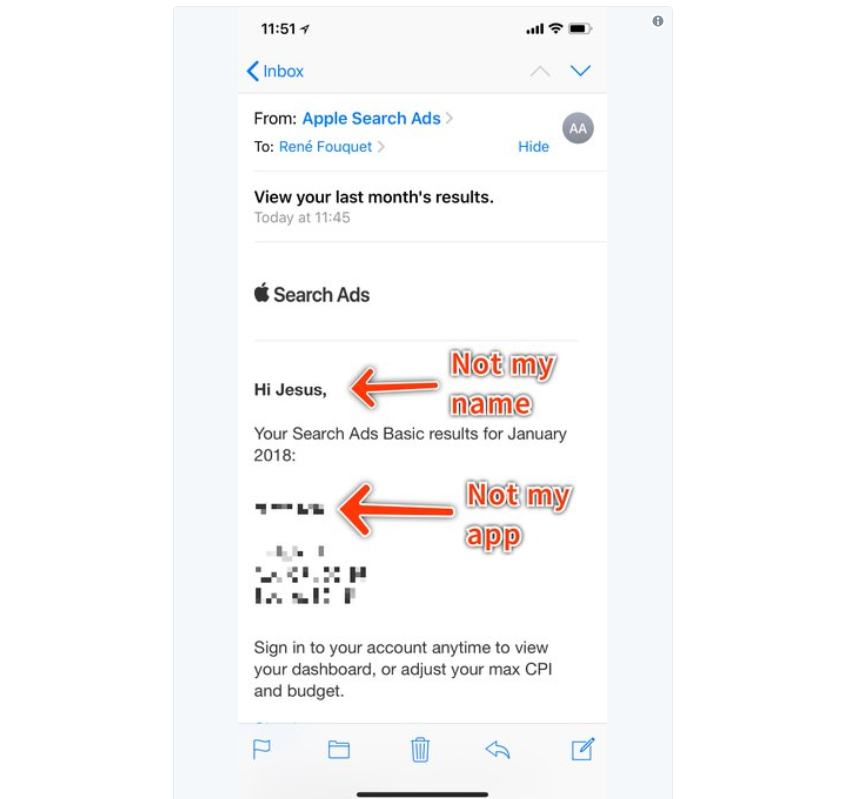
The errant emails send out summaries of Search Ads Basic performance for January, such as CPI, app downloads and total spend for the month. For those affected, it is not possible to gain access to the originating account so most critical information remains confidential.
I received a January report today for my own apps but my email was accurate, so it isn't affecting everyone, but by no means is it an isolated case. Here's just some of the tweets from developers saying they received information intended for someone else's eyes:
Search Ads Basic is a new branch of the App Store Search Ads where developers only pay if a user installs the app. It was introduced at the end of 2017, so it's still relatively new (and obviously new enough for there to be some bugs in the system).
Source: 9to5mac










