 NEWS
NEWS
Believe It Or Not, Running Over An iPhone X With A Car Will Destroy It
 01/04/2018
 4683
4683
Before the iPhone X, the iPhone 4 and iPhone 4s were Apple’s only iPhones that used a glass sandwich design. The glass back looks and feels great, or so I’ve heard. I’ve been using the handset for nearly two months, and one of the first things I did was to snap a protective case on it. I haven’t dropped it once since I bought the thing, but that doesn’t mean it won’t happen. And when it does, I’d better be prepared.
Protective gear, however, will only do so much. It can’t protect the integrity of the phone against cars.
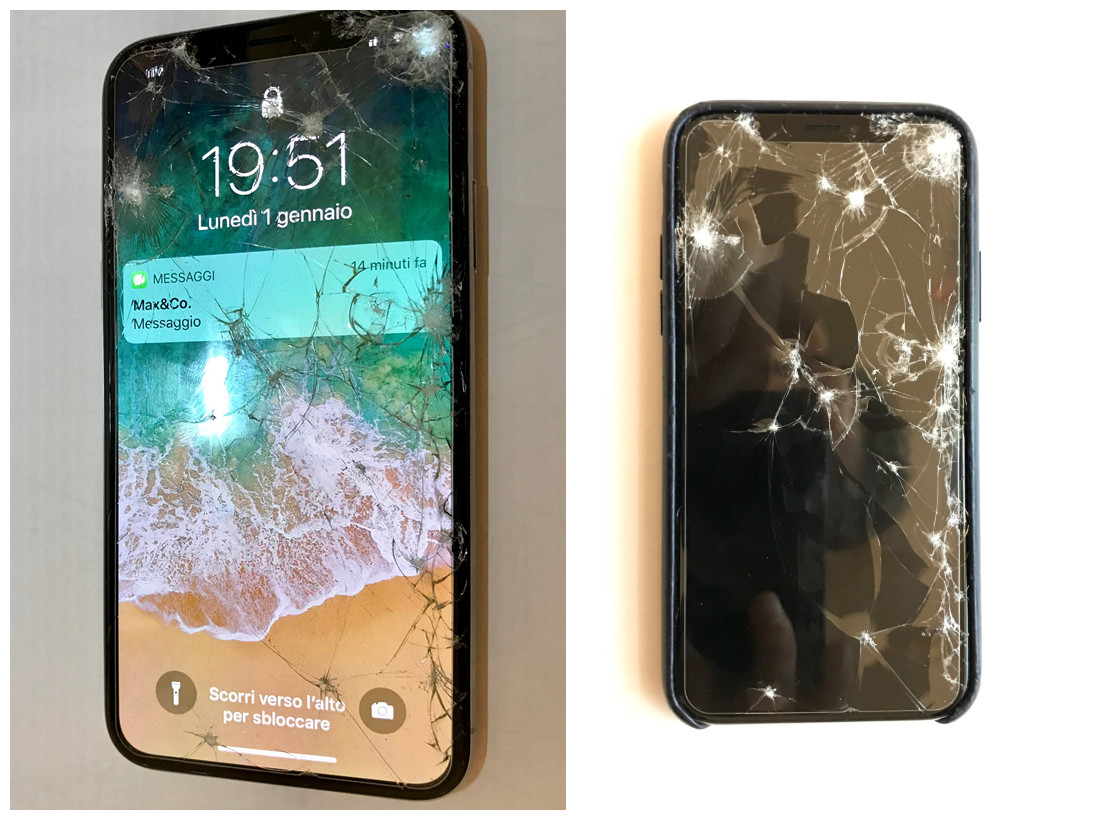
No matter how tough the glass is, the iPhone X will break easily, most drop tests have shown. And the same goes for any hot flagship featuring a rear glass panel. These devices may survive some accidental drops, depending on various factors, including the height of the drop, the angle, and the surface the phone lands on… but if you run over the phone with a car, chances are no protective gear will save it from imminent death.
Reddit user bladewalker26 shared pictures of an iPhone X this week that was run over by a car. He said that his mom dropped the new iPhone when she stepped out of the car, and his dad ran over it: “[The] iPhone was in the case and only the screen shattered. Front facing camera and main camera doesn’t work anymore, and Face ID is disabled,” he said. “Apparently sensors were broken too.”
The images he uploaded online show a device with a shattered front side. The handset is still in its case and has a protective film or glass screen applied on the display. Even so, the glass could not withstand the pressure.
The user does say his mom has AppleCare, so replacing the screen will cost just €29 in Italy. However, the real worry here is that internal components may have been damaged. Without AppleCare, repairing a heavily damaged iPhone X can be really expensive, with prices going all the way up to $549.
Source: bgr










