 NEWS
NEWS
Saurik Working With Devs From Past Jailbreaks On New iOS 11 Jailbreak With Fully Working Cydia
 12/27/2017
 4478
4478
Jay Freeman, also-known-as saurik, the founder of Cydia and so-called “godfather of jailbreaking,” has posted a number of lengthy replies in his own defense in light of recent criticism about Cydia and himself, and also confirmed that he is working with developers from previous jailbreak releases (all whom he loved) in order to “make stuff work” on iOS 11.
Given the current excitement and enthusiasm in the jailbreak community thanks to the release of the h3lix jailbreak for 32-bit devices running iOS 10.3.3, and the LiberiOS for iOS 11.1.2 as well as to.panga, you could be forgiven that everyone would be in a jubilant mood.
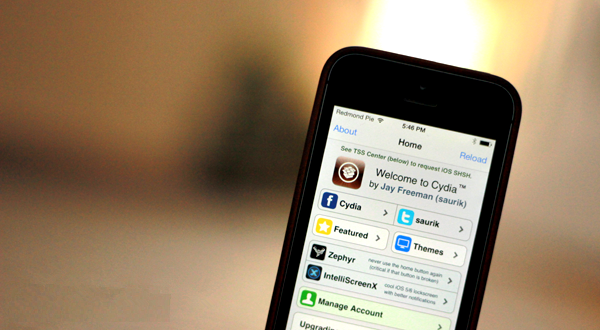
Jay Freeman saurik has also expressed concerns at the sheer idea of an iOS 11 “jailbreak” built on top of “an off-the-shelf exploit.” Which, of course, references the iOS 11.1.2 tfp0 exploit released by Google’s Ian Beer:
"What is going on right now is simply that the entire concept of an iOS 11 'jailbreak' is an incredibly sketchy house of cards, and the people who are assembling it (using an off-the-shelf exploit from Ian Beer, so like… I have no reliance on them: I can release my own jailbreak) all hate me and hate Cydia and are just taking every single opportunity to poke at me and make my life more annoying."
After getting those issues off his chest, Freeman then continues to confirm that he has actually been working with a number of individuals who have been involved in the creation and release of historical jailbreaks in order to make stuff work where iOS is concerned. He stopped before naming those individuals but has clarified that he wants everything to be robust and solid before a release, suggesting that he wants it “to work every single time in every single situation.”
The fact that Freeman now actually has a paying job rather than working full-time on Cydia and its underlying architecture suggests that the jailbreak landscape has changed substantially in last few years. With that said, it’s still extremely positive to know that he is still involved and looking for robust solutions for the betterment of the community.
Jonathan Levin, the creator of LiberiOS, has contacted saurik a number of times regarding Cydia and Substrate support on iOS 11. He has independently confirmed it to us that he contacted saurik several times offering help with Cydia support, but saurik has chosen not to respond. While we don’t know for sure why saurik hasn’t replied yet, it could be that since Levin isn’t a fan of Cydia in general, and saurik being pissed off due to aforementioned events, it’s likely that all of this has prompted him to start work on Cydia for iOS 11 with his friends from jailbreak scene of yesteryears.

Jailbreak scene has seen a lot of dramas over the last ten years, but this one seems to be on another level. Lets just hope saurik is able to work with his favorite people again and bring us Cydia and Substrate on iOS 11 sooner rather than later.
Source: Redmond Pie










