
NEWS

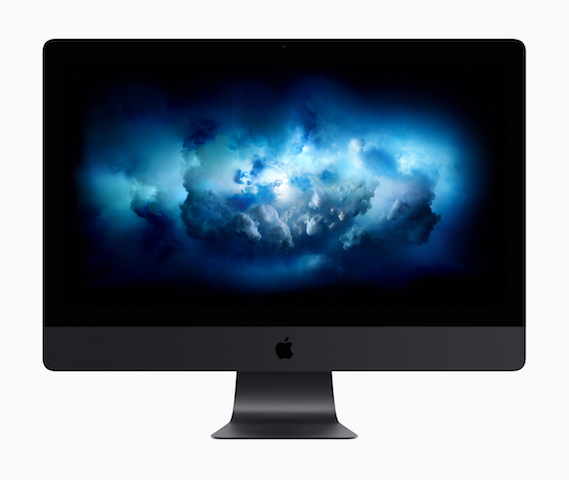
Apple iMac Pro May Sport A New Theft Protection System

11/23/2017

2879

Apple iMac Pro is set to arrive in December this year. Although the company has already introduced the PC and have given its technical specifications, there are still some features that are being revealed by developers and other websites. One such feature has been found by Pike's Universum website.


The website says that the yet-to-be-released 
Apple iMac Pro may feature a new 'Find my iMac Pro' theft feature. The feature reportedly sends an alert of the stolen iMac Pro. The alert may include the device's location based on its GPS tracking tech. The website adds that users won't be able to switch it off.

Apple iMac Pro May Sport A New Theft Protection System


The site goes on to state that Apple may find a way to bring a feature that would require a SIM card in the iMac Pro. Using the SIM card it can 'call' the connected iPhone device and alert users of the theft.


This is not the only new feature that is being said to arrive in the company's one of the most powerful desktops. Few developers recently dug out some details about the PC stating that it may run on Apple A10 co-processor and have 'Hey Siri' integration. The processor currently powers the iPhone 7 and the iPhone 7 Plus. Siri may also support multiple user profiles.


Source: gadgetsnow

Windows
Mac OS
iOS
Linux
3uTools
Win 64-bit For this device
V9.0 2025-11-11
Download
Win 32-bit For this device
V9.0 2025-11-11
Download
3uTools
Intel Chip How to Identify Chip Type
V9.0 2025-12-02
Download
Apple Silicon
V9.0 2025-12-02
Download
How to Identify Chip Type
1.  Click the Apple icon in the top-left corner of the screen and select About This Mac.
2.  Check the Processor or Chip field to determine if it is "Intel" or "Apple".
Please use the 3uTools PC client to install the iOS client:
1、 Install either the Windows or Mac version of 3uTools on your computer
2、 Open the PC client and connect your device to the computer via USB cable
3、 After the connection is successful, wait for the computer to automatically install the mobile app for the device, or locate “Install Mobile App” on the computer and manually click to install.
3uTools
deb file
V3.01 2025-11-20
Download
rpm file
V3.01 2025-11-20
Download
Windows
Windows
iOS
iOS
Android
Android
TV
TV
3uAirPlayer
Win 64-bit For this device
V6.0.2 2025-11-19
Download
Win 32-bit For this device
V6.0.2 2025-11-19
Download
iOS Device Mirroring (No App Required)
1、 Install 3uAirPlayer on the Windows PC
2、 Open Control Center and select Screen Mirroring
3、 From the list, choose your PC to start mirroring
4、 Or connect your iOS device to the PC via USB to begin mirroring
Scan to get "3uAirPlayer" App
3uAirPlayer TV V1.0.18
2025-11-28
TV System Requirements: Android 7.0 or later
Download the TV installation package, copy it to a USB drive, insert it into your TV or set-top box, then select the file from the home screen to install.




