 NEWS
NEWS
First Apple Store Imminent in Seoul
 11/23/2017
 3297
3297
Apple’s first flagship store in Seoul seems imminent as the construction work is set to be completed as early as next month.
The two-story Apple Store will be located on a 1,300 square-meter site in Sinsa-dong, a fashionable district in southern Seoul. The sleek new building will feature, among other things, an exterior glass wall.
“The construction work that started from August is expected to be completed by Dec. 23,” a construction agency official told local daily Chosun Ilbo, hinting at the store opening possibly early next year.
The store opening is being delayed for about two months after Apple reportedly changed the building design at the last minute. Previously, the firm had planned to build a five-story building.
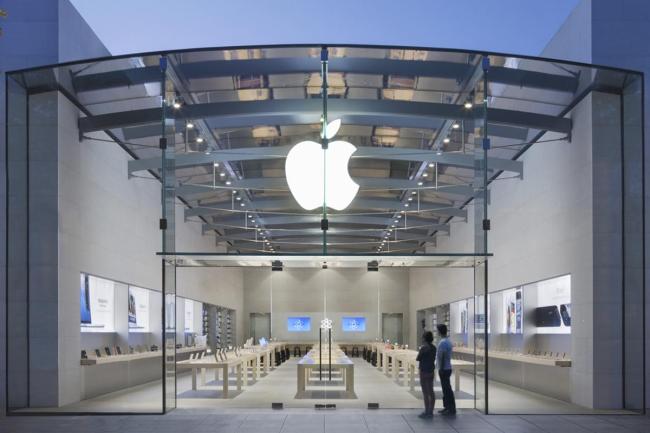
Last year, Apple signed a contract to use the site from March 2016 to February 2036 paying a deposit of 4.84 billion won (US$44 million).
Apple operates some 500 signature stores in 22 countries. But in Korea -- the home turf of its archrival Samsung Electronics -- the firm has delayed the store launch despite the fact that iPhone sales started in 2009. It has sold phones via local telecom carriers and contract retailers.
Apple fans here expect that the new store opening will improve overall quality of after-sales service and a new iPhone launch could arrive here earlier than before. For now, Korea is not one of the priority markets for launch of new iPhone models.
Apple’s latest iPhone X, its first OLED smartphone, will hit the Korean market on Nov. 24. Before the official debut, the nation’s top two telecom carriers SK Telecom and KT received preorders on Nov. 17 and the first batch of 150,000 phones sold out in less than in five minutes.
The retail price ranges from 1.36 million won (US$1,245) to 1.55 million won -- the most expansive iPhone ever.
Source: theinvestor











