 NEWS
NEWS
Director Steven Soderbergh Secretly Shot New Horror Movie Entirely on iPhone
 11/15/2017
 3750
3750
Director Steven Soderbergh secretly shot new horror movie 'Unsane' entirely on Apple's iPhone
Acclaimed director Steven Soderbergh's next film, a horror movie titled "Unsane," will see a wide theatrical release next spring, despite the fact that it was filmed entirely on an iPhone.
"Unsane" is currently scheduled to hit theaters on March 23, 2018, according to Deadline. Soderbergh will reportedly be self-distributing the film through his own company, Fingerprint Releasing, in collaboration with Bleecker Street.
Details on "Unsane" have slowly trickled out in recent months, including the fact that the film was shot in secret and entirely on Apple's iPhone, according to Entertainment Weekly. The film stars Claire Foy, Juno Temple, and Jay Pharoah, with Pharoah describing the picture as "reality-horror type" with some similarities to Jordan Peele-created smash hit "Get Out."
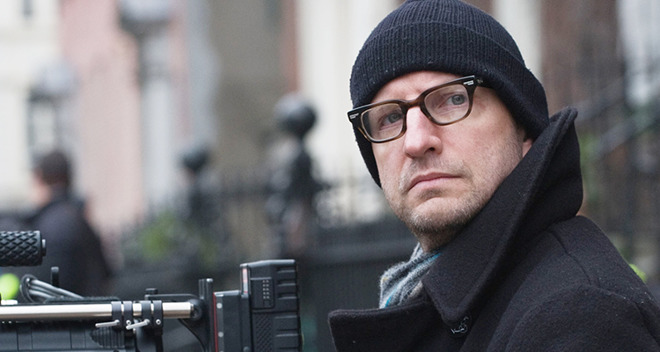
The movie was filmed this summer, meaning the best iPhone it could have been shot on was the iPhone 7 Plus.
Soderbergh's film isn't the first full-length to be shot entirely on an iPhone, but it may be the most high profile to date. In 2015, Sundance hit "Tangerine" was shot on an iPhone 5s, using an $8 app and an anamorphic lens accessory.
Soderbergh has a history of experimenting in film, using inexperienced actors, unconventional shooting methods, and unique release strategies. Some of his biggest hits include "Ocean's Eleven," "Erin Brockovich," "Magic Mike," and this year's "Logan Lucky."
According to Pharoah, Soderbergh's iPhone-driven shoot for "Unsane" lasted just over a week —far shorter than a typical feature-length production takes to wrap. The director even began editing the film on set, letting the actors see a near-final product before they finished their parts.
"You wouldn't be able to tell anything [about how it was made]," Pharoah said. "It looks that great."
Source: appleinsider










