 NEWS
NEWS
Apple, Other Tech Companies Back LGBT Because a Wedding Cake
 10/27/2017
 3233
3233
Apple, other tech companies back LGBT cause in Supreme Court case involving wedding cake baker
Apple and a handful of high-profile technology firms this week signed an amicus brief supporting LGBT rights in a Supreme Court case over a baker who declined to make a wedding cake for a same-sex couple.
The friend of the court letter in the case of Masterpiece Cakeshop v. Colorado Civil Rights Commission, currently being circulated by the Human Rights Campaign, has attracted signatories Apple, Yelp, PayPal, Salesforce and Affirm, reports TechCrunch.
It is unknown when HRC intends to officially file its brief with the court, but the group says other backers are expected to sign on next week.
The contents of the letter remains undisclosed, though it can be assumed that HRC, one of the first gay and lesbian political action committees to form in the U.S., will file in favor of LGBT rights. Apple and other tech companies have in the recent past voiced public support of LGBT issues, actions in line with industry initiatives regarding diversity and inclusion.
This particular Supreme Court case stems from a Colorado suit determined in 2014. In 2012, David Mullins and Charlie Craig visited the Masterpiece Cakeshop in Denver to order a wedding cake. As Colorado did not recognize same-sex marriages at the time, the couple planned to conduct the ceremony in Massachusetts, then travel back to Colorado for a reception.
Masterpiece Cakeshop owner Jack Phillips, a practicing Christian, refused to serve Craig and Mullins on the basis that doing so would conflict with his religious beliefs. Instead, Phillips recommended other bakeries that would accept the couple's request.
In 2013, Craig and Mullins lodged a complaint with the Colorado Civil Rights Commission, which found Phillips' refusal violated state anti-discrimination laws that prohibit businesses from denying customers based solely on race, religion, gender or sexual orientation. Phillips subsequently appealed to the Supreme Court, claiming a constitutional exemption citing 1st Amendment rights.
Masterpiece Cakeshop is not the first time Apple has chimed in on a Supreme Court case involving similar issues. In 2015, the company joined hundreds of other U.S. firms in signing a brief in support of nationwide same-sex marriage regulations.
Apple has long championed equality in and out of the workplace, with particular sensitivity to matters regarding gender and race. The tech giant has thrown its weight behind non-discriminatory public policy like the Equality Act, and decried anti-LGBT laws like North Carolina's HB2 bill.
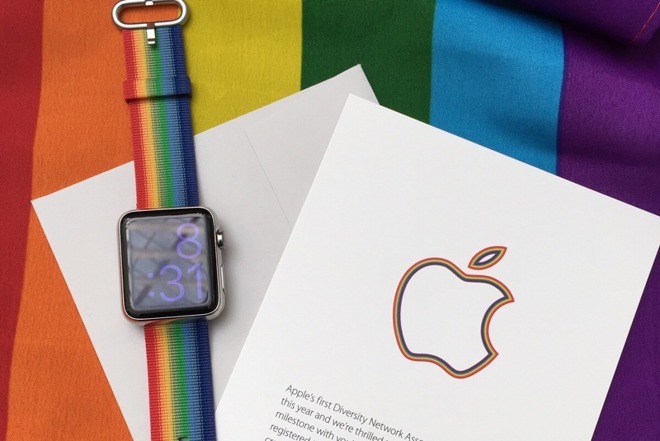
The company's political leanings spill over into its consumer product lineup with initiatives like curated LGBT App Store sections and the "Pride Edition" Apple Watch band. For the latter, Apple donated a portion of proceeds collected to international LBGTQ advocacy groups.
Source: appleinsider










