
NEWS

Apple Announces Animoji, Animated Emoji for iPhone X

09/12/2017

4034

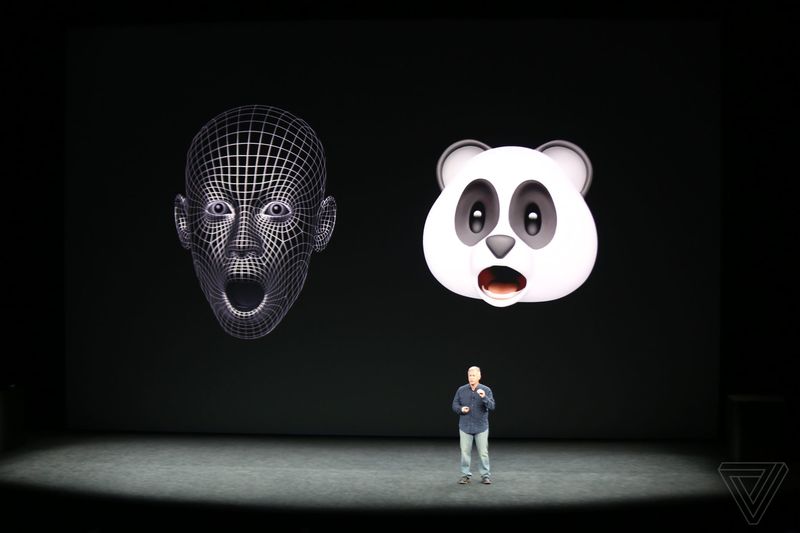
Apple is introducing a new Animoji feature in iOS 11, which are animated versions of the popular emoji found on the iPhone. Animoji will use the Face ID hardware face-scanning features of the iPhone X to create custom 3D versions based on your own facial expressions.


Animoji will be available directly within the Messages app for iOS 11, and it will be able to immediately pick up facial expressions and animate accordingly. You can edit emoji in fullscreen, and they’re all animated in real-time before you send them as a message. Recipients will receive them as looping videos with audio, and they look like they’ll be a lot of fun to send and receive.

Apple Announces Animoji, Animated Emoji for iPhone X


Apple describes Animoji as “custom animated messages that use your voice and reflect your facial expressions.” Apple is working on a wide range of 3D emoji models, including monkeys, cats, dogs, and of course piles of poop. Yes, the new iPhone X will be able to create an animated poop emoji based on a scan of your face.


Source: the verge

Windows
Mac OS
iOS
Linux
3uTools
Win 64-bit For this device
V9.0 2025-11-11
Download
Win 32-bit For this device
V9.0 2025-11-11
Download
3uTools V3.18
2025-09-18
Please use the 3uTools PC client to install the iOS client:
1、 Install either the Windows or Mac version of 3uTools on your computer
2、 Open the PC client and connect your device to the computer via USB cable
3、 After the connection is successful, wait for the computer to automatically install the mobile app for the device, or locate “Install Mobile App” on the computer and manually click to install.
3uTools
deb file
V3.01 2025-11-20
Download
rpm file
V3.01 2025-11-20
Download
Windows
Windows
iOS
iOS
Android
Android
TV
TV
3uAirPlayer
Win 64-bit For this device
V6.0.2 2025-11-19
Download
Win 32-bit For this device
V6.0.2 2025-11-19
Download
iOS Device Mirroring (No App Required)
1、 Install 3uAirPlayer on the Windows PC
2、 Open Control Center and select Screen Mirroring
3、 From the list, choose your PC to start mirroring
4、 Or connect your iOS device to the PC via USB to begin mirroring
Scan to get "3uAirPlayer" App
3uAirPlayer TV V1.0.18
2025-11-28
TV System Requirements: Android 7.0 or later
Download the TV installation package, copy it to a USB drive, insert it into your TV or set-top box, then select the file from the home screen to install.





