
NEWS

Apple Reportedly Planning $999 Price for New iPhone

08/25/2017

3852

Apple’s redesigned iPhone is going to be an expensive one. According to The New York Times, the nearly bezel-free iPhone we’ve been hearing about for the last several months will sell for “around $999,” about $350 more than the standard iPhone does today.


Next month, Apple is expected to introduce three new iPhones. Two will be slightly redesigned and updated versions of the iPhone 7, and one will be this high-end iPhone with a brand new design and a nearly full-screen display. There had been speculation before now that this iPhone would be at least $1,000: for one, Apple would need to charge more than $769, the price of the Plus-sized iPhone; and two, there’s been some assumption that Apple will want to depress sales a bit so that it can better manage supply. But this is the first time a price has actually been reported.


The Times report also confirms that the new phone will include wireless charging and facial recognition. A lot of details about the phone have leaked through firmware that Apple accidentally released last month. It largely confirmed the look of the device, suggested it would have an even higher resolution display, and hinted at the lack of a home button.


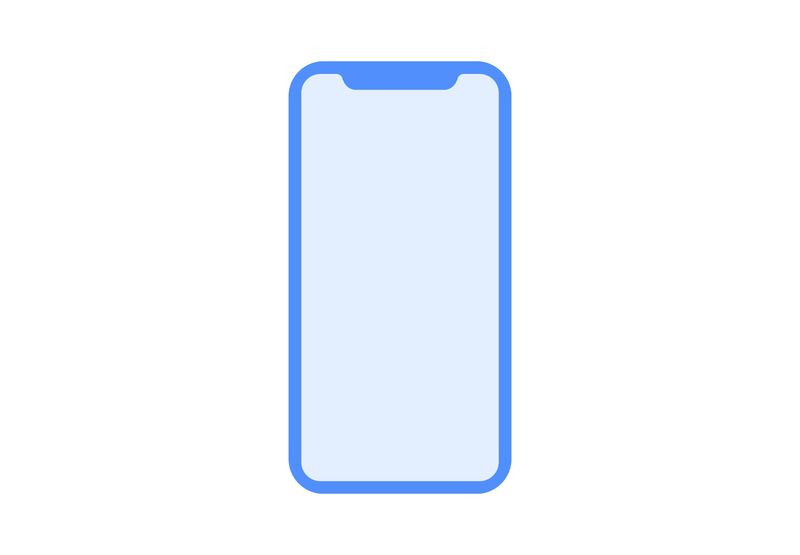
Here’s an outline of the phone that leaked through the firmware:

Apple Reportedly Planning $999 Price for New iPhone


Source: the verge

Windows
Mac OS
iOS
Linux
3uTools
Win 64-bit For this device
V9.0 2025-11-11
Download
Win 32-bit For this device
V9.0 2025-11-11
Download
3uTools
Intel Chip How to Identify Chip Type
V9.0 2025-12-02
Download
Apple Chip
V9.0 2025-12-02
Download
How to Identify Chip Type
1.  Click the Apple icon in the top-left corner of the screen and select About This Mac.
2.  Check the Processor or Chip field to determine if it is "Intel" or "Apple".
Please use the 3uTools PC client to install the iOS client:
1、 Install either the Windows or Mac version of 3uTools on your computer
2、 Open the PC client and connect your device to the computer via USB cable
3、 After the connection is successful, wait for the computer to automatically install the mobile app for the device, or locate “Install Mobile App” on the computer and manually click to install.
3uTools
deb file
V3.01 2025-11-20
Download
rpm file
V3.01 2025-11-20
Download
Windows
Windows
iOS
iOS
Android
Android
TV
TV
3uAirPlayer
Win 64-bit For this device
V6.0.2 2025-11-19
Download
Win 32-bit For this device
V6.0.2 2025-11-19
Download
iOS Device Mirroring (No App Required)
1、 Install 3uAirPlayer on the Windows PC
2、 Open Control Center and select Screen Mirroring
3、 From the list, choose your PC to start mirroring
4、 Or connect your iOS device to the PC via USB to begin mirroring
Scan to get "3uAirPlayer" App
3uAirPlayer TV V1.0.18
2025-11-28
TV System Requirements: Android 7.0 or later
Download the TV installation package, copy it to a USB drive, insert it into your TV or set-top box, then select the file from the home screen to install.





