 NEWS
NEWS
The iPhone 8 name game: What will Apple call its new phone?
 08/14/2017
 3080
3080
The conventional wisdom is that there will be three iPhones this year instead of the traditional two. The "iPhone 7S" and "iPhone 7S Plus" would be the traditional "S phone" upgrades we get in odd-numbered years, keeping the same basic design we've seen since the iPhone 6 and 6 Plus in 2014, while adding some new under-the-hood hardware improvements -- the requisite faster CPU and better cameras, along with (possibly) something like inductive wireless charging.
The third iPhone would be a top-of-the-line model. And thanks to that recent HomePod firmware leak, we appear to know a lot more about it than ever before: An all-new, almost no-bezel design would fit a Plus-size OLED screen into a standard iPhone-sized body. Supposedly, it even drops the Touch ID home button in place of facial recognition.
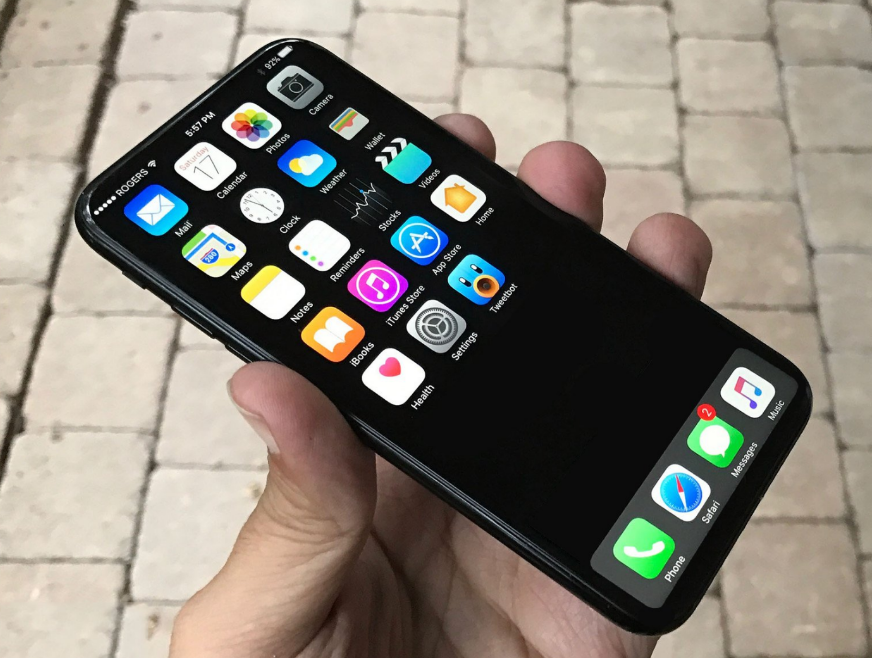
iPhone 8
This is the default name that most have been using for the high-end iPhone. And because it's the No. 1 "new iPhone" term on Google Trends, it's become something of a self-fulfilling prophecy: As more publishers seek to cash in on the search engine optimization (SEO) value of "iPhone 8," more stories about "iPhone 8" flood your feeds. (Yes, this is one of those stories.)
iPhone Pro
This nomenclature would bring the iPhone line into a degree of symmetry with Apple's laptop and iPad lines. MacBook, MacBook Pro. iPad, iPad Pro. iPhone, iPhone Pro. OK, iPhone would be a bit messier. After all, if Apple follows its normal tradition, the existing iPhone 7 and 7 Plus will remain on sale with $100 knocked off the price. The iPhone SE, which was refreshed in March, would presumably remain as the entry-level iPhone. And the "iPhone 7S" and "7S Plus" would be in the line, too. (Or some of those models could stay, or none of them; Apple could totally shake things up.)
iPhone X (or iPhone 10)
The iPhone numbering scheme got derailed almost immediately. The second iPhone was called the iPhone 3G, the fifth iPhone was the iPhone 4S, and so on. There have been at least 2 iPhones released every year since 2013, and Wikipedia counts at least 15 different models to date. But since 2017 is the tenth anniversary of the iPhone's debut, it would be a great opportunity to reset the clock, as it were -- similar to how Microsoft jumped from Windows 8 straight to Windows 10.
iPhone Edition (or iPhone Anniversary Edition)
When the Apple Watch first launched, the line included a gold model that started for a cool $10,000. The so-called Apple Watch Edition still exists, but now in a ceramic body that starts at a somewhat less stratospheric $1,249. With all signs pointing to the high-end iPhone starting at prices near $1,000 and going up from there, the analogy to the luxury watch lines up nicely. Still, "iPhone Edition" doesn't exactly roll off the tongue.
Just 'iPhone'
Apple could opt for stripping things back down to ultimate simplicity. It did this in 2015 with its newest, sexiest laptop losing the Air name and just going with "MacBook." Likewise, the iPad Air 2 was replaced by "iPad."
Apple Phone
Steve Jobs was all about the iNames -- iMac, iCloud, iTunes, iPhone and iPad. But starting with Jobs' own introduction of the Apple TV and continuing into the Tim Cook era, it's been more about "Apple [insert generic product name here]."
Source: cnet










