
NEWS

Live Photos of iPhone 8

07/17/2017

4601

In the fall of this year, Apple is waiting for a cardinally updated iPhone, which will literally stand out from the entire line of branded smartphones. According to rumors, iPhone 8 will receive a frameless display, wireless charging technology and a dual camera.


In the Twitter-account UnboxTherapy, a message appeared that the novelty will receive a 5.8-inch display and for the first time will lose the physical button "Home". In order not to be unfounded, the authors reinforced the "live" photos of the smartphone.
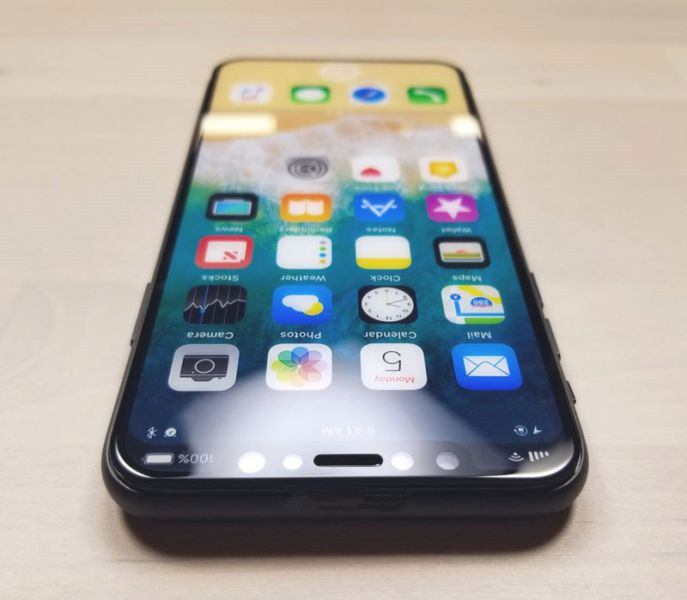
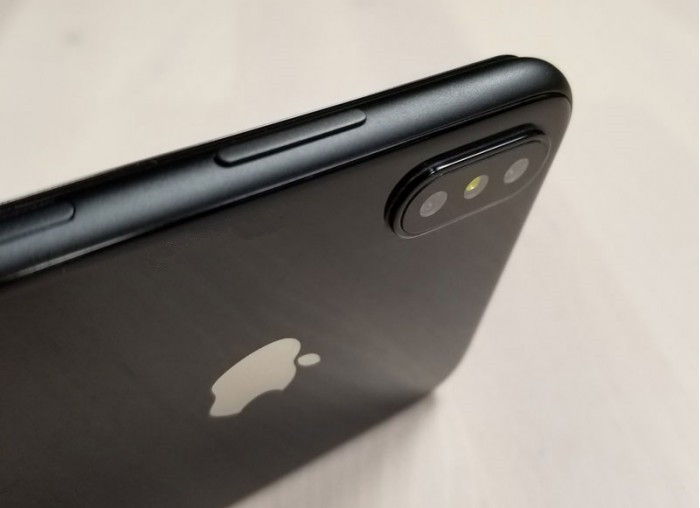
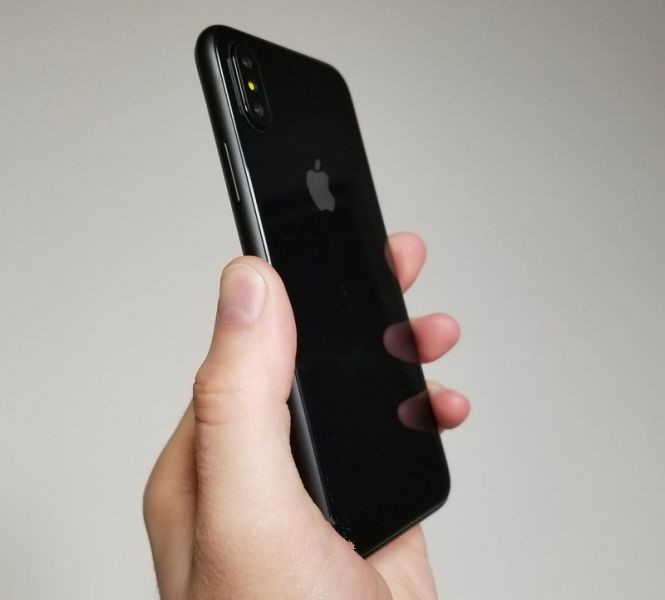
Live Photos of iPhone 8

Live Photos of iPhone 8

Live Photos of iPhone 8

Prior to that, it was reported that the novelty will inherit the dimensions of the iPhone 7 with a thickness of 7.7 mm. Like the current flagship Apple, the new iPhone 8 will be improved protection from water and dust. In addition, the camera will have a revolutionary function to create the most accurate images.


The new iPhone will be introduced in September this year and will become the company's jubilee model.




Windows
Mac OS
iOS
Linux
3uTools
Win 64-bit For this device
V9.0 2025-11-11
Download
Win 32-bit For this device
V9.0 2025-11-11
Download
3uTools
Intel Chip How to Identify Chip Type
V9.0 2025-12-02
Download
Apple Silicon
V9.0 2025-12-02
Download
How to Identify Chip Type
1.  Click the Apple icon in the top-left corner of the screen and select About This Mac.
2.  Check the Processor or Chip field to determine if it is "Intel" or "Apple".
Please use the 3uTools PC client to install the iOS client:
1、 Install either the Windows or Mac version of 3uTools on your computer
2、 Open the PC client and connect your device to the computer via USB cable
3、 After the connection is successful, wait for the computer to automatically install the mobile app for the device, or locate “Install Mobile App” on the computer and manually click to install.
3uTools
deb file
V3.01 2025-11-20
Download
rpm file
V3.01 2025-11-20
Download
Windows
Windows
iOS
iOS
Android
Android
TV
TV
3uAirPlayer
Win 64-bit For this device
V6.0.2 2025-11-19
Download
Win 32-bit For this device
V6.0.2 2025-11-19
Download
iOS Device Mirroring (No App Required)
1、 Install 3uAirPlayer on the Windows PC
2、 Open Control Center and select Screen Mirroring
3、 From the list, choose your PC to start mirroring
4、 Or connect your iOS device to the PC via USB to begin mirroring
Scan to get "3uAirPlayer" App
3uAirPlayer TV V1.0.18
2025-11-28
TV System Requirements: Android 7.0 or later
Download the TV installation package, copy it to a USB drive, insert it into your TV or set-top box, then select the file from the home screen to install.



