 NEWS
NEWS
Apple’s Redesigned Fifth Avenue Retail Store to Reopen Around Nov. 2018
 07/04/2017
 3883
3883
Earlier this year, Apple began renovations of its Fifth Avenue retail store with the goal of more than doubling its size. Details on the project have been somewhat unclear throughout the project, but a new report today from MacMagazine says that Apple’s flagship retail location will reopen towards the end of 2018…
The report explains that construction is currently slated to come to an end on October 31st, 2018, that’s according to signage posted around the construction site. As with all construction projects, however, there is of course room for error and that date could certainly be pushed back.
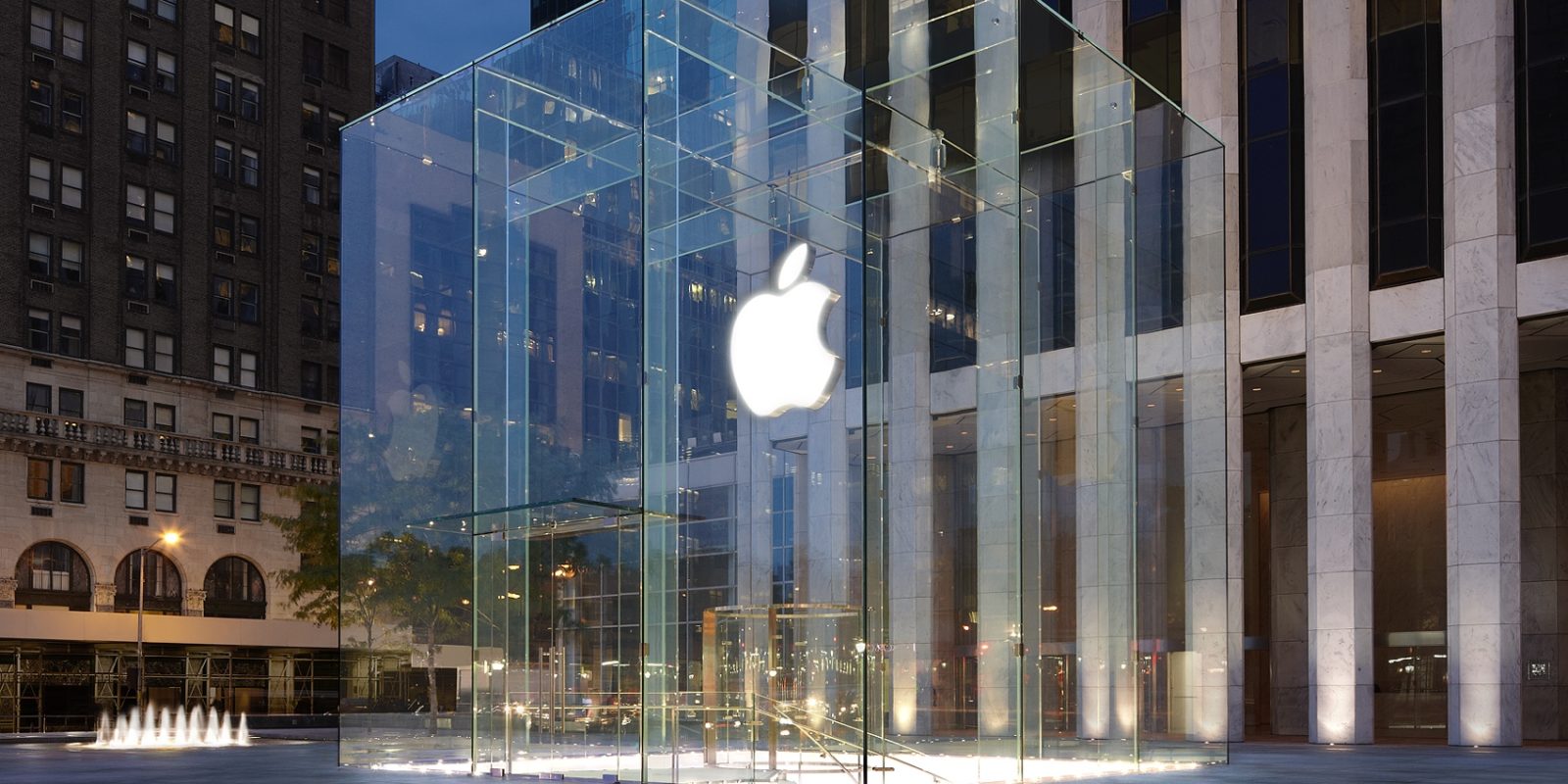
With construction on track to end on October 31st, 2018, it’s likely that Apple will reopen its Fifth Avenue location sometime in November. That would mean that the retail store would be open in time for the United States holiday shopping season, one of the busiest times of the year for both Apple and New York City.
Apple commenced renovations on its Fifth Avenue retail store in January of this year. The company is working to more than double the size of the store, from around 32,000-square-feet to 77,000-square-feet. The new retail store will also feature a dedicated Beats 1 broadcasting booth, allowing for hosts to broadcast straight from the retail store.
To make the renovation job easier, Apple has removed the iconic glass cube that normally encompasses the Fifth Avenue location. In the meantime, Apple has opened a temporary replacement location adjacent to the normal Fifth Avenue store. The temporary store is right next door and was formerly occupied by toy retailer FAO Schwarz.
Apple last updated the store in 2011 when it reduced the number of sheets of glass in the cube design from 90 pieces to 15 pieces. With today’s report, we now know that the iconic store should reopen to the public, redesign and all, in late 2018 in time for the holiday shopping season.
Source: 9to5mac










