NEWS

Apple Explains How to Customize and Share Photos Memories in New Videos

06/22/2017

3390

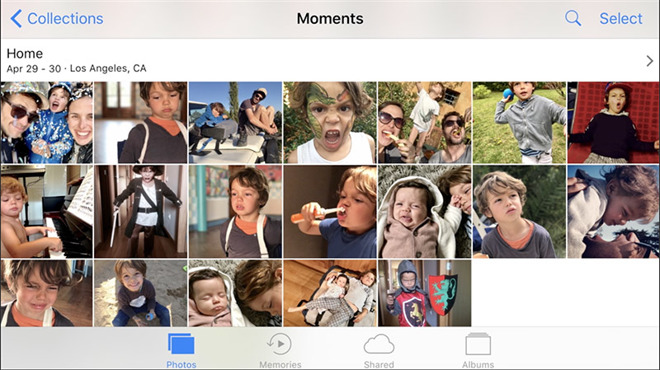
Expanding its "How to Shoot on iPhone 7" tutorial series, Apple on Wednesday posted a pair of videos explaining how to customize and share Memories clips generated by the Photos app in iOS 10. 


Apple Explains How to Customize and Share Photos Memories in New Videos


Simultaneously posted to Apple's "How to Shoot on iPhone 7" webpage and official YouTube channel, the video explainers are produced in the same style as the first tutorials published in May. In all, the webpage dedicated to teaching users how to get better results from their handset now boasts 23 shorts covering topics ranging from converting color photos to black and white to capturing intimate moments with zoom. 


The first tutorial, entitled "How to customize memories on iPhone 7," deals with moods. With movie Memories, users can select from a variety of "moods" that change the music and title style to match saved images. For example, a "Chill" mood might be suitable for pictures and video of a lazy day at the river, while "Epic" can be applied to fast action shots like those captured at a sporting event. 


The second video, "How to share Memories on iPhone 7," is fairly straightforward and shows users how to send a generated Memory to friends and family with iOS Share Sheet functionality. 


Source: appleinsider



Windows
Mac OS
iOS
Linux
3uTools
Win 64-bit For this device
V9.0 2025-11-11
Download
Win 32-bit For this device
V9.0 2025-11-11
Download
3uTools
Intel Chip How to Identify Chip Type
V9.0 2025-12-02
Download
Apple Silicon
V9.0 2025-12-02
Download
How to Identify Chip Type
1.  Click the Apple icon in the top-left corner of the screen and select About This Mac.
2.  Check the Processor or Chip field to determine if it is "Intel" or "Apple".
Please use the 3uTools PC client to install the iOS client:
1、 Install either the Windows or Mac version of 3uTools on your computer
2、 Open the PC client and connect your device to the computer via USB cable
3、 After the connection is successful, wait for the computer to automatically install the mobile app for the device, or locate “Install Mobile App” on the computer and manually click to install.
3uTools
deb file
V3.01 2025-11-20
Download
rpm file
V3.01 2025-11-20
Download
Windows
Windows
iOS
iOS
Android
Android
TV
TV
3uAirPlayer
Win 64-bit For this device
V6.0.2 2025-11-19
Download
Win 32-bit For this device
V6.0.2 2025-11-19
Download
iOS Device Mirroring (No App Required)
1、 Install 3uAirPlayer on the Windows PC
2、 Open Control Center and select Screen Mirroring
3、 From the list, choose your PC to start mirroring
4、 Or connect your iOS device to the PC via USB to begin mirroring
Scan to get "3uAirPlayer" App
3uAirPlayer TV V1.0.18
2025-11-28
TV System Requirements: Android 7.0 or later
Download the TV installation package, copy it to a USB drive, insert it into your TV or set-top box, then select the file from the home screen to install.