
NEWS

Apple Offers Free iPad Pro Smart Keyboard Repairs for 3 years

05/09/2017

3746

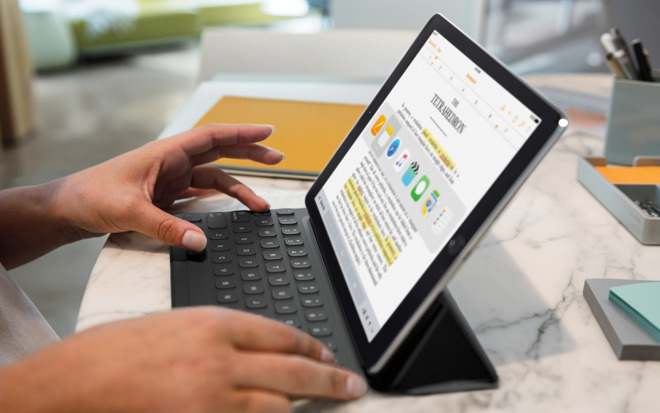
In light of several technical problems the accessory is having, Apple is reportedly offering a free, three-year repair program for the iPad Pro's Smart Keyboard.


The Keyboard can encounter "functional issues" such as a faulty Smart Connector, or keys repeating, sticking, and failing to respond, MacRumors said on Monday, citing a memo circulated to Apple stores and authorized repair outfits. 


Both 9.7- and 12.9-inch versions of the Keyboard are covered under the initiative.

 Apple Offers Free iPad Pro Smart Keyboard Repairs for 3 years


To qualify, owners must ask for repairs within three years of their purchase date and go through official channels, whether a Genius Bar, an authorized service provider, or Apple's phone and online support. The policy is allegedly so new that some support workers may be unfamiliar, in which case it may be necessary to ask for higher-level staff.


Apple has often marketed the Smart Keyboard as an integral part of buying an iPad Pro, helping to put iPads on par with laptops. It includes iOS shortcuts, and doesn't require special pairing or charging.


The company could be preparing new versions of the Keyboard to coincide with an anticipated Pro refresh. On top of revising the 12.9-inch model, it's also expected to ship a new 10.5-inch tablet, possibly with shrunken bezels among other features.


Source: appleinsider

Windows
Mac OS
iOS
Linux
3uTools
Win 64-bit For this device
V9.0 2025-11-11
Download
Win 32-bit For this device
V9.0 2025-11-11
Download
3uTools
Intel Chip How to Identify Chip Type
V9.0 2025-12-02
Download
Apple Chip
V9.0 2025-12-02
Download
How to Identify Chip Type
1.  Click the Apple icon in the top-left corner of the screen and select About This Mac.
2.  Check the Processor or Chip field to determine if it is "Intel" or "Apple".
Please use the 3uTools PC client to install the iOS client:
1、 Install either the Windows or Mac version of 3uTools on your computer
2、 Open the PC client and connect your device to the computer via USB cable
3、 After the connection is successful, wait for the computer to automatically install the mobile app for the device, or locate “Install Mobile App” on the computer and manually click to install.
3uTools
deb file
V3.01 2025-11-20
Download
rpm file
V3.01 2025-11-20
Download
Windows
Windows
iOS
iOS
Android
Android
TV
TV
3uAirPlayer
Win 64-bit For this device
V6.0.2 2025-11-19
Download
Win 32-bit For this device
V6.0.2 2025-11-19
Download
iOS Device Mirroring (No App Required)
1、 Install 3uAirPlayer on the Windows PC
2、 Open Control Center and select Screen Mirroring
3、 From the list, choose your PC to start mirroring
4、 Or connect your iOS device to the PC via USB to begin mirroring
Scan to get "3uAirPlayer" App
3uAirPlayer TV V1.0.18
2025-11-28
TV System Requirements: Android 7.0 or later
Download the TV installation package, copy it to a USB drive, insert it into your TV or set-top box, then select the file from the home screen to install.




