 NEWS
NEWS
Red iPhone 7: Price, Release Date, Where To Buy And More
 03/24/2017
 5124
5124
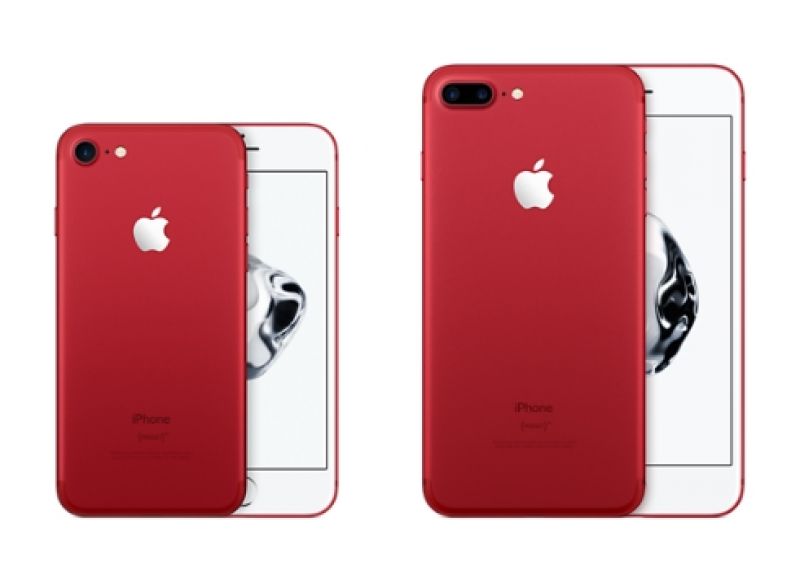
Apple is releasing iPhone 7 and iPhone 7 Plus (PRODUCT) RED Special Edition in 128GB and 256 GB models.
Apple had announced the launch of a Red colour variant of its latest flagship, iPhone 7 and iPhone 7 Plus, in its support to build an AIDS-free generation.
The Cupertino-based hardware firm has been in partnership with RED for 10 years supporting HIV/AIDS programs that provide counselling, testing, and medicine to prevent transmission of HIV from mother to her unborn child.
In another effort to raise funds for the program, Apple is releasing iPhone 7 and iPhone 7 Plus (PRODUCT) RED Special Edition in 128GB and 256 GB models at $749 (approx. Rs 49,000) and $869 (approx. Rs 57,000) from Apple’s website and stores from Friday, March 24.
“Since we began working with (RED) 10 years ago, our customers have made a significant impact in fighting the spread of AIDS through the purchase of our products, from the original iPod nano (PRODUCT)RED Special Edition all the way to today’s lineup of Beats products and accessories for iPhone, iPad and Apple Watch,” said Tim Cook, Apple’s CEO in a press release.
“The introduction of this special edition iPhone in a gorgeous red finish is our biggest (PRODUCT)RED offering to date in celebration of our partnership with (RED), and we can’t wait to get it into customers’ hands,” he added.
Apart from this, other Apple products including Beat Solo3 Wireless On-Ear Headphones, full iPod line of products, Beats Pill+ Portable Speaker, the iPhone 7 Smart Battery Case, and a range of accessories for iPhone, iPad, and Apple Watch are all available in the (PRODUCT) RED range.
“Apple is the world’s largest corporate donor to the Global Fund, contributing more than $130 million as part of its partnership with (RED),” said Deborah Dugan, (RED)’s CEO.
Source: deccanchionicle










