
NEWS

Apple Concept of Facial Recognition Could Hint at "iPhone 8"

03/17/2017

3493

Apple is adding to its existing patents for automatically unlocking an iPhone using facial recognition, according to a patent application published on Thursday, revealing the Cupertino firm is still refining alternative methods of biometric security it could use in future mobile devices. 
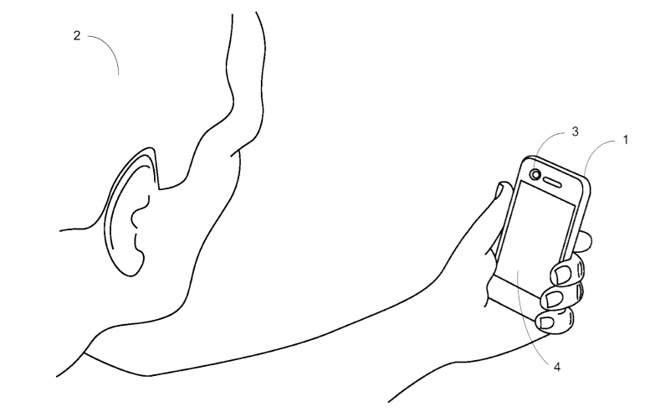

Apple Concept of Facial Recognition Could Hint at


Published by the U.S. Patent and Trademark Office, the application for "Locking and unlocking a mobile device using facial recognition" is noted as a continuation to an earlier patent of the same name granted in 2016. In turn, this earlier patent builds upon work in a patent granted in 2015, initially applied for in 2012, bearing an identical name, with the latest version streamlining the patent with a series of small changes. . 


The core idea of the patent is that an iPhone uses the front-facing camera to detect and recognize the user's face, unlocking the device if the face it sees belongs to the authorized device owner. 


Facial recognition is thought to be arriving in the rumored "iPhone 8," a third iPhone believed to be arriving later this year as part of the ten-year anniversary for the mobile device. Unlike the application's reliance on a camera, rumors suggest the "iPhone 8" could include a 3D laser scanning module, which could be used for advanced facial recognition on the high-specification smartphone. 


Initially filed on September 26, 2016, the patent application lists Lihua Zhao and Richard Tsai as its inventors.


Source: appleinsider

Windows
Mac OS
iOS
Linux
3uTools
Win 64-bit For this device
V9.0 2025-11-11
Download
Win 32-bit For this device
V9.0 2025-11-11
Download
3uTools
Intel Chip How to Identify Chip Type
V9.0 2025-12-02
Download
Apple Silicon
V9.0 2025-12-02
Download
How to Identify Chip Type
1.  Click the Apple icon in the top-left corner of the screen and select About This Mac.
2.  Check the Processor or Chip field to determine if it is "Intel" or "Apple".
Please use the 3uTools PC client to install the iOS client:
1、 Install either the Windows or Mac version of 3uTools on your computer
2、 Open the PC client and connect your device to the computer via USB cable
3、 After the connection is successful, wait for the computer to automatically install the mobile app for the device, or locate “Install Mobile App” on the computer and manually click to install.
3uTools
deb file
V3.01 2025-11-20
Download
rpm file
V3.01 2025-11-20
Download
Windows
Windows
iOS
iOS
Android
Android
TV
TV
3uAirPlayer
Win 64-bit For this device
V6.0.2 2025-11-19
Download
Win 32-bit For this device
V6.0.2 2025-11-19
Download
iOS Device Mirroring (No App Required)
1、 Install 3uAirPlayer on the Windows PC
2、 Open Control Center and select Screen Mirroring
3、 From the list, choose your PC to start mirroring
4、 Or connect your iOS device to the PC via USB to begin mirroring
Scan to get "3uAirPlayer" App
3uAirPlayer TV V1.0.18
2025-11-28
TV System Requirements: Android 7.0 or later
Download the TV installation package, copy it to a USB drive, insert it into your TV or set-top box, then select the file from the home screen to install.




