NEWS

ChatGPT for Mac Now Available for Everyone

06/26/2024

1678

ChatGPT for Mac Now Available for Everyone


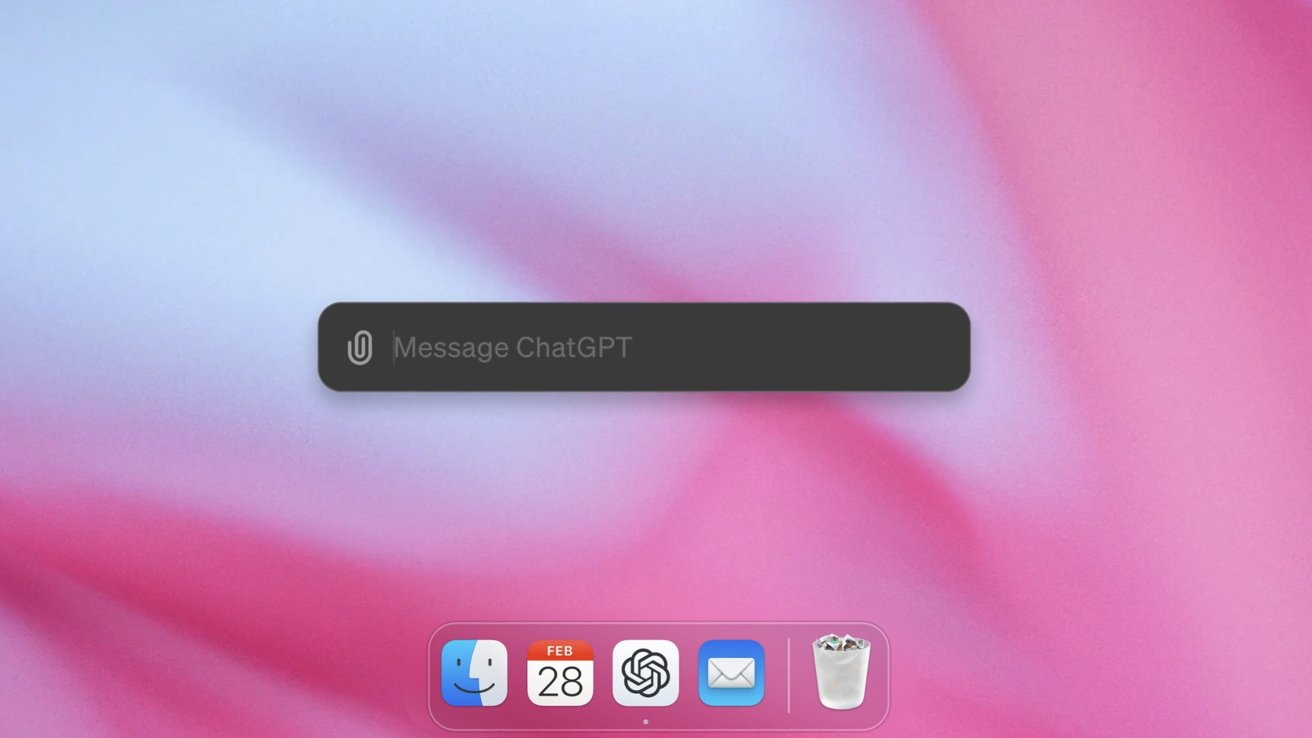
Replace Apple's Spotlight search with ChatGPT for Mac, which can take screenshots, analyze files, and review text with a simple keyboard shortcut.


Apple may not be releasing Apple Intelligence or ChatGPT integration with macOS Sequoia until later in 2024, but users can bring AI to their Mac today. The new ChatGPT app for Mac is now available for all users beyond just Plus subscribers.


Users can set up the CMD + Space keyboard shortcut to summon ChatGPT, which means replacing Spotlight. The app works with macOS Sonoma or later on Macs with M-series processors.


A Windows version is coming later in 2024.


ChatGPT for Mac provides simple tools for taking screenshots that can be uploaded directly into a query. The same can be done with files, images, or text selected by the user.


Conversations with the app will be archived and searchable. Users can even interact via voice, and ChatGPT 4o will be available at a later date.


Get ChatGPT for Mac from the OpenAI website.


Source: AppleInsider

Windows
Mac OS
iOS
Linux
3uTools
Win 64-bit For this device
V9.0 2025-11-11
Download
Win 32-bit For this device
V9.0 2025-11-11
Download
3uTools
Intel Chip How to Identify Chip Type
V9.0 2025-12-02
Download
Apple Chip
V9.0 2025-12-02
Download
How to Identify Chip Type
1.  Click the Apple icon in the top-left corner of the screen and select About This Mac.
2.  Check the Processor or Chip field to determine if it is "Intel" or "Apple".
Please use the 3uTools PC client to install the iOS client:
1、 Install either the Windows or Mac version of 3uTools on your computer
2、 Open the PC client and connect your device to the computer via USB cable
3、 After the connection is successful, wait for the computer to automatically install the mobile app for the device, or locate “Install Mobile App” on the computer and manually click to install.
3uTools
deb file
V3.01 2025-11-20
Download
rpm file
V3.01 2025-11-20
Download
Windows
Windows
iOS
iOS
Android
Android
TV
TV
3uAirPlayer
Win 64-bit For this device
V6.0.2 2025-11-19
Download
Win 32-bit For this device
V6.0.2 2025-11-19
Download
iOS Device Mirroring (No App Required)
1、 Install 3uAirPlayer on the Windows PC
2、 Open Control Center and select Screen Mirroring
3、 From the list, choose your PC to start mirroring
4、 Or connect your iOS device to the PC via USB to begin mirroring
Scan to get "3uAirPlayer" App
3uAirPlayer TV V1.0.18
2025-11-28
TV System Requirements: Android 7.0 or later
Download the TV installation package, copy it to a USB drive, insert it into your TV or set-top box, then select the file from the home screen to install.