
NEWS

Back to School Promotions on Mac, iPad Pro

02/07/2017

4100


Apple has launched a series of Back to School promotions in Australia and New Zealand, with purchasers of new equipment online or at Apple Retail getting gift cards for a future purchase at the Apple Store.
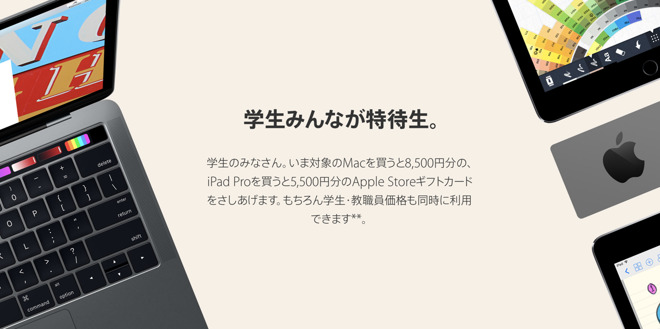

Back to School Promotions on Mac, iPad Pro


Between Feb. 7 and Mar. 16, educational staff or students in Australia who purchase a MacBook Air, MacBook, MacBook Pro, Mac Pro, and iMac will receive a A$100 ($76) Apple Store gift card. An A$70 ($54) gift card is given to iPad Pro purchasers. 


Customers in New Zealand will get a NZ$105 ($77) and NZ$75 ($55) gift card, respectively. 


The deal in Japan is similar —purchasers of a Mac other than the Mac mini will receive an 8500 yen ($76) gift card, with purchasers of an iPad Pro qualifying for one worth 5,500 yen ($49).


Refurbished products are not eligible for the gift card in either location. Configure-to-order products qualify for the offer as well.


The 2017 promotion is a return to the previous gift card promotion model. Most recently, Apple has been giving Beats headphones with hardware purchases for back to school buyers.


Source: appleinsider

Windows
Mac OS
iOS
Linux
3uTools
Win 64-bit For this device
V9.0 2025-11-11
Download
Win 32-bit For this device
V9.0 2025-11-11
Download
3uTools
Intel Chip How to Identify Chip Type
V9.0 2025-12-02
Download
Apple Chip
V9.0 2025-12-02
Download
How to Identify Chip Type
1.  Click the Apple icon in the top-left corner of the screen and select About This Mac.
2.  Check the Processor or Chip field to determine if it is "Intel" or "Apple".
Please use the 3uTools PC client to install the iOS client:
1、 Install either the Windows or Mac version of 3uTools on your computer
2、 Open the PC client and connect your device to the computer via USB cable
3、 After the connection is successful, wait for the computer to automatically install the mobile app for the device, or locate “Install Mobile App” on the computer and manually click to install.
3uTools
deb file
V3.01 2025-11-20
Download
rpm file
V3.01 2025-11-20
Download
Windows
Windows
iOS
iOS
Android
Android
TV
TV
3uAirPlayer
Win 64-bit For this device
V6.0.2 2025-11-19
Download
Win 32-bit For this device
V6.0.2 2025-11-19
Download
iOS Device Mirroring (No App Required)
1、 Install 3uAirPlayer on the Windows PC
2、 Open Control Center and select Screen Mirroring
3、 From the list, choose your PC to start mirroring
4、 Or connect your iOS device to the PC via USB to begin mirroring
Scan to get "3uAirPlayer" App
3uAirPlayer TV V1.0.18
2025-11-28
TV System Requirements: Android 7.0 or later
Download the TV installation package, copy it to a USB drive, insert it into your TV or set-top box, then select the file from the home screen to install.




