 NEWS
NEWS
Apple Continues Building Out Rapid Security Response Feature in iOS 16.4 Beta
 03/08/2023
 2969
2969
Apple is continuing to improve the Rapid Security Response (RSR) feature that's built into iOS 16, iPadOS 16, and macOS Ventura, according to code found in the latest iOS 16.4 beta.
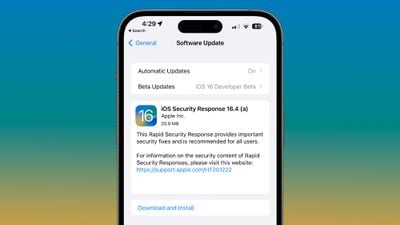
New Rapid Security Response code in iOS 16.4 beta 3 adds wording about apps that could be incompatible with security updates. "Some apps may be closing unexpectedly due to incompatibility with the latest iOS rapid security response. Removing the security response may fix this," reads Apple's wording.
There are also rollback alerts that can let users know if there's an issue with an RSR release. "Possible iOS Security Response Issue," is the text that users could see in the future.
Apple has released several Rapid Security Response updates, with the first having come out in November. So far, all of these updates have been limited to iPhone and iPad users running betas, and they seem to have been provided in a test capacity.
Apple appears to be still working on perfecting the RSR process, and it does not look like any of the releases have included security fixes as of yet, based on Apple's security support document. This document outlines all updates that have vulnerability fixes, and no RSR releases are listed.
No RSRs have been provided to the general public as of yet, which also suggests that Apple is not yet ready to use the option as a stop-gap between software updates.
Announced as part of iOS 16, iPadOS 16, and macOS Ventura, Rapid Security Response updates are meant to allow Apple to provide security fixes to users without a complete iOS update. Rapid Security Responses can be installed quickly, and they can be rolled back if it becomes necessary, as the iOS 16.4 code suggests.
Source: Macrumors










