 TUTORIALS
These Jailbreak Tweaks Let you Record Phone Calls with the Press of a Button
 03/20/2019
 11579
11579
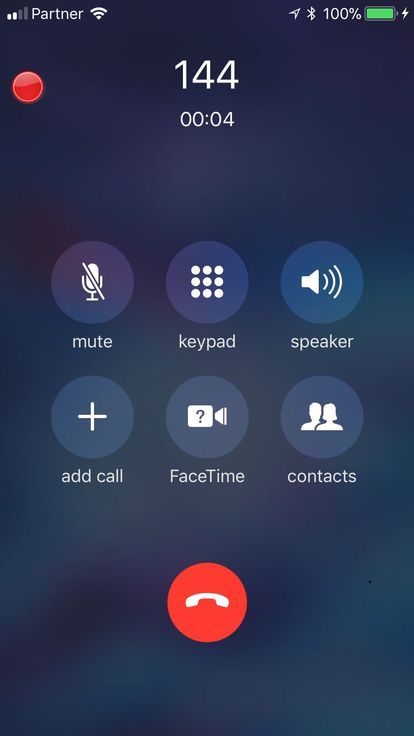
Have you ever wanted to record your inbound and outbound phone calls from your iPhone? If so, then you’re not alone; in fact, this is quite possibly one of the most highly-requested features that Apple hasn’t natively implemented in the iPhone’s calling interface.
While a slightly convoluted process exists that may or may not work depending on your carrier, those with jailbroken handsets can make this process a whole lot easier by installing one of two recently-released jailbreak tweaks dubbed Call Recorder X+ (iOS 12) and Super Recorder X+ (iOS 12) by iOS developer hacx.
Both jailbreak tweaks bring full-featured phone call recording functionality to the native Phone app and to various VoIP services, but for an extra dollar, Super Recorder X+ (iOS 12) includes a number of add-on features, such as a 200% volume amplifier and a voice changer.
As shown in the screenshot example above, both tweaks add a red Record button to the native Phone app interface when you’re in the middle of a phone call. Tapping on it begins to record the call, and those audio files are then stored in an internal web server where you can access them on demand from the device or from your personal computer.
Both tweaks also include full Activator support, so if you don’t want to use the red Record button, then you can toggle an Activator action instead. As you might come to expect, you can also manage those voice recordings – play, delete, or share them – on demand:
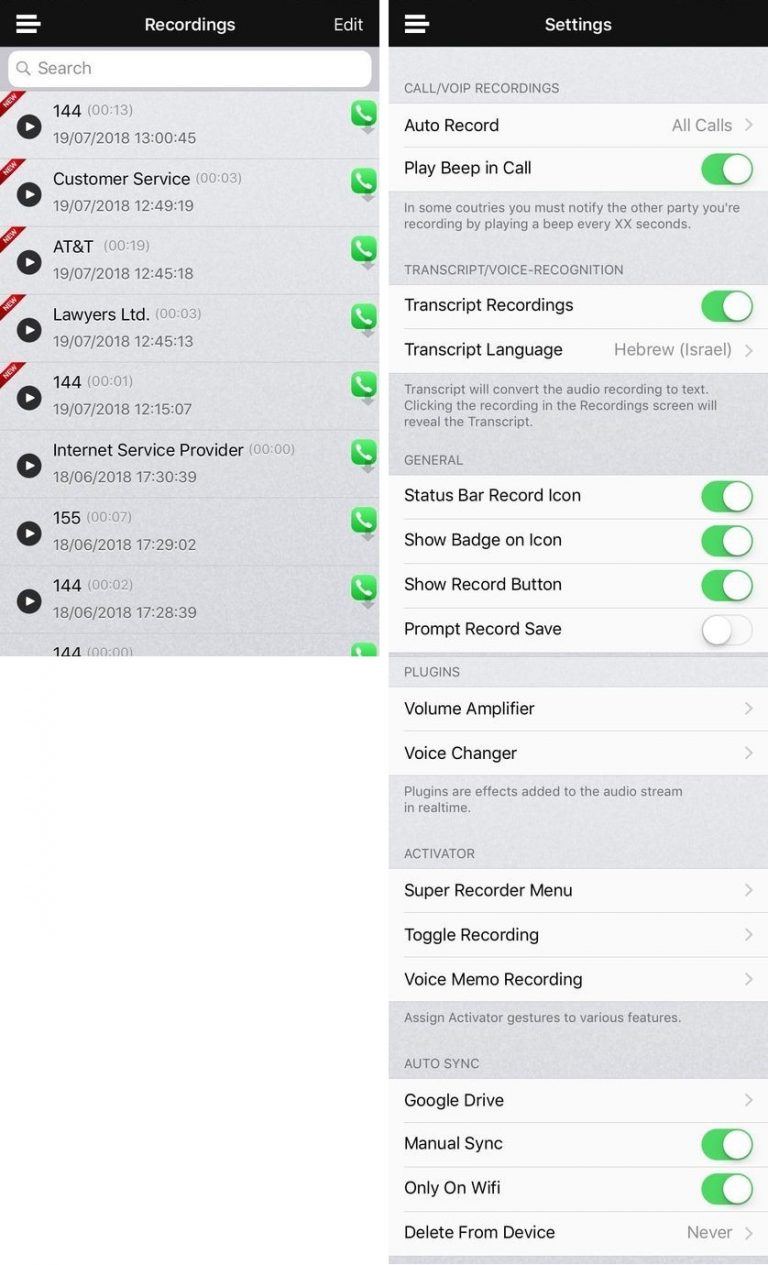
As you’ll see from the options, Super Recorder X+ (iOS 12) encompasses a number of options that you can configure:
Auto-record certain phone calls
Pay a beep noise in the call when recording
Transcript recordings
Configure a transcript language setting
Display a Status Bar icon when recording
Display an application icon badge when recording
Display a prompt when saving
Manage volume amplifier and voice changer plugins
Manage Activator actions
Manage cloud sync
Note: Recording phone calls isn’t legal in every country without the other party’s acknowledgement and consent. With that in mind, you should tread carefully and understand your local laws before proceeding with any phone call recording. Neither the developer nor iDownloadBlog can be held responsible for misguided use of these tweaks. You have been warned.
If you’re interested in bringing phone call-recording functionality and more to your jailbroken iPhone, then you can download either Call Recorder X+ (iOS 12) or Super Recorder X+ (iOS 12) from Cydia’s Packix repository. Upon installing, you’ll need to purchase a license for either tweak – Call Recorder X+ will cost you $2.99 per license (per device), while Super Recorder X+ will cost you $3.99 per license (per device).
Call Recorder X+ (iOS 12) and Super Recorder X+ (iOS 12) are intended for jailbroken iOS 12 devices only. If you are using an earlier version of iOS, then you should install the tweaks’ predecessors instead.
Source: idb









