TUTORIALS

ElecTh0rRemover - Remove unc0ver & Electra Jailbreak with One Click

11/27/2018

23830

ElecTh0rRemover - Remove unc0ver & Electra Jailbreak with One Click


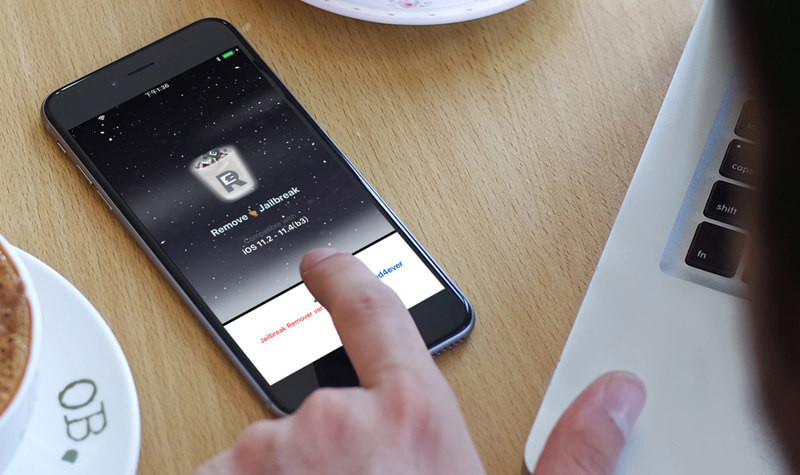
You can remove unc0ver jallbreak with SemiRestore11. But there are another tools that could erase Cydia, ElecTh0rRemover and electraRemover could remove Th0r jailbreak and unc0ver jailbreak. You just need one click, then you can easily remove jailbreak and avoid jailbreak detection violating App’s regular use.


Prerequisites

1. Please operate at your own risks, this would cause unknown issue. You are suggested to back up your device using 3uTools in advance.


2. This script could delete any individual tweak, you need to delete it manually.


3. Please operate the tool when you are in jailbreak activation status, it may result in poor usability.


4. If you want to remove system settings and user files, you are recommended to use SemiRestore11.


Please download the tools according to your iOS version:

electraRemover (v1.0) for iOS 11.0 - iOS 11.1.2

ElecTh0rRemover (v3.0.9) for iOS 11.2 - iOS 11.4(b3)


Operations


This guide would take ElecTh0rRemover for example.


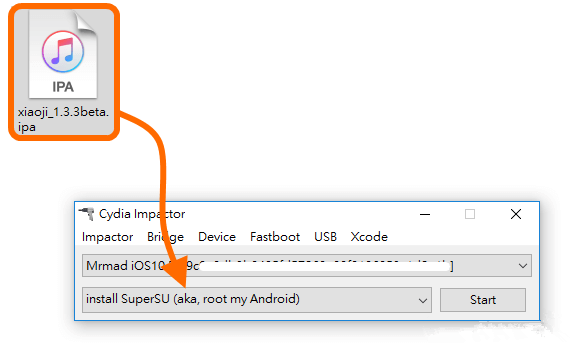
Step 1 Drag the ipa file to Cydia Impactor.

ElecTh0rRemover - Remove unc0ver & Electra Jailbreak with One Click


Step 2 Navigate to Settings → General → Profile, and trust the certificate belonging to the tool.


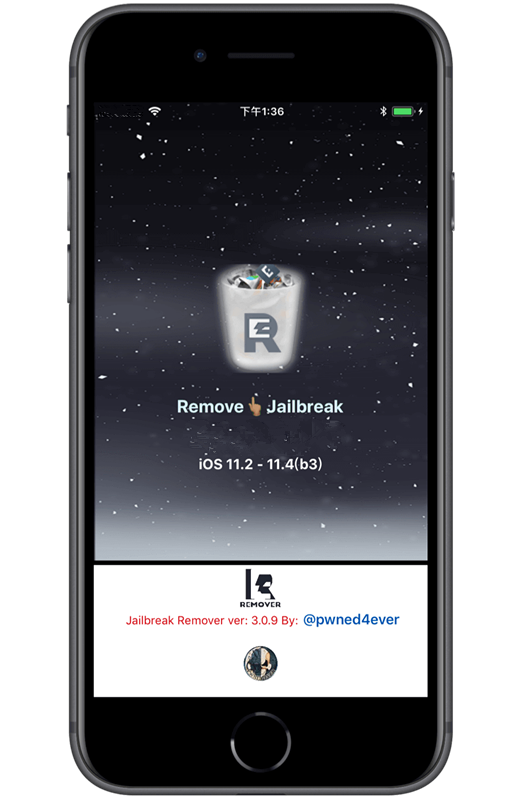
Step 3 Launch ElecTh0rRemover app, and click the white bin to remove jailbreak.
 

ElecTh0rRemover - Remove unc0ver & Electra Jailbreak with One Click


For electraRemover, click “Remove Jailbreak”.


Step 4 After you click the white bin, please do not go back to home screen until the it pops up completing erasing.


Windows
Mac OS
iOS
Linux
3uTools
Win 64-bit For this device
V9.0 2025-11-11
Download
Win 32-bit For this device
V9.0 2025-11-11
Download
3uTools
Intel Chip How to Identify Chip Type
V9.0 2025-12-02
Download
Apple Chip
V9.0 2025-12-02
Download
How to Identify Chip Type
1.  Click the Apple icon in the top-left corner of the screen and select About This Mac.
2.  Check the Processor or Chip field to determine if it is "Intel" or "Apple".
Please use the 3uTools PC client to install the iOS client:
1、 Install either the Windows or Mac version of 3uTools on your computer
2、 Open the PC client and connect your device to the computer via USB cable
3、 After the connection is successful, wait for the computer to automatically install the mobile app for the device, or locate “Install Mobile App” on the computer and manually click to install.
3uTools
deb file
V3.01 2025-11-20
Download
rpm file
V3.01 2025-11-20
Download
Windows
Windows
iOS
iOS
Android
Android
TV
TV
3uAirPlayer
Win 64-bit For this device
V6.0.2 2025-11-19
Download
Win 32-bit For this device
V6.0.2 2025-11-19
Download
iOS Device Mirroring (No App Required)
1、 Install 3uAirPlayer on the Windows PC
2、 Open Control Center and select Screen Mirroring
3、 From the list, choose your PC to start mirroring
4、 Or connect your iOS device to the PC via USB to begin mirroring
Scan to get "3uAirPlayer" App
3uAirPlayer TV V1.0.18
2025-11-28
TV System Requirements: Android 7.0 or later
Download the TV installation package, copy it to a USB drive, insert it into your TV or set-top box, then select the file from the home screen to install.