 TUTORIALS
A Simple Way to Check Cydia Compatible Tweaks for Your Jailbreak
 03/05/2018
 8226
8226
Whenever a new jailbreak drops, you often need to skim through a Google spreadsheet to check supported tweaks. Here's a new website that ensures you only download compatible tweaks on your device.
tweakCompatible is a community-driven jailbreak tweak that adds compatibility checks to Cydia. It is developed by Jilppold.
Currently, it supports the following iOS firmware versions:
8.3-8.4.1
9.0.2-9.3.3
10.0.1-10.3.3
11.0-11.1.2
You can also access its website to check compatibility of each tweak individually. Once you select the desired tweak, simply open it via Cydia and install it.
Working – If 75% and above users tag as compatible.
Likely working – If 40-75% users tag as compatible.
Not working – If less than 40% users tag as compatible.
You can contribute to the list if you have a Github account.
At the moment, it is not as comprehensive as the iOS 11 compatibility list given here. However, you can still derive benefit from it if you already have Cydia.
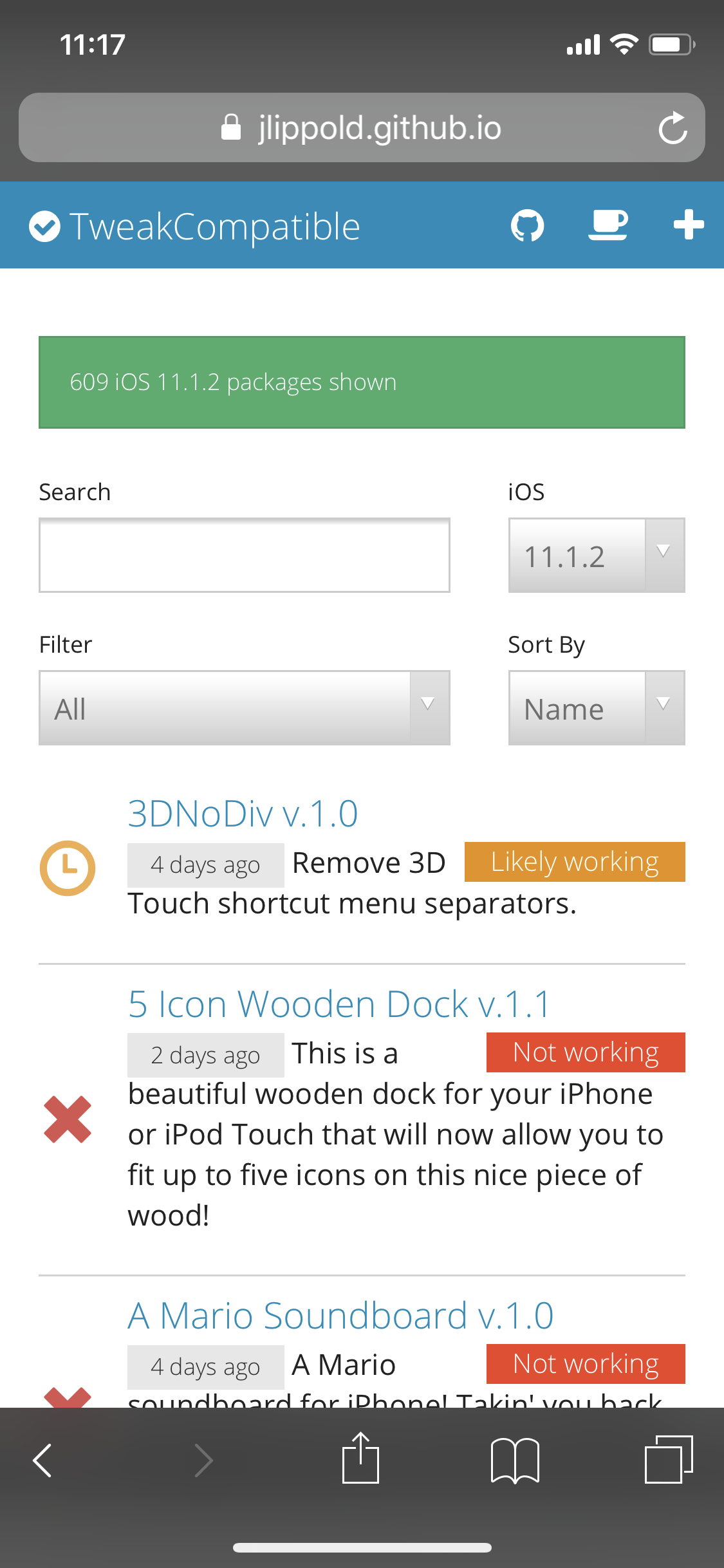
Here's how you can install and use it on your iPhone, iPad, and iPod touch.
Step 1 Open this website in your Safari.
Step 2 Change the firmware to your current iOS version.
Step 3 Scroll down and select the tweak you want to install. Press "Open in Cydia" to directly install it via Cydia.
Step 4 Press OPEN to open its Cydia page.
You can also Launch Cydia and search for "tweakCompatible" if you like everything spoon fed to you. Remember, just don’t install tweakCompatible on iOS 11 because it can make Cydia unresponsive.
We recommend sticking with the website as it displays all tweaks beforehand and you don't need to browse each one of them individually.









