 NEWS
NEWS
Apple Continues to Reopen China Retail Stores Following Coronavirus Closures
 02/25/2020
 3078
3078
Apple is slowly reopening its fleet of Chinese retail stores after the new coronavirus outbreak forced closures of all outlets in the region earlier in February.
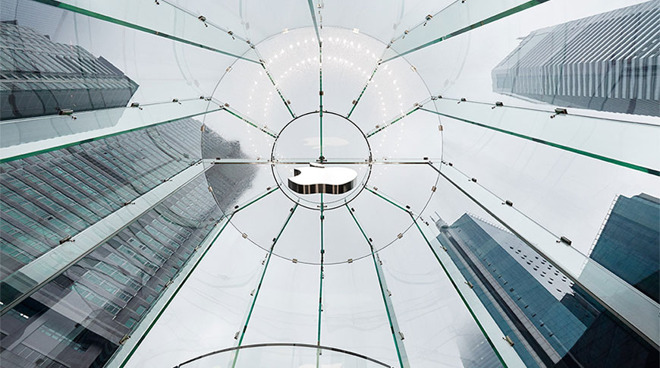
Apple Jiefangbei in Chongqing remains closed due to the new coronavirus outbreak.
According to the company's regional Chinese website, 29 out of 42 stores were open for business as of Monday, though many are operating under limited hours until late this month or early March.
Apple Seven Treasures in Qibao, for example, is open from 11 a.m. to 6:30 p.m. until March 1, when the store is slated to reinstate regular operating hours from 10 a.m. to 10 p.m. Other outlets, like Apple Hong Kong Plaza, will adhere to the restricted schedule until further notice.
Thirteen Apple retail locations in China remain closed, including stores in Shanghai International Trade iapm, Nanjing Jinmaohui, Suzhou, Hangzhou Vientiane City, West Lake, Xiamen New Life Plaza, Tahoe Plaza. All Apple retail stores in Tianjin and Chongqing, each of which hosts three outlets, are still shuttered.
Following targeted store closures in January, Apple closed all retail stores, corporate offices and contact centers in the region earlier this month out of what the company described as "an abundance of caution," promising to reopen the physical spaces as soon as possible. The closures mirror government efforts to keep public spaces clear in a bid to stop the spread of the virus.
Last week, Apple warned fallout from the outbreak would lead to lower than expected earnings for the current quarter. For one, the coronavirus has negatively impacted Apple supply partners, resulting in temporarily constrained global iPhone supply. Chinese demand is also expected to take a hit due to ongoing store closures.
Analysts have taken a relatively favorable stance to Apple's prospects despite the guidance revision. On Monday, Wedbush Securities analyst Daniel Ive said that while the company could face product delays in a worst case scenario, he believes there is little concern for longterm effects to Apple's business.
Source: Appleinsider










