NEWS

Apple Events App for tvOS Updated to Reflect iPhone 11 Launch Event

09/06/2019

2318

Apple Events App for tvOS Updated to Reflect iPhone 11 Launch Event


Apple has already sent invites for its event next week. Now the company has updated the iPhone 11 event app on Apple TV. The app is titled “By innovation only.” As always the event will be live-streamed and you can view it on Apple TV.


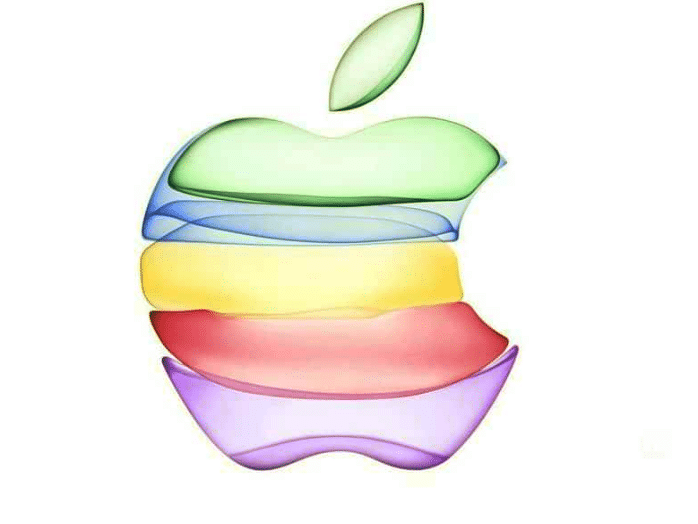
The update adds a colorful icon and theme is similar to one of the invite. You will also be able to access the schedule of the live stream in the local time zone. Meanwhile, you can live stream the event on iOS, macOS, Windows, Apple TV and also directly from the website. If you are an Apple TV user then download the app from the tvOS App Store.


Apple Special Event: Tune in at 1 p.m. (Local Time) on September 10 to watch this event live.


The iPhone 11 series is going to be the highlight of Apple’s September 10th event. The company is not giving the lineup a major overhaul this time around and is instead focusing on internal upgrades. The camera performance of the new iPhones is also going to be a major highlight this time around.


Apple is also working on 16-inch MacBook Pro, 10.2-inch iPad, and 2019 iPad Pro. However, Apple might not launch these products at the September 10 event. Like always we will be covering the Apple Event live on iPhonehacks. Ensure that you tune in to get juicy tidbits about Apple’s new devices. Are you excited about the Apple event? Let us know in the comments below.


Source: iphonehacks

Windows
Mac OS
iOS
Linux
3uTools
Win 64-bit For this device
V9.01 2025-12-27
Download
Win 32-bit For this device
V9.01 2025-12-27
Download
3uTools
Intel Chip How to Identify Chip Type
V9.01 2025-12-31
Download
Apple Silicon
V9.01 2025-12-31
Download
How to Identify Chip Type
1.  Click the Apple icon in the top-left corner of the screen and select About This Mac.
2.  Check the Processor or Chip field to determine if it is "Intel" or "Apple".
Please use the 3uTools PC client to install the iOS client:
1、 Install either the Windows or Mac version of 3uTools on your computer
2、 Open the PC client and connect your device to the computer via USB cable
3、 After the connection is successful, wait for the computer to automatically install the mobile app for the device, or locate “Install Mobile App” on the computer and manually click to install.
3uTools
deb file
V3.01 2025-11-20
Download
rpm file
V3.01 2025-11-20
Download
Windows
Windows
iOS
iOS
Android
Android
TV
TV
3uAirPlayer
Win 64-bit For this device
V6.0.2 2025-11-19
Download
Win 32-bit For this device
V6.0.2 2025-11-19
Download
iOS Device Mirroring (No App Required)
1、 Install 3uAirPlayer on the Windows PC
2、 Open Control Center and select Screen Mirroring
3、 From the list, choose your PC to start mirroring
4、 Or connect your iOS device to the PC via USB to begin mirroring
Scan to get "3uAirPlayer" App
3uAirPlayer TV V1.0.18
2025-11-28
TV System Requirements: Android 7.0 or later
Download the TV installation package, copy it to a USB drive, insert it into your TV or set-top box, then select the file from the home screen to install.