 NEWS
NEWS
Apple Marunouchi Opens September 7 in Tokyo
 08/26/2019
 3450
3450
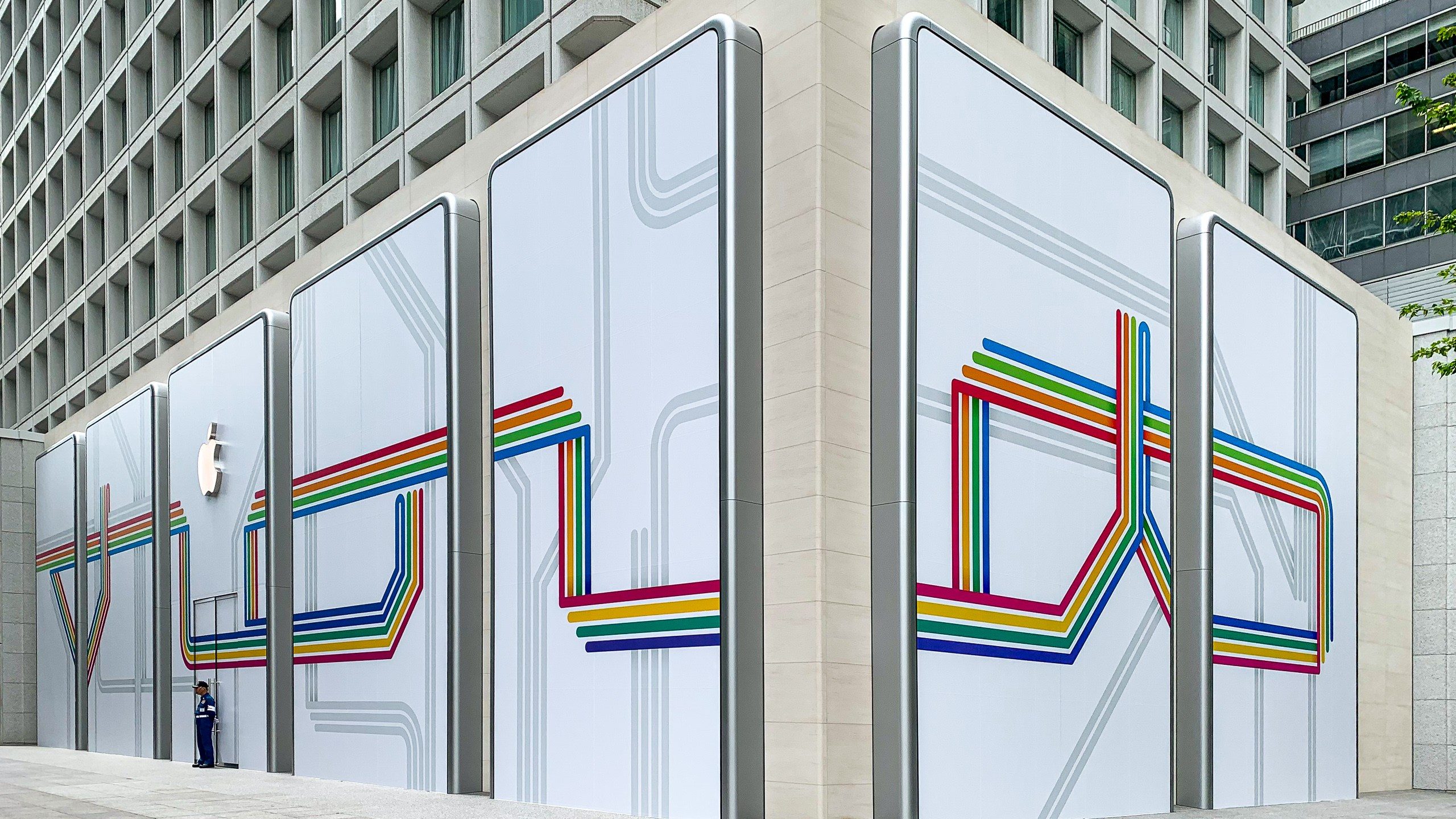
Apple’s fifth retail store in Tokyo and ninth in all of Japan will celebrate its grand opening on September 7 at 10:00 a.m. Anchoring the base of the Mitsubishi Building, Apple Marunouchi brings a unique facade design and Apple’s latest retail initiatives within walking distance of Tokyo Station. The new store is one of several major projects scheduled for completion in 2019 as Apple’s expansion throughout Japan continues.
Following more than two years of planning, design, and construction work, Apple’s logo lit up the streets of Marunouchi for the first time earlier this month. Transit-themed graphics cover the store’s windows, with colorful lines weaving to form stylized Japanese characters (丸の内). On Instagram, Deirdre O’Brien notedthat the new store will be Apple’s largest in Japan.
Beyond the pivotal location and the debut of several new exterior architectural elements, Apple Marunouchi is significant because it introduces a contemporary space for Today at Apple creative learning in central Tokyo. Apple’s nearest location to Marunouchi, Ginza, remains largely the same as it appeared on opening day in 2003, and doesn’t fulfill Apple’s latest experiential retail goals. Apple Shinjuku was chosen as the only store in Japan to host a new augmented reality [AR]T Walk.
Apple is re-energizing Today at Apple in Tokyo with a special lineup of events for Marunouchi. The session calendar for Apple Marunouchi offers a full listing of what’s new. A collection of sessions titled “Tokyo Creative Guild” will feature several local artists and the people who inspired them. Registration for these exclusive sessions often fills up quickly.
New wallpapers for Macs, iPhones, and iPads have been published with the Apple Marunouchi logo. Apple has also created a special animation announcing the store’s arrival on its retail website.
Source: 9to5mac










