
NEWS

Apple Stops Signing iOS 12.1.3

03/19/2019

5016

Apple today has stopped signing iOS 12.1.3, which means it is no longer possible to downgrade from iOS 12.1.4. iOS 12.1.4 was released last month to resolve the FaceTime eavesdropping bug.
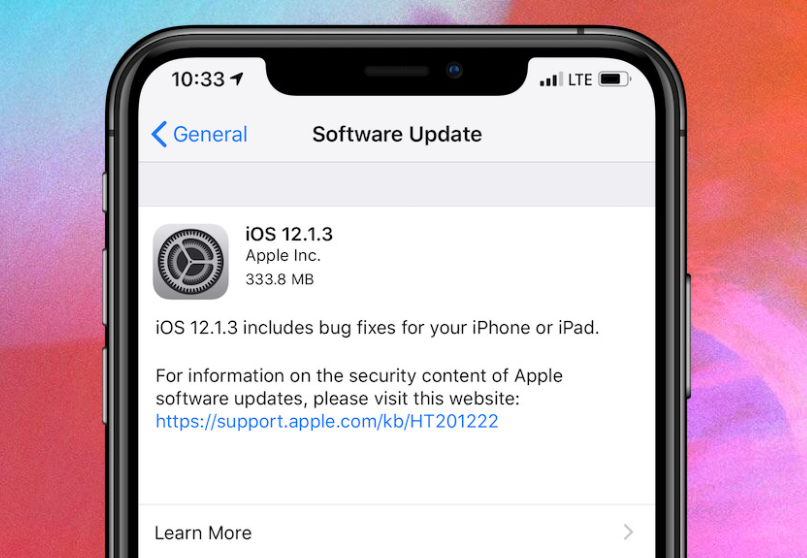

 Apple Stops Signing iOS 12.1.3


Apple generally stops signing older releases of iOS within a few weeks of an update being made available. Most recently, Apple stopped signing iOS 12.1.1 and iOS 12.1.2 last month.


iOS 12.1.4 was released just over a month ago following the discovery of a huge Group FaceTime bug that would allow someone to eavesdrop on another user. Apple also disabled Group FaceTime on older versions of iOS, such as iOS 12.1.3, to prevent the bug from affecting users.


Apple is currently beta testing iOS 12.2 with new Animoji characters, enhanced TV functionality in HomeKit, Apple News support in Canada, and more. iOS 12.2 is likely to be released later this month, likely in conjunction with Apple’s March 25th event.


At the March 25th event, Apple is expected to introduce its new Apple News magazine subscription service, as well as enhancements to its TV app. Both of these are software-based changes that would likely be included in iOS 12.2.


Source: 9to5mac

Windows
Mac OS
iOS
Linux
3uTools
Win 64-bit For this device
V9.01 2025-12-27
Download
Win 32-bit For this device
V9.01 2025-12-27
Download
3uTools
Intel Chip How to Identify Chip Type
V9.01 2025-12-31
Download
Apple Silicon
V9.01 2025-12-31
Download
How to Identify Chip Type
1.  Click the Apple icon in the top-left corner of the screen and select About This Mac.
2.  Check the Processor or Chip field to determine if it is "Intel" or "Apple".
Please use the 3uTools PC client to install the iOS client:
1、 Install either the Windows or Mac version of 3uTools on your computer
2、 Open the PC client and connect your device to the computer via USB cable
3、 After the connection is successful, wait for the computer to automatically install the mobile app for the device, or locate “Install Mobile App” on the computer and manually click to install.
3uTools
deb file
V3.01 2025-11-20
Download
rpm file
V3.01 2025-11-20
Download
Windows
Windows
iOS
iOS
Android
Android
TV
TV
3uAirPlayer
Win 64-bit For this device
V6.0.2 2025-11-19
Download
Win 32-bit For this device
V6.0.2 2025-11-19
Download
iOS Device Mirroring (No App Required)
1、 Install 3uAirPlayer on the Windows PC
2、 Open Control Center and select Screen Mirroring
3、 From the list, choose your PC to start mirroring
4、 Or connect your iOS device to the PC via USB to begin mirroring
Scan to get "3uAirPlayer" App
3uAirPlayer TV V1.0.18
2025-11-28
TV System Requirements: Android 7.0 or later
Download the TV installation package, copy it to a USB drive, insert it into your TV or set-top box, then select the file from the home screen to install.




