
NEWS

Last Year’s iPhone XS Beats New Galaxy S10+ in Leaked Benchmark

01/17/2019

2479

Well, barring any last-minute change in the US edition of the Galaxy S10+, which is equipped with a Qualcomm Snapdragon 855 processor, last year’s iPhone XS will beat Samsung's flagship by more than 1,000 points in the popular Geekbench test.
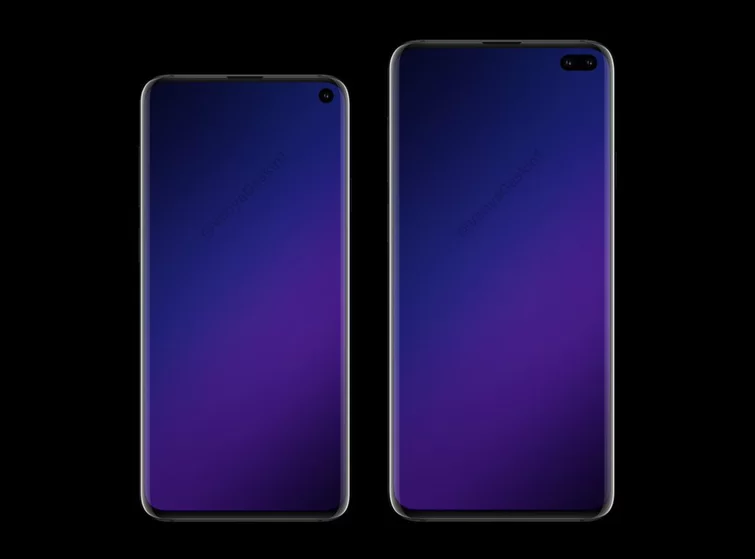

Last Year’s iPhone XS Beats New Galaxy S10+ in Leaked Benchmark


Published by Slashleaks, the new S10+ notched a 10,256 score in the Geekbench 4 multi-core test and 3,413 in the single-core. That's much lower than the iPhone XS’ multi-core 11,420 score and single-core mark of 4,797.
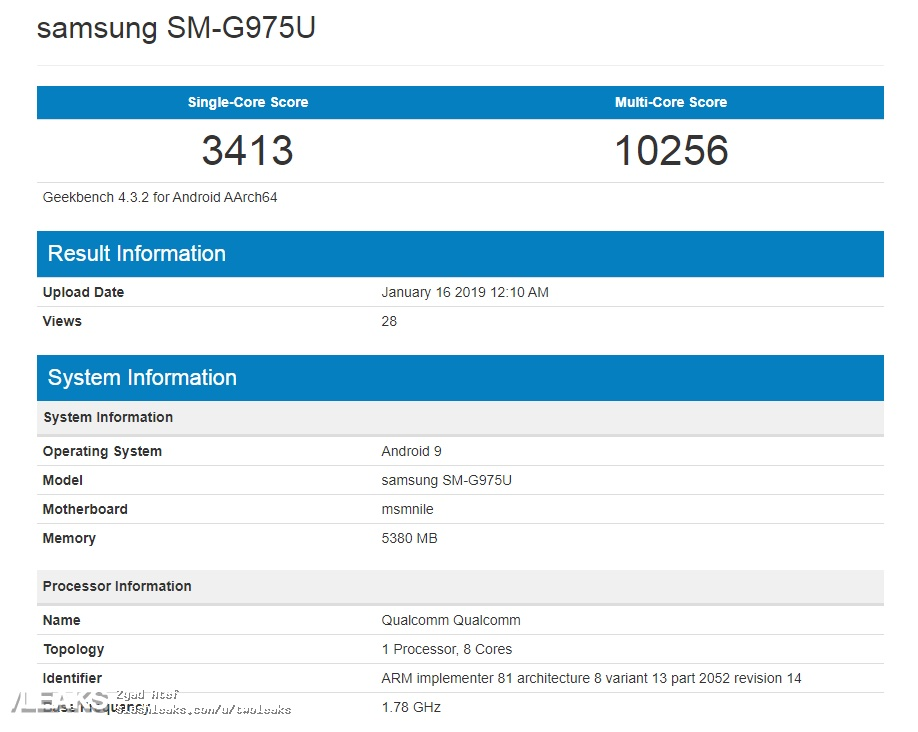


Last Year’s iPhone XS Beats New Galaxy S10+ in Leaked Benchmark


This may change in the final version but, we are so close to release that it seems unlikely. The S10+ also scored under the Snapdragon 855’s reference device performance, which got a 11,196 multi-core Geekbench in our most recent test — still lower than the XS’ A12 Bionic.


No matter how you look at this, it is bad news for Samsung and Qualcomm. And the international version of the S10+ could fare worse, as its Exynos CPU is reportedly less powerful than the 855.


Source: tom's guide

Windows
Mac OS
iOS
Linux
3uTools
Win 64-bit For this device
V9.01 2025-12-27
Download
Win 32-bit For this device
V9.01 2025-12-27
Download
3uTools
Intel Chip How to Identify Chip Type
V9.01 2025-12-31
Download
Apple Silicon
V9.01 2025-12-31
Download
How to Identify Chip Type
1.  Click the Apple icon in the top-left corner of the screen and select About This Mac.
2.  Check the Processor or Chip field to determine if it is "Intel" or "Apple".
Please use the 3uTools PC client to install the iOS client:
1、 Install either the Windows or Mac version of 3uTools on your computer
2、 Open the PC client and connect your device to the computer via USB cable
3、 After the connection is successful, wait for the computer to automatically install the mobile app for the device, or locate “Install Mobile App” on the computer and manually click to install.
3uTools
deb file
V3.01 2025-11-20
Download
rpm file
V3.01 2025-11-20
Download
Windows
Windows
iOS
iOS
Android
Android
TV
TV
3uAirPlayer
Win 64-bit For this device
V6.0.2 2025-11-19
Download
Win 32-bit For this device
V6.0.2 2025-11-19
Download
iOS Device Mirroring (No App Required)
1、 Install 3uAirPlayer on the Windows PC
2、 Open Control Center and select Screen Mirroring
3、 From the list, choose your PC to start mirroring
4、 Or connect your iOS device to the PC via USB to begin mirroring
Scan to get "3uAirPlayer" App
3uAirPlayer TV V1.0.18
2025-11-28
TV System Requirements: Android 7.0 or later
Download the TV installation package, copy it to a USB drive, insert it into your TV or set-top box, then select the file from the home screen to install.




