
NEWS

iPad Pro 2 Concept Image Shows Off 4K Display, Dual Camera

12/30/2016

4067

Designer Armend Lleshi has created a concept model of the 10.5-inch iPad Pro. The render has been built on the basis of its rumored specs.

iPad Pro 2 Specs


The designer slates showed the high-end tablet’s rumored 10.5-inch screen. Insider information circulating online said that it offers 4K resolution.


A 12,000 mAh battery reportedly powers the device. Furthermore, the device is said to have a 5MP front snapper and fitted with a dual rear camera. It will allegedly run on an Apple A10X processor with a 6GB RAM. Storage options supposedly range from the standard 64GB to up to 256GB.
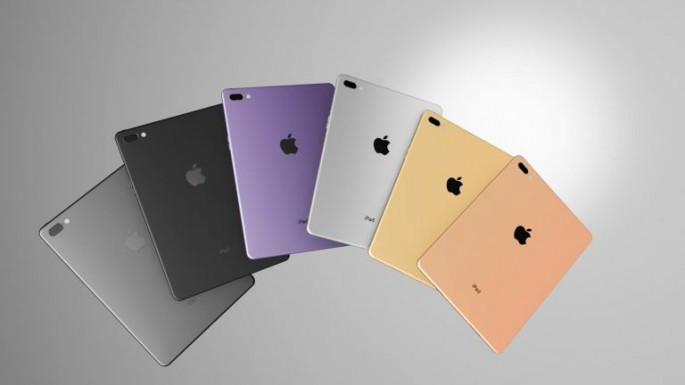

iPad Pro 2 Concept Image Shows Off 4K Display, Dual Camera


There are also iPad Pro 2 rumors related to its design. Its six available colors are Jet Black, Black, White, something called Wine, Gold and Rose Gold.


Many are hoping that the device will be made more useful by getting additional features from Project Tango or Intel RealSense. This would allow users to perform 3D mapping, which Acer tablets are already capable of.


Source: thebitbag


Windows
Mac OS
iOS
Linux
3uTools
Win 64-bit For this device
V9.0 2025-11-11
Download
Win 32-bit For this device
V9.0 2025-11-11
Download
3uTools
Intel Chip How to Identify Chip Type
V9.0 2025-12-02
Download
Apple Chip
V9.0 2025-12-02
Download
How to Identify Chip Type
1.  Click the Apple icon in the top-left corner of the screen and select About This Mac.
2.  Check the Processor or Chip field to determine if it is "Intel" or "Apple".
Please use the 3uTools PC client to install the iOS client:
1、 Install either the Windows or Mac version of 3uTools on your computer
2、 Open the PC client and connect your device to the computer via USB cable
3、 After the connection is successful, wait for the computer to automatically install the mobile app for the device, or locate “Install Mobile App” on the computer and manually click to install.
3uTools
deb file
V3.01 2025-11-20
Download
rpm file
V3.01 2025-11-20
Download
Windows
Windows
iOS
iOS
Android
Android
TV
TV
3uAirPlayer
Win 64-bit For this device
V6.0.2 2025-11-19
Download
Win 32-bit For this device
V6.0.2 2025-11-19
Download
iOS Device Mirroring (No App Required)
1、 Install 3uAirPlayer on the Windows PC
2、 Open Control Center and select Screen Mirroring
3、 From the list, choose your PC to start mirroring
4、 Or connect your iOS device to the PC via USB to begin mirroring
Scan to get "3uAirPlayer" App
3uAirPlayer TV V1.0.18
2025-11-28
TV System Requirements: Android 7.0 or later
Download the TV installation package, copy it to a USB drive, insert it into your TV or set-top box, then select the file from the home screen to install.




