 NEWS
NEWS
Apple's Former Marketing Director Returned his Bent iPad Pro on Monday
 12/28/2018
 2976
2976
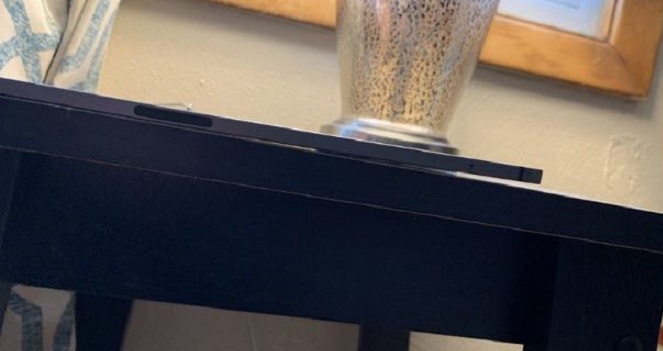
Michael Gartenberg, a former Apple executive, shared on Twitter earlier that he had returned his iPad Pro because it too had a noticeable bend. Gartenberg who is currently an analyst and tech journalist was previously a senior marketing director at Apple.
Returned my iPad this morning. Perhaps it was within Apple tolerances but Apple tolerances shouldn't allow for a clear noticeble bend. Much as monitors with noticeble dead pixels aren't acceptable either.
— Michael Gartenberg (@Gartenberg) December 24, 2018
Recently, several customers who bought the 2018 iPad Pro noticed that their iPads had a slight curve right out of the box. In a comment to The Verge, Apple said that the bend is not a cause for concern.
Instead, Apple say, the slight bend is a side effect of the iPad Pro’s manufacturing process (apparently during the cooling down process of the metal and plastic components). According to Apple, the bend is not expected to worsen over time or affect the iPad’s performance in any way. Essentially, Apple doesn’t consider the slight curve present in some iPad Pros a defect.
Some customers have sent emails to Apple for further clarification on the matter. One such customer received a reply from Dan Riccio, Apple’s VP of hardware engineering. Ricco explained that the iPad Pro’s unibody design “meets or exceeds Apple’s high-quality standards and precision manufacturing”.
Ricco goes on to explain that the current specification for the flatness of the iPad Pro is up to 400 microns which he claims is less than half a millimetre (or the width of fewer than four sheets of paper). However, Apple has not come out with an official statement about the matter.
A commenter by the name of Danny K responding to Gartenberg's Tweet stated: "ridiculous , I was going to buy one but not with that issue, not for that price, and not with that unacceptable explanation from apple."
Update Dec 27, 2018: Sometime after our report was posted, the tweet from Gartenberg was removed from his site, even though our embedded link still works. It's unknown at this time if a legal issue with Apple was the cause for its removal.
Source: patently apple










