 NEWS
NEWS
Egypt Gives Apple 60 days to Resolve ‘Unfair Restrictions’ From iPhone Prices
 12/12/2018
 2926
2926
Just 24 hours ago, a Chinese judge granted an injunction against Apple. Now, the Egyptian government is playing hardball with the tech giant as well, stating that Apple has just two months to end “unfair restrictions” on regional product distributors.
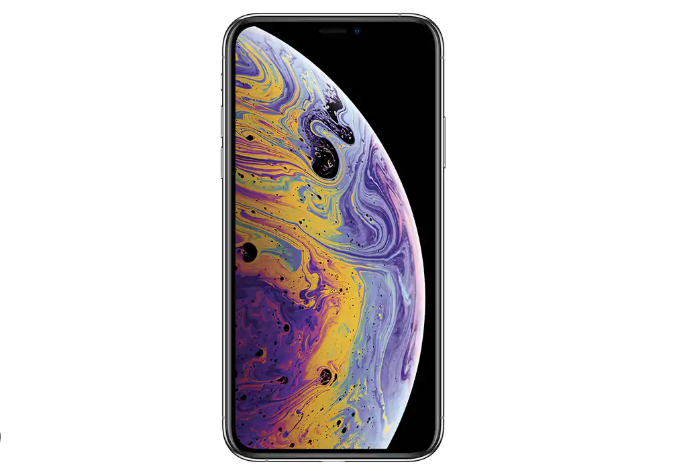
While the 60-day deadline doesn’t include the threat of a permanent sales ban, Egyptian officials are angry over the exceedingly difficult and high-income requirements needed to purchase an iPhone in the country.
Today’s statement comes from Egypt’s Official Gazette, which subsequently threatens to take legal action if changes aren’t made by the end of the two-month deadline.
iPhone prices in Egypt are quite high, where the average model retails for about 50% more than the price in the United States. Bloomberg reports that an iPhone XS Max is listed at an equivalent of nearly $2,000 USD from a standard Egyptian retailer, while purchasing the phone in the United Arab Emirates saves you a whopping $700, coming in at around just $1,300.
The Egyptian Competition Authority accused Apple of violating local law just days before the proposition was published, citing an end to “intra-brand competition” due to Apple’s refusal to sell supply more regionally.
Ultimately, today’s decree is a formal accusation of Apple violating competition laws. Angry that the company prevents regional distributors from selling directly to official Egyptian resellers is the primary rub. However, Apple’s parallel import ban doesn’t help the matter either. In case you’re a little fuzzy on economic terms, parallel imports are non-counterfeit product imports without permission from the IP owner (read: Apple).
Apple has yet to make a statement on the matter, and it’s unclear how this will play out over the next two months. In other international Apple news, the company has approved an Indian made Do Not Disturb app, which combats India’s spam phone call epidemic.
Source: 9to5mac










