 NEWS
NEWS
Apple News is Trying to Represent Different Political Views
 11/19/2018
 2676
2676
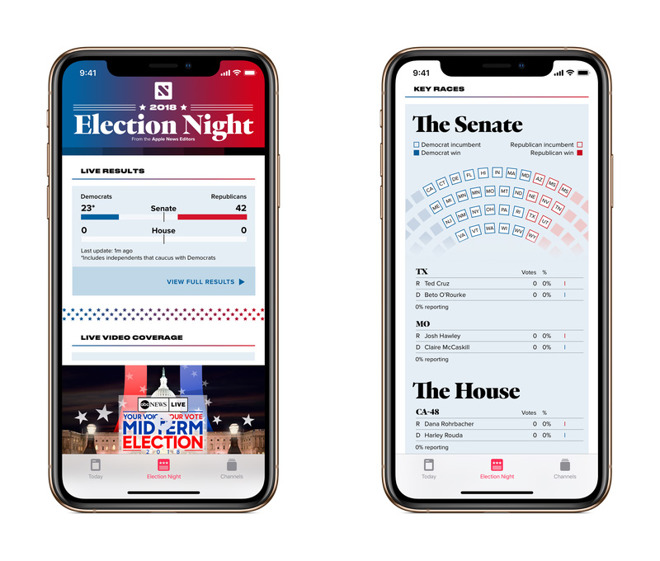
At Apple News, Apple is trying to represent different political views without stumbling into some of the pitfalls of modern journalism, the service's editor-in-chief explained to Australian newspaper.
"Misinformation can come out so quickly and spread so rapidly and that's something that we take pride in not allowing to happen. Our mantra is that it's better to be accurate than first," Lauren Kern told The Sydney Morning Herald. Kern was only hired around May 2017, coming from New York Magazine.
Networks like Facebook, Twitter, Gab, and WhatsApp have frequently been used to spread false rumors or intentionally faked news. The Russian government wields social media to influence U.S. elections, for instance, and Facebook has been accused of doing too little to deter hate rhetoric ahead of the Rohingya genocide in Myanmar.
Apple is interested in "having publishers from different parts of the political spectrum," Kern continued, but doesn't want people getting trapped by clickbait or ideological bubbles Facebook algorithms can spawn.
"In general, outrage clicks well," she said. "People like to read within their own filter bubble. That's not something we want to encourage here."
This agenda stems in part from CEO Tim Cook, according to the company's VP of apps, Roger Rosner.
"Tim Cook very quickly saw the critical social impact, the value to society, of this sort of effort," Rosner said. "He told us early on we needed to make a priority of helping journalism thrive, of helping democracy in an increasingly challenging world. We are trying in our own, small way, to build a little bit of a shared reality here, and mend some of the polarization."
Source: 9to5mac










