 NEWS
NEWS
Trump Praises Apple at Groundbreaking for Foxconn’s U.S. Plant
 06/29/2018
 2651
2651
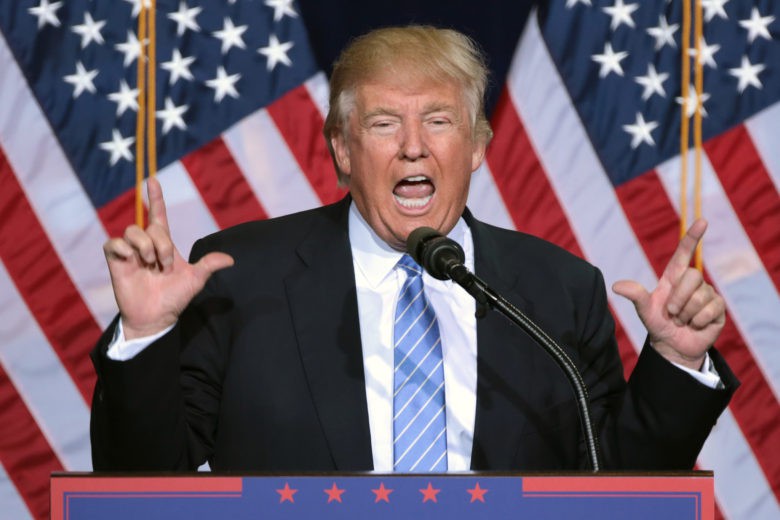
A groundbreaking ceremony today for a huge Foxconn plant was attended by President Trump. Foxconn is best known for assembling the iPhone, but this plant in the Midwest will produce LCD screens.
Although Apple isn’t directly involved with the production facility, the president still used his speech this morning to applaud the iPhone maker.
This Wisconsin factory is a win for Trump’s plan to bring more production to America. It’s expected to employ up to 13,000 people. In a speech at the groundbreaking ceremony today, the president said, “As Foxconn has discovered, there is no better place to build, hire, and grow than right here in the United States.”
Trump loves Apple
As mentioned, Trump used his speech to hail one of his favorite companies. “Apple is spending $350 billion. I would have been happy with $350 million. But they’re spending $350 billion on plants, building an incredible new campus,” the president said.
In January, Apple revealed its plans to contribute $350 billion to the U.S. economy over the next five years. That includes building an additional U.S. campus for tech support staff, and adding over 20,000 new jobs. Apple outsources production of its products, so the “plants” the president mentioned are probably a misstatement,
Trump also described Foxconn’s CEO Terry Gou as “one of the great businessmen in the world” in his speech this morning, according to Cnet.
Foxconn plant not without drawbacks
The residents of Mount Pleasant, Wisconsin can appreciate the thousands of new jobs Foxconn is bringing to their area, but they do come at a cost. According to a recent report, Wisconsin residents will pay an extra $1 billion on top of the existing $3 billion in subsidies offered to attract Foxconn to the area.
According to an independent analysis, it will take Wisconsin residents about 25 years to fully reclaim the subsidies, and that’s assuming Foxconn creates all 13,000 jobs it promised.
Source: cult of mac










