
NEWS

Beautiful iPad Pro Concept Imagines Slim Bezels

06/28/2018

2535

Designer Álvaro Pabesio, who previously shared a slick ‘macOS 11’ concept, is out today with a fresh iPad Pro concept. Included in his clean vision of the product are iPhone X-like rounded display corners, Face ID, a new multitasking option to pull up iPhone apps and more.


While we’ve seen a few renders of an almost full-screen iPad Pro, this new concept may be the most beautiful and fleshed out to date.


Starting with the almost bezel-less display, this concept sees an 11.9-inch display fitting in the same footprint as the current 10.5-inch iPad Pro. Naturally, to make this happen it sheds the Home button for minimal bezel that looks uniform around the device, no notch here.


As for Face ID, Pabesio imagines a second generation True Depth camera to bring upgraded capabilities like recognition for four faces, horizontal recognition, and greater range.
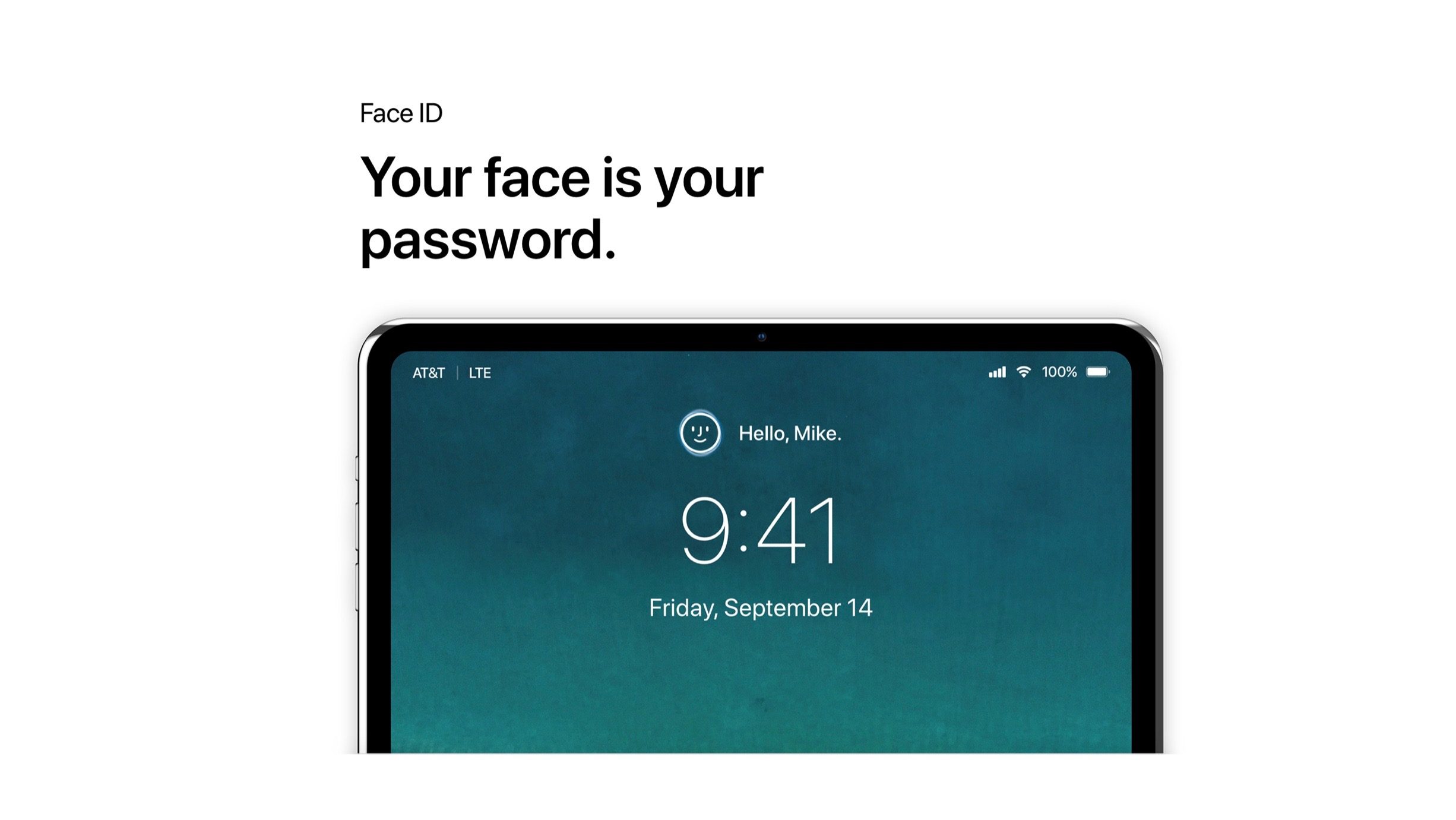

Beautiful iPad Pro Concept Imagines Slim Bezels

Another upgrade with this concept sees dual 12MP rear cameras, bringing Portrait Mode to the iPad for the first time.


In the below image we also see what looks like a glass enclosure for the rear, maybe a touch darker than the current iPhone X space gray.


Another notable addition is a slick mutiltasking feature that brings floating iPhone apps to iPad Pro via Continuity.


Source: 9to5mac


Windows
Mac OS
iOS
Linux
3uTools
Win 64-bit For this device
V9.01 2025-12-27
Download
Win 32-bit For this device
V9.01 2025-12-27
Download
3uTools
Intel Chip How to Identify Chip Type
V9.01 2025-12-31
Download
Apple Silicon
V9.01 2025-12-31
Download
How to Identify Chip Type
1.  Click the Apple icon in the top-left corner of the screen and select About This Mac.
2.  Check the Processor or Chip field to determine if it is "Intel" or "Apple".
Please use the 3uTools PC client to install the iOS client:
1、 Install either the Windows or Mac version of 3uTools on your computer
2、 Open the PC client and connect your device to the computer via USB cable
3、 After the connection is successful, wait for the computer to automatically install the mobile app for the device, or locate “Install Mobile App” on the computer and manually click to install.
3uTools
deb file
V3.01 2025-11-20
Download
rpm file
V3.01 2025-11-20
Download
Windows
Windows
iOS
iOS
Android
Android
TV
TV
3uAirPlayer
Win 64-bit For this device
V6.0.2 2025-11-19
Download
Win 32-bit For this device
V6.0.2 2025-11-19
Download
iOS Device Mirroring (No App Required)
1、 Install 3uAirPlayer on the Windows PC
2、 Open Control Center and select Screen Mirroring
3、 From the list, choose your PC to start mirroring
4、 Or connect your iOS device to the PC via USB to begin mirroring
Scan to get "3uAirPlayer" App
3uAirPlayer TV V1.0.18
2025-11-28
TV System Requirements: Android 7.0 or later
Download the TV installation package, copy it to a USB drive, insert it into your TV or set-top box, then select the file from the home screen to install.




