 NEWS
NEWS
Reportedly the Second Apple Retail Location in Macau Under Wraps
 04/02/2018
 3429
3429
A new report today from Storeteller offers photos of what is claimed to be Apple’s second retail location in the Chinese region of Macau. According to the report, the store is expected to be completed by the end of June.
Apple’s first store in the region, located at the Galaxy Macau Resort, opened in June 2016. Today’s photos show a structure that would dwarf the resort’s indoor location and depict a large store, likely glass in construction, with an adjacent plaza. The design does not appear dissimilar to Apple’s Fifth Avenue store in New York City, also currently under construction. Lush landscaping surrounds the store, a signature component of recent Apple retail projects which increasingly place focus on public gathering spaces, or what Apple calls “modern town squares.” A single panel on the building’s face would appear to conceal an Apple logo.
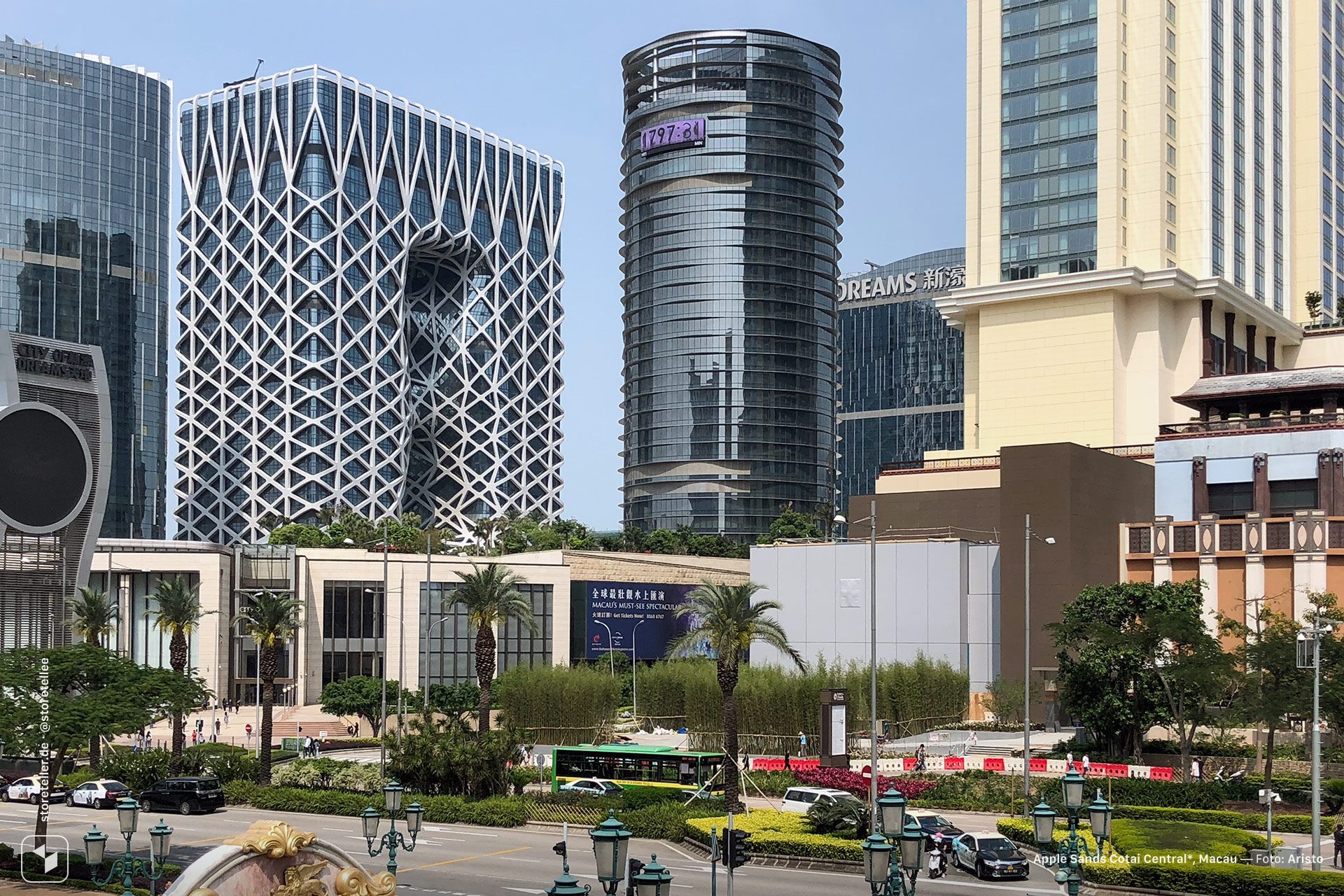
The report details that construction is taking place at the Sands Cotai Central, a casino resort owned by Las Vegas Sands. While rumors of a second store in Macau have been scarce, the resort complex has been in the process of a $1.1 billion renovation designed to draw more tourists. The property has experienced weaker than desired revenue since opening in 2012.
Across the globe, Apple is in the midst of expanding its retail footprint. Concurrent projects are underway in Milan, where a massive fountain and amphitheater is planned, and in Tokyo, where a new mall store will open on April 7th. Check out more photos of the new rumored Macau store, and watch our retail guide for all Apple store news.
Source: 9to5mac










