NEWS

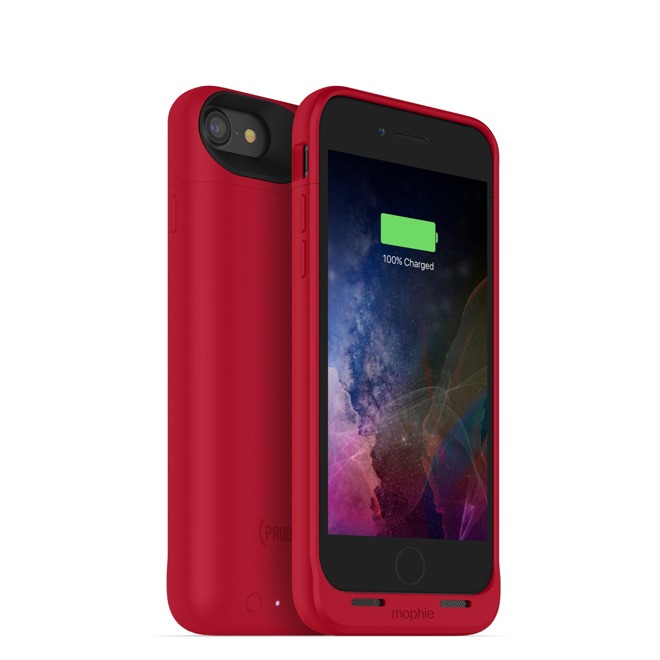
Mophie launches Juice Pack Air cases for iPhone 7 & 7 Plus

12/07/2016

3188

Mophie launches Juice Pack Air cases for iPhone 7 & 7 Plus


The iPhone 7 case —with a 2,525 milliamp-hour battery —is said to extend life up to 27 hours, while the 7 Plus model pushes that to 33, despite having a slightly smaller 2,420 milliamp-hour supply. Both products incorporate Mophie's "Charge Force" wireless charging technology, which should work with first- and third-party bases.

The cases use speaker ports for redirecting audio, and indicator lights on the back to show battery levels.

Five colors are available, namely black, blue, gold, rose gold, and a special (RED) option which sends some proceeds to the Global Fund to fight AIDS, malaria, and tuberculosis. While black cases are shipping within days, however, some other colors may take as long as 4 to 5 weeks, particularly for the 7 Plus.

Each case is available from Mophie's website for $99.95.


Source: appleinsider

Windows
Mac OS
iOS
Linux
3uTools
Win 64-bit For this device
V9.0 2025-11-11
Download
Win 32-bit For this device
V9.0 2025-11-11
Download
3uTools
Intel Chip How to Identify Chip Type
V9.0 2025-12-02
Download
Apple Chip
V9.0 2025-12-02
Download
How to Identify Chip Type
1.  Click the Apple icon in the top-left corner of the screen and select About This Mac.
2.  Check the Processor or Chip field to determine if it is "Intel" or "Apple".
Please use the 3uTools PC client to install the iOS client:
1、 Install either the Windows or Mac version of 3uTools on your computer
2、 Open the PC client and connect your device to the computer via USB cable
3、 After the connection is successful, wait for the computer to automatically install the mobile app for the device, or locate “Install Mobile App” on the computer and manually click to install.
3uTools
deb file
V3.01 2025-11-20
Download
rpm file
V3.01 2025-11-20
Download
Windows
Windows
iOS
iOS
Android
Android
TV
TV
3uAirPlayer
Win 64-bit For this device
V6.0.2 2025-11-19
Download
Win 32-bit For this device
V6.0.2 2025-11-19
Download
iOS Device Mirroring (No App Required)
1、 Install 3uAirPlayer on the Windows PC
2、 Open Control Center and select Screen Mirroring
3、 From the list, choose your PC to start mirroring
4、 Or connect your iOS device to the PC via USB to begin mirroring
Scan to get "3uAirPlayer" App
3uAirPlayer TV V1.0.18
2025-11-28
TV System Requirements: Android 7.0 or later
Download the TV installation package, copy it to a USB drive, insert it into your TV or set-top box, then select the file from the home screen to install.